


Hello guys, i thought i would post my problem here. Since Google didn't show many results.
U see my problem is my C:\ is 200 GB which is quite less for Win7.
I h' portable drive to make a backup of my data. Which i do and its going okay.
But whenever i download some movies to drive C:\ it occupies some space and over time it becomes quite full
but i also delete those files which r on C:\; but when i check the details it doesn't show the amount of free space available.
Please see snapshot.
So as it doesn't do that, i end up with more and more used space, i don't know what i should do to
claim those free spaces. At one time, my available free space was only 11 MB and Win7 showed some errors. But
it quite did not claim the free space. So eventually i reverted back to the snapshot that was fresh and still working with
lots of space. Due to this problem i h' to go back to previous snapshot again and again. (I use Rollback Rx for that).
So guys hope it was understandable, how do i fix this.
Please do not tell me to use Disk Cleanup tool as i h' already done that and it shows only 200 MB of file to be deleted.
Where as i am talking about 80-90 GB of space. Refresh button doesn't help.
hulkbuster.
U see my problem is my C:\ is 200 GB which is quite less for Win7.
I h' portable drive to make a backup of my data. Which i do and its going okay.
But whenever i download some movies to drive C:\ it occupies some space and over time it becomes quite full
but i also delete those files which r on C:\; but when i check the details it doesn't show the amount of free space available.
Please see snapshot.
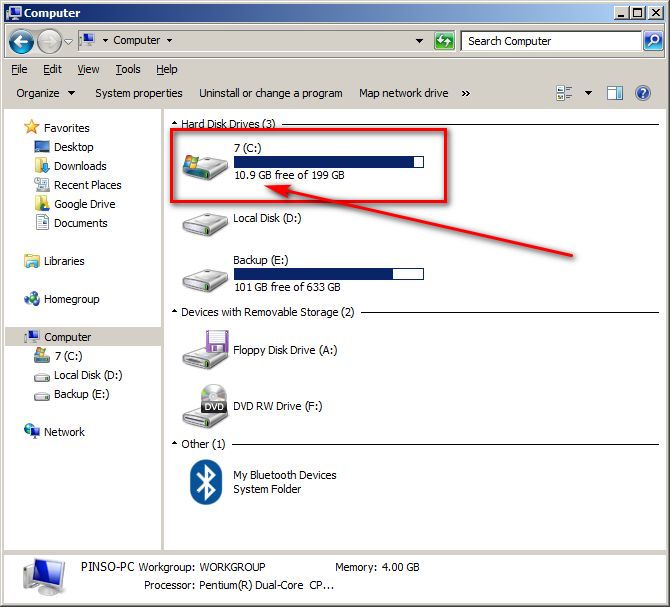
So as it doesn't do that, i end up with more and more used space, i don't know what i should do to
claim those free spaces. At one time, my available free space was only 11 MB and Win7 showed some errors. But
it quite did not claim the free space. So eventually i reverted back to the snapshot that was fresh and still working with
lots of space. Due to this problem i h' to go back to previous snapshot again and again. (I use Rollback Rx for that).
So guys hope it was understandable, how do i fix this.
Please do not tell me to use Disk Cleanup tool as i h' already done that and it shows only 200 MB of file to be deleted.
Where as i am talking about 80-90 GB of space. Refresh button doesn't help.
hulkbuster.


![2021-03-31 11_06_50-[C_] SSD 8x64 - WizTree.jpg](/forum/attachments/113408/2021-03-31_11_06_50-[C_]_SSD_8x64_-_WizTree.jpg)
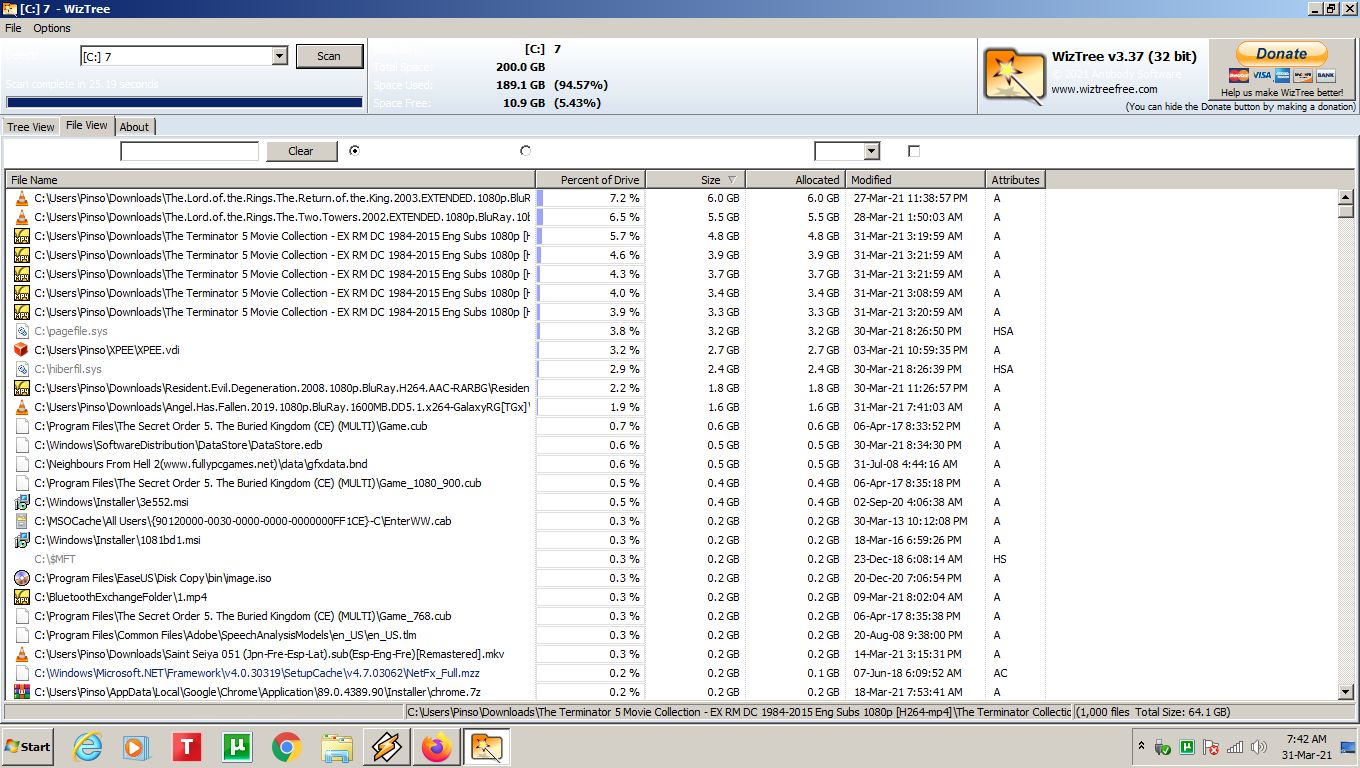


 )
)

