DonationCoder.com forum
 
Read-only archive. This is a static copy of the DonationCoder.com forum. Reading and searching work as before; logging in, posting and private messages do not.
Archive of 2026-10-21 · About this archive · Main site

Author Topic: [DONE] Command line timer for a computer with screen off, like a better pause.ex  (Read 18,926 times)

user45454

  • Participant
  • Joined in 2010
  • *
  • Posts: 22
What I want: A command line timer for a computer with the screen off, basically a better pause.exe that accepts hour and minutes as input.
Why: To let me know when the washing machine and dryer are done.

Use case
On a computer that has the screen turned off
1) I Press a hotkey that launch a bat file.
2) Bat file Plays a wav file (So I know I started the right bat file).
3a) Timer.exe is started and waiting for my input                                                                          <------------- This is where I need your help.
3c) I input the time with H MM (Example:132=1 hour & 32 min) and press return.                          <------------- This is where I need your help.
3b) The program plays a wave-file (or beeps) to let me know it accepted the input and start the countdown <------------- This is where I need your help.
3c) When the countdown is done the program exists and the bat file can continue.                          <------------- This is where I need your help.
4) The .bat file makes a HTTP call via curl to my IoT-server that in turn will notify me via a voice message on the speakers and a Telegram notification.

I will make two .bat-files, one for washer and one for the dryer.
I'm thinking that an enhanced version of pause.exe or timeout.exe should do the trick.

« Last Edit: June 25, 2021, 08:21 PM by user45454 »

publicdomain

  • Honorary Member
  • Joined in 2019
  • **
  • Posts: 732
    • Participated in NANY Challenge Three Times
    • Linux User
Hi & thanks for your request! It's all possible via .exe :)

4) The .bat file makes a HTTP call via curl to my IoT-server

What's the target IoT server's IP? (to set as default address for your use case)

Cheers!
« Last Edit: April 01, 2021, 03:40 PM by publicdomain »

KodeZwerg

  • Honorary Member
  • Joined in 2018
  • **
  • Posts: 718
    • Participated in NANY Challenge Four Times
    • Coding Snacks
How about a generic GUI driven calendar tool that support date warnings (birthdays etc) and timer based things, that can perform execution tasks, like calling a .cmd file, or add individual tasks (commands) like a .cmd replacement?
Click icon to quick enable timer and then you turn off screen...
Editor to create tasks as usable preset would be included.
Hotkeys for preset are also an option.

user45454

  • Participant
  • Joined in 2010
  • *
  • Posts: 22
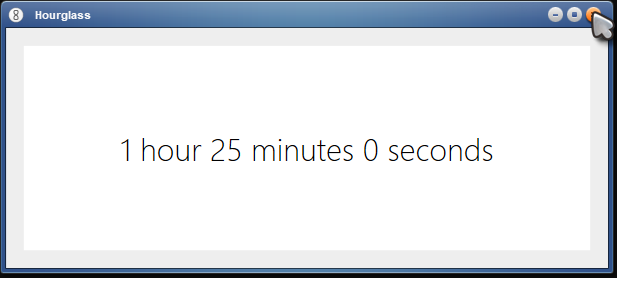
I kind of solved it with the following.

Code
set /P time2="Set delay"
start /wait HourglassPortable.exe %time2%

App used: https://chris.dziemborowicz.com/apps/hourglass/

The problem is I need to write "H" to get hourglass to understand that I want hours.
Example: "1h25" will get me 1 hour and 25 minutes.

It would be nice to be able to skip the "H" and also have it all in comand prompt.

user45454

  • Participant
  • Joined in 2010
  • *
  • Posts: 22
Hi & thanks for your request! It's all possible via .exe :)

4) The .bat file makes a HTTP call via curl to my IoT-server

What's the target IoT server's IP? (to set as default address for your use case)

Cheers!

Hi,
:)
Local server, 192.168.0.232.
But I only need the timer part, the call to ther server can be done with curl.
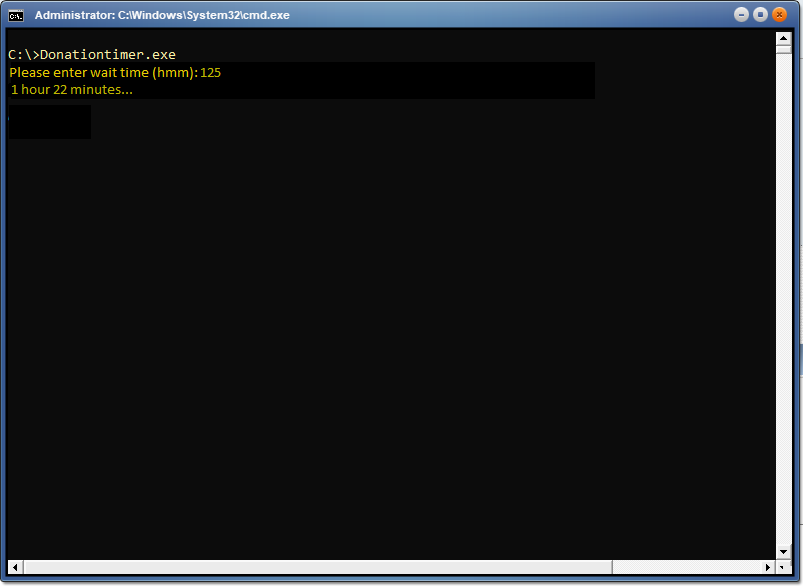
I attached a picture of what im thinking.

publicdomain

  • Honorary Member
  • Joined in 2019
  • **
  • Posts: 732
    • Participated in NANY Challenge Three Times
    • Linux User
Local server, 192.168.0.232.
But I only need the timer part, the call to ther server can be done with curl.

Got it! DonationTimer.exe it is with DonationTimer.wav as sound file :Thmbsup:

I'm @ it! https://github.com/publicdomain/donationtimer

UPDATE: Code's finished :)
« Last Edit: April 03, 2021, 04:20 PM by publicdomain »

publicdomain

  • Honorary Member
  • Joined in 2019
  • **
  • Posts: 732
    • Participated in NANY Challenge Three Times
    • Linux User
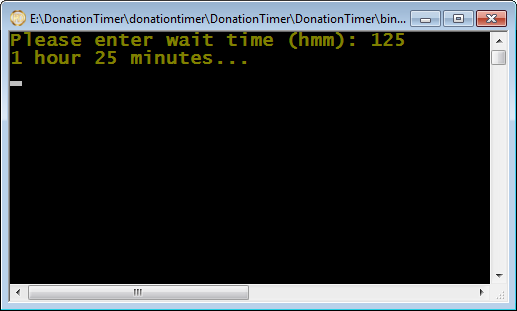
DonationTimer.exe it is with DonationTimer.wav as sound file

DonationTimer_v0-1-0.png

Download & info: https://www.dcmembers.com/publicdomainvic/download/donationtimer-v0-1-0/

Forum thread: https://www.donationcoder.com/forum/index.php?topic=51271.0

You can use any sound file you want by placing it in the same folder & renaming it to "DonationTimer.wav" :)

(If there's no sound file it beeps)

Enjoy!
Vic

KodeZwerg

  • Honorary Member
  • Joined in 2018
  • **
  • Posts: 718
    • Participated in NANY Challenge Four Times
    • Coding Snacks
@vic: your fliesystem looks crazy "C:\DonationTimer\donationtimer\DonationTimer\..." did not tested program, just only curious looked at image  :huh:

But I bet it works like you said, never had trouble with your Applications so far!

publicdomain

  • Honorary Member
  • Joined in 2019
  • **
  • Posts: 732
    • Participated in NANY Challenge Three Times
    • Linux User
@vic: your fliesystem looks crazy "C:\DonationTimer\donationtimer\DonationTimer\..."

haha indeed!  :) There's a little "software story" there!

  • DonationTimer Parent directory for the program
    INFO, IMG, Release
  • donationtimer GitHub information
    Readme, LICENSE, .git
  • DonationTimer Destination folder as chosen manually for the solution
  • DonationTimer Target sub-folder created by the IDE automatically
    Program.cs, Solution file, resources, generated output
  • bin Program binaries
    Debug, Release
  • Release Compiled executable for distribution
  • DonationTimer.exe Public program

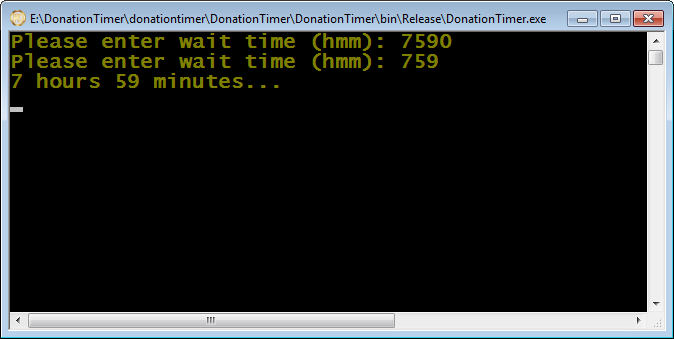
DonationTimer_v0-1-0_KZ.png

There you go, sharp friend!

(Image bonus: Why 7590, then 759? K = Decimal ASCII 75, Z = Decimal 90 --had to make this one for you here  :Thmbsup:)

Cheers & lots of love! :-*
Vic

KodeZwerg

  • Honorary Member
  • Joined in 2018
  • **
  • Posts: 718
    • Participated in NANY Challenge Four Times
    • Coding Snacks
(Image bonus: Why 7590, then 759? K = Decimal ASCII 75, Z = Decimal 90 --had to make this one for you here  :Thmbsup:)
Solution, do a "length(string) mod 2" check to choose a correct string to integer direction/translation :)
(if result is 0 you have something dividable by two, for example a string with length of 4 '7590', so you can add 2 chars from that string,
but i do not know how your program handle invalid integers like 75h 90m
(hours should just go to 23, minutes should just go to 59, everything higher should result in recalculation of wanted time amount),
have you got 90m -> [add to final time amount] + 1h 30m calculation integrated? ^_^

With my own little unfinished calendar thingy I do recalculate everything up to years, month, days, hours, minutes, seconds, milliseconds, nanoseconds [last two only internal]
my base is milliseconds, from there I do add everything to have final time)

If that matters at all,
keep it up!

Join us on Discord ;-)

user45454

  • Participant
  • Joined in 2010
  • *
  • Posts: 22
Local server, 192.168.0.232.
But I only need the timer part, the call to ther server can be done with curl.

Got it! DonationTimer.exe it is with DonationTimer.wav as sound file :Thmbsup:

I'm @ it! https://github.com/publicdomain/donationtimer

UPDATE: Code's finished :)

Hi,
Many thanks for the program.
Im testing it now and this should be exactly what I need.

:D :-* :up:

Alwass

  • Participant
  • Joined in 2025
  • *
  • Posts: 1
Sounds like a cool setup! For the timer, you could try a small custom script in PowerShell or use a lightweight tool like nircmd with arguments. It runs silently, supports delays, and works even when the screen’s off. You can combine it easily with .bat files.

Original address: https://www.donationcoder.com/forum/index.php?topic=51207.0