Coding Snack request
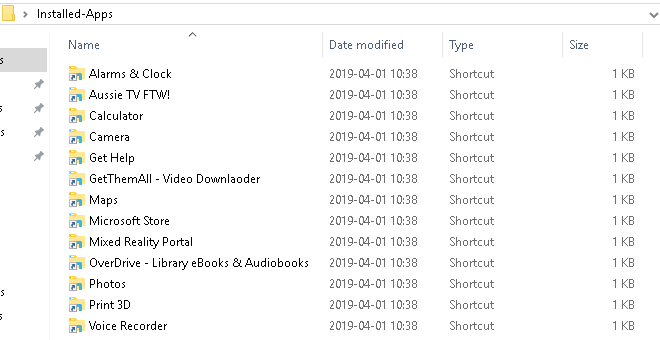
a script/tool that auto creates .lnk shortcuts for all currently installed Windows Store Apps.
Background
Users of Mouser's Find And Run Robot (FARR) requested an easy way to launch Windows Store Apps. The problem is that those apps do not create .lnk shortcut files FARR can find when searching files and folders. Users can manually create .lnk shortcuts one by one. But an automated method would be more user friendly. A standalone tool could also be useful for people who don't use FARR.
Research done
1. syntax for .lnk shortcuts to Windows Store Apps
Windows Store Apps can be run from .lnk shortcuts with a target that has this format
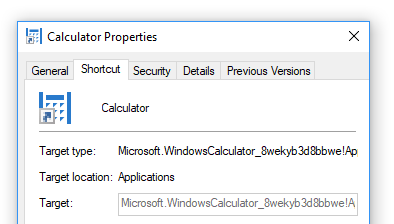
For example on my PC we can launch Windows Calculator with
2. Powershell command to get a list of AUMID
The Powershell command
More details here https://docs.microsoft.com/en-us/windows/configuration/find-the-application-user-model-id-of-an-installed-app
3. Making .lnk shortcuts programmatically
AutoHotkey has the command FileCreateShortcut, https://autohotkey.com/docs/commands/FileCreateShortcut.htm
What has already been tried
I didn't find a working way to use AutoHotkey to run Powershell with the get-StartApps command and output the resulting list to a .txt file.
I get this error
Instead of banging my non-powershell experienced head more against powershell error message walls, perhaps someone else here can think of a quick fix or different solution, using AutoHotkey, Powershell or some other method?
a script/tool that auto creates .lnk shortcuts for all currently installed Windows Store Apps.
Background
Users of Mouser's Find And Run Robot (FARR) requested an easy way to launch Windows Store Apps. The problem is that those apps do not create .lnk shortcut files FARR can find when searching files and folders. Users can manually create .lnk shortcuts one by one. But an automated method would be more user friendly. A standalone tool could also be useful for people who don't use FARR.
Research done
1. syntax for .lnk shortcuts to Windows Store Apps
Windows Store Apps can be run from .lnk shortcuts with a target that has this format
Code
explorer.exe shell:Appsfolder\<AUMID>For example on my PC we can launch Windows Calculator with
Code
explorer.exe shell:Appsfolder\Microsoft.WindowsCalculator_8wekyb3d8bbwe!App2. Powershell command to get a list of AUMID
The Powershell command
Code
get-StartAppsMore details here https://docs.microsoft.com/en-us/windows/configuration/find-the-application-user-model-id-of-an-installed-app
3. Making .lnk shortcuts programmatically
AutoHotkey has the command FileCreateShortcut, https://autohotkey.com/docs/commands/FileCreateShortcut.htm
What has already been tried
I didn't find a working way to use AutoHotkey to run Powershell with the get-StartApps command and output the resulting list to a .txt file.
I get this error
Code
'get-StartApps' is not recognized as the name of a cmdletInstead of banging my non-powershell experienced head more against powershell error message walls, perhaps someone else here can think of a quick fix or different solution, using AutoHotkey, Powershell or some other method?

 Apps2Shortcut.7z