DonationCoder.com forum
 
Read-only archive. This is a static copy of the DonationCoder.com forum. Reading and searching work as before; logging in, posting and private messages do not.
Archive of 2026-10-21 · About this archive · Main site

Author Topic: Ragged Edge  (Read 5,580 times)

RobertPickeral

  • Participant
  • Joined in 2018
  • *
  • Posts: 3
Ragged Edge
« on: August 28, 2018, 12:16 PM »
Long time user:

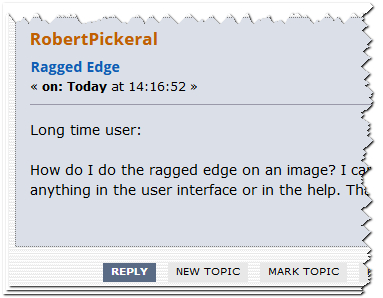
How do I do the ragged edge on an image? I can't find anything in the user interface or in the help. Thanks!

Curt

  • Supporting Member
  • Joined in 2006
  • **
  • Posts: 7,565
Re: Ragged Edge
« Reply #1 on: August 28, 2018, 12:23 PM »
Maybe this thread should be moved to Screenshot Captor - DonationCoder.com?


[attachthumb=#]

RobertPickeral

  • Participant
  • Joined in 2018
  • *
  • Posts: 3
Re: Ragged Edge
« Reply #2 on: August 28, 2018, 12:27 PM »
i thought I was in the proper forum. Sorry. Can you help me find this feature please?

Ath

  • Supporting Member
  • Joined in 2006
  • **
  • Posts: 3,649
    • Participated in NANY Challenge Eleven Times
    • Coding Snacks
    • Linux User
    • Hardware Hacker
Re: Ragged Edge
« Reply #3 on: August 28, 2018, 01:50 PM »
It's in the "SpecialFX2"/"Border around Image" menu of the full ScreenshotCaptor interface, and is called "Border effect, splice style (ragged edges)".
/Ton
Ath's software collection, Quote: "A problem well stated is a problem half-solved." (Charles Kettering)

RobertPickeral

  • Participant
  • Joined in 2018
  • *
  • Posts: 3
Re: Ragged Edge
« Reply #4 on: August 31, 2018, 03:26 PM »
It's in the "SpecialFX2"/"Border around Image" menu of the full ScreenshotCaptor interface, and is called "Border effect, splice style (ragged edges)".

THANK YOU!!! Nice feature, but I think it needs to be easier to find.

Original address: https://www.donationcoder.com/forum/index.php?topic=46047.0