DonationCoder.com forum
 
Read-only archive. This is a static copy of the DonationCoder.com forum. Reading and searching work as before; logging in, posting and private messages do not.
Archive of 2026-10-21 · About this archive · Main site

Author Topic: capture two screens in one  (Read 6,285 times)

Regattaj

  • Participant
  • Joined in 2018
  • *
  • Posts: 3
capture two screens in one
« on: August 27, 2018, 01:48 PM »
HJi, do you know somone, if i can capture two screens in one file and how can i do this?
Thanks

Ath

  • Supporting Member
  • Joined in 2006
  • **
  • Posts: 3,649
    • Participated in NANY Challenge Eleven Times
    • Coding Snacks
    • Linux User
    • Hardware Hacker
Re: capture two screens in one
« Reply #1 on: August 27, 2018, 01:57 PM »
You should grab the entire Workspace (Check your settings for the hotkey assigned to that, here it's Ctrl-PrtScr).
If you have more than 2 monitors connected to your system, edit away the parts you don't want to keep.
/Ton
Ath's software collection, Quote: "A problem well stated is a problem half-solved." (Charles Kettering)

Regattaj

  • Participant
  • Joined in 2018
  • *
  • Posts: 3
Re: capture two screens in one
« Reply #2 on: August 27, 2018, 02:17 PM »
maybe i didnt describe very well my quenstion. I capture one photo in the left side of product and after that i will capture another photo. after that i will save these two photo in one file. Please see the attach files [attachment 1 not found][attachment 2 not found]
i want two these files to make one
« Last Edit: August 27, 2018, 02:48 PM by mouser »

mouser

  • First Author
  • Administrator
  • Joined in 2005
  • *****
  • Posts: 40,931
    • Gathering Badge
    • Plugin Coding Medal
    • Participated in NANY Challenge Seventeen Times
    • Cody Award
    • Coding Snacks
    • Volunteers/Staff
Re: capture two screens in one
« Reply #3 on: August 27, 2018, 02:31 PM »
In screenshot captor, just select the first image.
Then click and drag the second image from the thumbnail panel on top of the first image.
Screenshot Captor will then ask you what you want to do.  Choose to combine images side by side. Done!

Regattaj

  • Participant
  • Joined in 2018
  • *
  • Posts: 3
Re: capture two screens in one
« Reply #4 on: August 27, 2018, 02:47 PM »
Just worked, thanks a  lot for help

IainB

  • @Slartibartfarst
  • Supporting Member
  • Joined in 2008
  • **
  • Posts: 7,544
Re: capture two screens in one
« Reply #5 on: August 27, 2018, 03:05 PM »
Yes, as @mouser suggests, you could put them side-by-side as a single image, as here, using various software, including ScreenshotCaptor (though I did this using MS OneNote by putting them into a Table and saving the Table as an image):
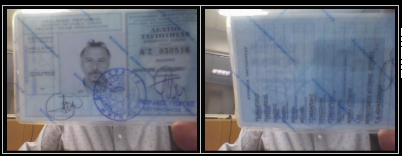
Phhoto1+Photo2 side by side as 1 png file.png

Or you could pack them both sequentially into a single .TIF file, as the one below, which I did using irfanview (.a TIF file can contain multiple images):
NB: This latter file cannot display correctly in the DC Forum. I saved it with a .PNG extension, as the DC Forum is apparently unable to handle .TIF image files for upload. If you download it and rename the extension back to .TIF it should work OK. If you try to open it with Irfanview, then Irfanview will tell you that it is a mis-named .TIF file and ask you whether you want to rename it).
« Last Edit: August 27, 2018, 03:13 PM by IainB »

Original address: https://www.donationcoder.com/forum/index.php?topic=46040.0