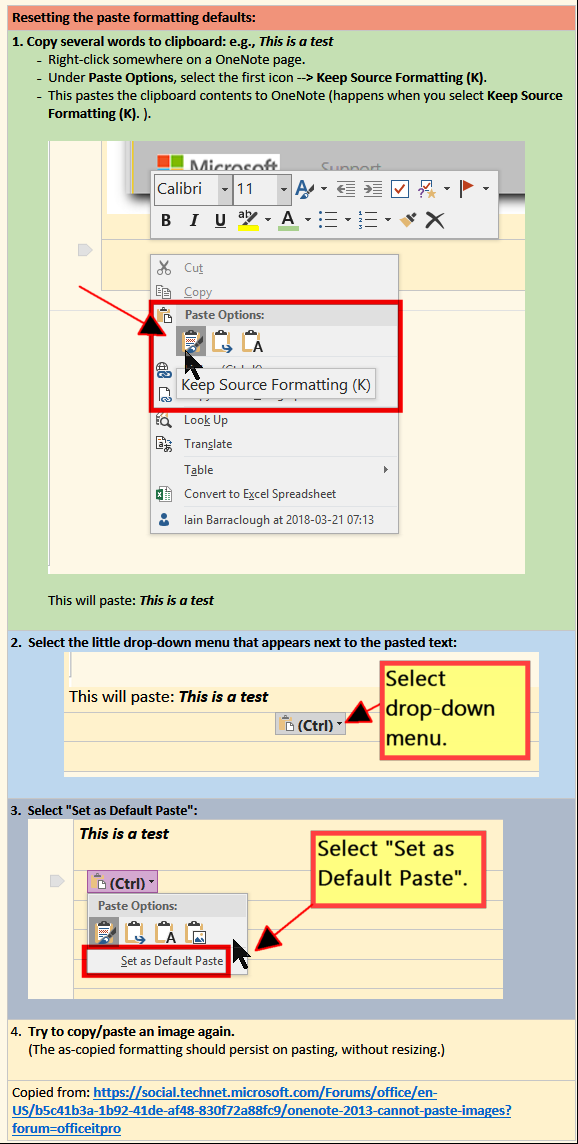
@absoblogginlutely: ^^ Ahh, the penny just dropped. I think I understand a bit better now.
You are first copying the small images
from the
LHS Thumbnail Panel in
SC and
then pasting them into
ON (OneNote) - yes?
IF you do that, then the as-pasted image will always/usually be
smaller in ON, and will require re-sizing (making bigger) - i.e., after it has been pasted into ON.
However,
IF you click on and copy
the image itself in the SC workspace,
then it will paste as normal (default/correct size) into ON. Try it and see for yourself.
I rarely copy/paste from SC, and had to do it just now when trying to replicate the problem you seemed to be having.
I nowadays usually hold any/all the images I want to edit in SC as
.PNG images in
CHS (ClipboardHelp&Spell), and I view them there either in the CHS
Clip Image tab or via
irfanview (set as the default viewer in CHS) and edit them in SC (set as the default editor in CHS).
So the images are stored and edited
in the images folder maintained by CHS, which folder can automatically be date-related.
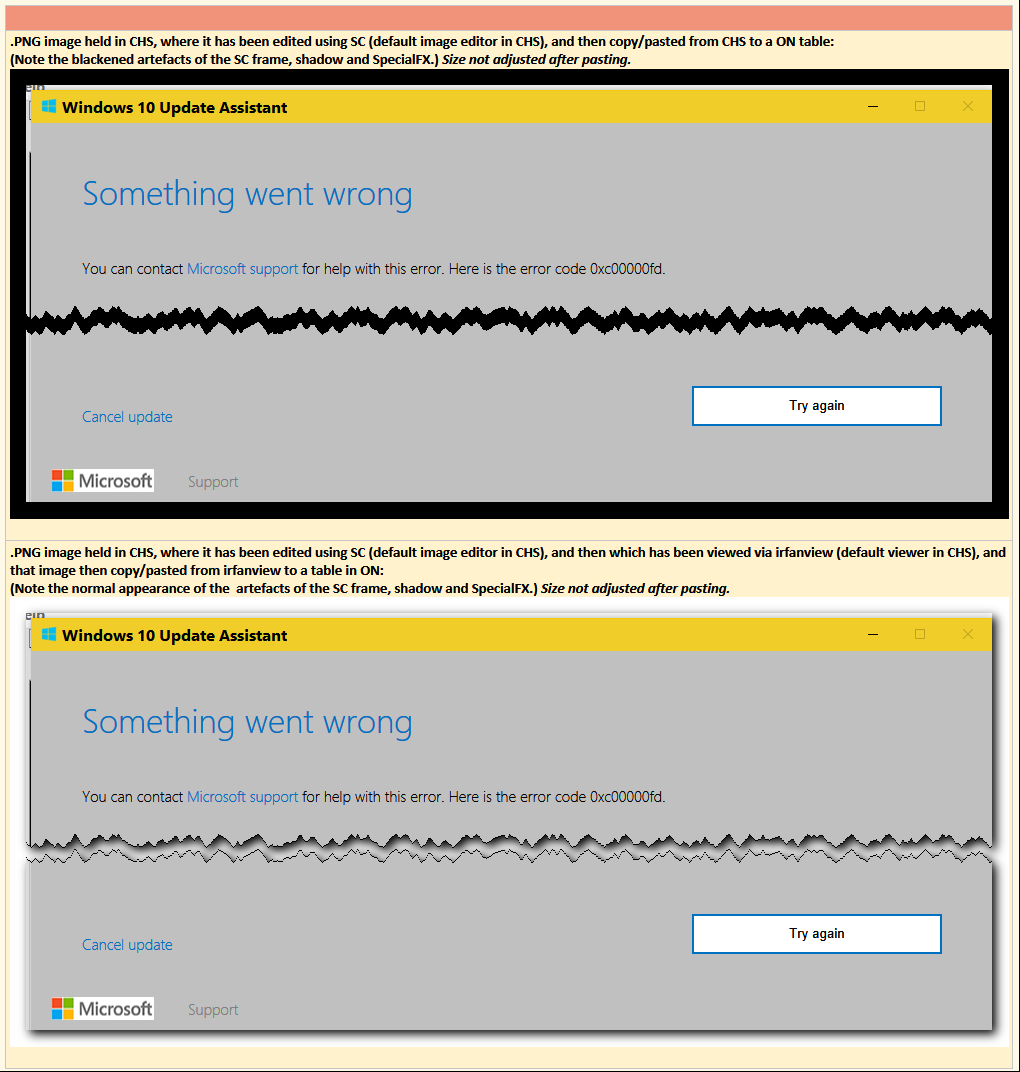
The only problem I usually have there is with the appearance of
some of the proprietary SC
edited artefacts/FX in those edited .PNG images when pasted into ON.The problem and a workaround for that are illustrated in the example
below:(Click to enlarge image.)