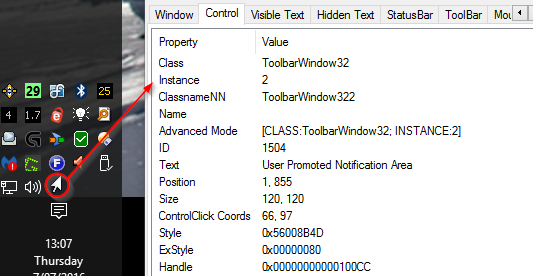
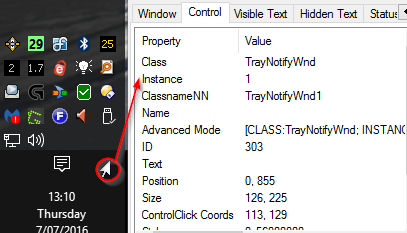
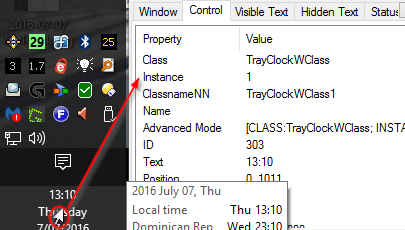
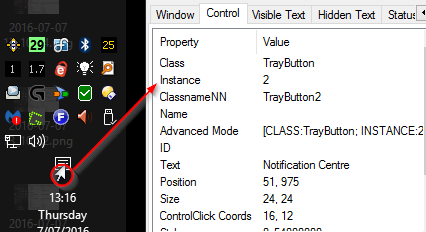
This will block the LMB in the SysTray.
HOWEVER, there may possibly be unforeseen consequences, ie. how do you propose to use any tray icon menu item if it appears within the SysTray area?

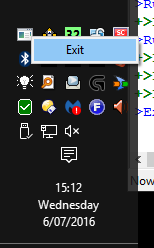
The Exit menu item for BTLMB falls within the area covered by the SysTray, since the LMB is blocked there is no way to choose the menu item and exit the program.
This is why it has a hotkey of
Ctrl+Shift+Alt+f to exit it

Ideally you'd check to see what is under the mouse and process depending on what's there, (menu, etc), but since I'm lazy ... the source is there to get you started

You could probably fudge it by subtracting the number of pixels covered by what you don't want affected, (which will be static because the size of the Clock, etc aren't dynamic).
Only tested on Win10Pro x64.
BTLMB.au3 - Block Tray LMB
#include "MouseOnEvent.au3" ; MouseOnEvent UDF

HotKeySet("^!+f", "_Exit") ; Ctrl + Shift + Alt + f
OnAutoItExitRegister("_Exit") ; Call the _Exit routine when the program is terminated somehow

; Set up tray icon menu/tooltip
Opt("TrayMenuMode", 3)
Opt("TrayOnEventMode", 1)
TraySetToolTip(StringLeft(@ScriptName, StringLen(@ScriptName) - 4))
TrayCreateItem('Exit',-1,-1,0)
TrayItemSetOnEvent(-1,'_Exit')

; Display area

; Hook into Primary Mouse Button down event
_MouseSetOnEvent($MOUSE_PRIMARYDOWN_EVENT, "_PrimaryDown")

While Sleep(100)
;~ 	Twiddle twiddle
WEnd

Func _Exit()
	; Release the event hooks and Exit
	_MouseSetOnEvent($MOUSE_PRIMARYDOWN_EVENT)
	OnAutoItExitUnRegister("_Exit")
	Exit
EndFunc

Func _PrimaryDown() ; PMB pressed
	Local $bBlock = False
	; Get taskbar size and position, it should be visible if we're clicking on it
	Local $aTaskbar_Pos = WinGetPos( "[Class:Shell_TrayWnd]")
	;~ $aTaskbar_Pos[0] = x
	;~ $aTaskbar_Pos[1] = y
	;~ $aTaskbar_Pos[2] = width
	;~ $aTaskbar_Pos[3] = height

	If IsArray($aTaskbar_Pos) Then ; Check if array is returned

		; Get location of Notification area but only interested in the width/height
		; X/Y position returned is incorrect if Taskbar is Bottom or Right
		Local $aTray_Pos = ControlGetPos(WinGetHandle("[CLASS:Shell_TrayWnd]"), "", "[CLASS:TrayNotifyWnd]")
		;~ $aTray_Pos[0] = x
		;~ $aTray_Pos[1] = y
		;~ $aTray_Pos[2] = width
		;~ $aTray_Pos[3] = height

		; Check if Taskbar is visible
		If ( $aTaskbar_Pos[0] > -3) And ( $aTaskbar_Pos[1] > -3) And ( $aTaskbar_Pos[0] < ( @DesktopWidth - 5)) And ( $aTaskbar_Pos[1] < ( @DesktopHeight - 5)) Then
			$aMouse_Pos = MouseGetPos() ; Get current mouse position
		;~ $aMouse_Pos[0] = x
		;~ $aMouse_Pos[1] = y
			Select
				Case $aTaskbar_Pos[2] = @DesktopWidth	; Taskbar at Top or Bottom
					If $aTaskbar_Pos[1] = 0 Then			; Top
						If ($aMouse_Pos[0] >= (@DesktopWidth - $aTray_Pos[2])) And ($aMouse_Pos[0] <= @DesktopWidth) Then
							If ($aMouse_Pos[1] >= 0) And ($aMouse_Pos[1] <= $aTray_Pos[3]) Then
								$bBlock = True
							EndIf
						EndIf
					Else ; Bottom
						If ($aMouse_Pos[0] >= (@DesktopWidth - $aTray_Pos[2])) And ($aMouse_Pos[0] <= @DesktopWidth) Then
							If ($aMouse_Pos[1] >= (@DesktopHeight - $aTray_Pos[3])) And ($aMouse_Pos[1] <= @DesktopHeight) Then
								$bBlock = True
							EndIf
						EndIf
					EndIf
				Case $aTaskbar_Pos[3] = @DesktopHeight	; Taskbar at Left or Right
					If $aTaskbar_Pos[0] = 0 Then			; Left
						If ($aMouse_Pos[0] <= $aTray_Pos[2]) And ($aMouse_Pos[0] >= 0) Then
							If ($aMouse_Pos[1] >= (@DesktopHeight - $aTray_Pos[3])) And ($aMouse_Pos[1] <= @DesktopHeight) Then
								$bBlock = True
							EndIf
						EndIf
					Else ; Right
						If ($aMouse_Pos[0] >= (@DesktopWidth - $aTray_Pos[2])) And ($aMouse_Pos[0] <= @DesktopWidth) Then
							If ($aMouse_Pos[1] >= @DesktopHeight - ($aTray_Pos[3])) And ($aMouse_Pos[1] <= @DesktopHeight) Then
								$bBlock = True
							EndIf
						EndIf
					EndIf
				Case Else
;~ 					ConsoleWrite("Mouse X: " & $aMouse_Pos[0] & "    Mouse Y: " & $aMouse_Pos[1] & @CRLF)
			EndSelect
		EndIf
	EndIf
	If $bBlock Then
;~ 		ConsoleWrite("SysTray click X: " & $aMouse_Pos[0] & "    Mouse Y: " & $aMouse_Pos[1] & @CRLF)
		Return 1 ; Block the default processing
	EndIf
EndFunc   ;==>_PrimaryDown
BTW, the reason I'm grabbing coords for the Taskbar and Tray on LMB click is because you can move the Taskbar around while the program is still running and it'll be happy.
The If...Then statements could probably be consolidated a bit better too, (did I mention I'm lazy?).
Might give someone an idea or two.
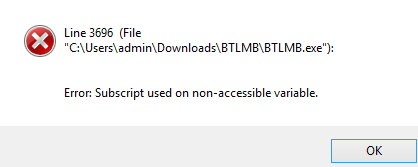
UPDATE:- Check if an array is returned for Taskbar position/size (Win 10 doesn't return array for second click on Start)







 BTLMB.7z