


| Application Name | QuickJump 2016 |
| Version | 2.6 |
| Short Description | Fast and easy file/app launcher |
| Supported OSes | Windows xp or higher |
| Download Link | Download |
| Version History |
|
QuickJump 2016 is a FREE, fast, and easy file/program launcher. It can be used 2 ways, put QuickJump2016.exe in any folder and run it. It will list all files and folders in a menu so you can just click and it will open/run. Or you can put QuickJump2016.exe in a folder and create shortcuts to it passing a path to files or shortcuts. It will list all of the files in that path. See QJ Readme.txt for more info.
Example:
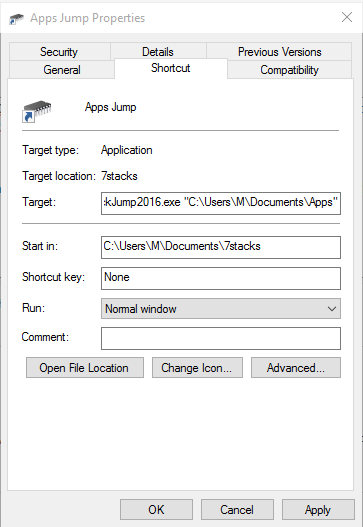
Put QuickJump2016.exe in a folder, create a shortcut to it and change the properties adding the path "C:\My Apps". When you double click the shortcut it will list all the files in "C:\My Apps" in a menu.
Screen Shots:
Properties of the shortcut showing how to add the path to open.
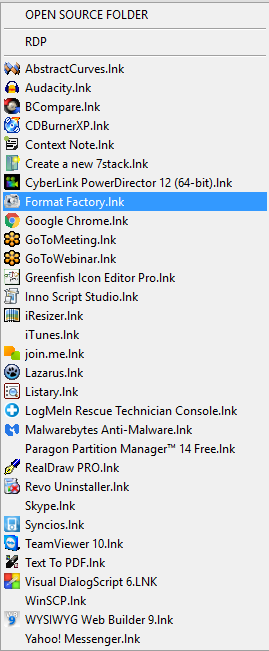
Shot of menu that is created by QuickJump2016.exe using shortcut.
Download QuickJump2016 - QuickJump 2016 home page


 Or was this for the author?


