Oh! I thought you were trying to make it so the edges don't drop off. For rounded windows, it's a lot easier (and harder).
First, set the following properties in the XAML:
WindowStyle="None"
AllowsTransparency="True"
Background="Transparent"
Then add a border around your content. The default is <grid></grid>. Add around that <border></border>. Then set the CornerRadius and the Padding. Note that the corner radius and padding are for all sides if you set them to one number. Otherwise, it uses the non intuitive Left, Top, Right, Bottom format, i.e. CornerRadius="8,8,8,8" is the same as CornerRadius="8". Also, don't forget to set the FocusVisualStyle="{x:Null}" so that when the actual border is set to focused, it doesn't show the whole window as the focus rectangle.
Example from one of my projects that shows a dialog with an area for the X replacement and the buttons:
<base:NextGenesView x:Class="Modules.Shell.ViewsAndViewModels.MessageOverlay.MessageOverlayView"
             xmlns="http://schemas.microsoft.com/winfx/2006/xaml/presentation"
             xmlns:x="http://schemas.microsoft.com/winfx/2006/xaml"
             xmlns:mc="http://schemas.openxmlformats.org/markup-compatibility/2006"
             xmlns:d="http://schemas.microsoft.com/expression/blend/2008"
             xmlns:aero="clr-namespace:Microsoft.Windows.Themes;assembly=PresentationFramework.Aero"
             mc:Ignorable="d"
             Focusable="True" FocusVisualStyle="{x:Null}">

    <base:NextGenesView.Resources>
        <Style TargetType="{x:Type Button}">
            <Setter Property="BorderBrush" Value="Gray" />
            <Setter Property="BorderThickness" Value="2" />
            <Setter Property="Width" Value="44" />
            <Setter Property="FontWeight" Value="DemiBold" />
            <Setter Property="Cursor" Value="Hand" />
        </Style>

        <Style x:Key="NoChromeButton" TargetType="{x:Type Button}">
            <Setter Property="Background" Value="Transparent"/>
            <Setter Property="BorderThickness" Value="1"/>
            <Setter Property="Foreground" Value="{DynamicResource {x:Static SystemColors.ControlTextBrushKey}}"/>
            <Setter Property="HorizontalContentAlignment" Value="Center"/>
            <Setter Property="VerticalContentAlignment" Value="Center"/>
            <Setter Property="Padding" Value="1"/>
            <Setter Property="Template">
                <Setter.Value>
                    <ControlTemplate TargetType="{x:Type Button}">
                        <Grid x:Name="Chrome" Background="{TemplateBinding Background}" SnapsToDevicePixels="true">
                            <ContentPresenter HorizontalAlignment="{TemplateBinding HorizontalContentAlignment}" Margin="{TemplateBinding Padding}" RecognizesAccessKey="True" SnapsToDevicePixels="{TemplateBinding SnapsToDevicePixels}" VerticalAlignment="{TemplateBinding VerticalContentAlignment}"/>
                        </Grid>
                        <ControlTemplate.Triggers>
                            <Trigger Property="IsEnabled" Value="false">
                                <Setter Property="Foreground" Value="#ADADAD"/>
                                <Setter Property="Opacity" TargetName="Chrome" Value="0.5"/>
                            </Trigger>
                        </ControlTemplate.Triggers>
                    </ControlTemplate>
                </Setter.Value>
            </Setter>
        </Style>

        <Style x:Key="MessageIcon" TargetType="{x:Type Image}">
            <Style.Triggers>
                <DataTrigger Binding="{Binding Icon}" Value="None">
                    <Setter Property="Visibility" Value="Collapsed" />
                </DataTrigger>
                <DataTrigger Binding="{Binding Icon}" Value="Asterisk">
                    <Setter Property="Source" Value="..\ButtonIcons\Asterisk.png" />
                </DataTrigger>
                <DataTrigger Binding="{Binding Icon}" Value="Error">
                    <Setter Property="Source" Value="..\ButtonIcons\Error.png" />
                </DataTrigger>
                <DataTrigger Binding="{Binding Icon}" Value="Exclamation">
                    <Setter Property="Source" Value="..\ButtonIcons\Exclamation.png" />
                </DataTrigger>
                <DataTrigger Binding="{Binding Icon}" Value="Hand">
                    <Setter Property="Source" Value="..\ButtonIcons\Hand.png" />
                </DataTrigger>
                <DataTrigger Binding="{Binding Icon}" Value="Information">
                    <Setter Property="Source" Value="..\ButtonIcons\Information.png" />
                </DataTrigger>
                <DataTrigger Binding="{Binding Icon}" Value="Question">
                    <Setter Property="Source" Value="..\ButtonIcons\Question.png" />
                </DataTrigger>
                <DataTrigger Binding="{Binding Icon}" Value="Stop">
                    <Setter Property="Source" Value="..\ButtonIcons\Hand.png" />
                </DataTrigger>
                <DataTrigger Binding="{Binding Icon}" Value="Warning">
                    <Setter Property="Source" Value="..\ButtonIcons\Exclamation.png" />
                </DataTrigger>
                <DataTrigger Binding="{Binding Icon}" Value="MrSmith">
                    <Setter Property="Source" Value="..\ButtonIcons\MrSmith.png" />
                </DataTrigger>
            </Style.Triggers>
        </Style>
    </base:NextGenesView.Resources>

    <base:NextGenesView.InputBindings>
        <KeyBinding Command="{Binding DefaultGoCommand}" Key="Enter" />
        <KeyBinding Command="{Binding DefaultNoGoCommand}" Key="Escape" />
    </base:NextGenesView.InputBindings>

        <aero:SystemDropShadowChrome CornerRadius="20,5,20,5" HorizontalAlignment="Center" VerticalAlignment="Center">
            <Border Margin="6,6,0,0" HorizontalAlignment="Center" VerticalAlignment="Center" BorderBrush="Black" BorderThickness="2,2,2,2" CornerRadius="20,5,20,5" Background="Wheat">
                <Grid FocusManager.FocusedElement="{Binding ElementName=CloseX}" Focusable="True">
                    <Grid.ColumnDefinitions>
                        <ColumnDefinition></ColumnDefinition>
                        <ColumnDefinition></ColumnDefinition>
                    </Grid.ColumnDefinitions>
                    <Image Grid.Column="0" VerticalAlignment="Top"  Margin="12,6,0,0"  Height="48" Width="48" Style="{StaticResource MessageIcon}"></Image>
                    <DockPanel Grid.Column="1" Margin="15,0,5,0"  HorizontalAlignment="Center" VerticalAlignment="Center">
                        <DockPanel DockPanel.Dock="Top" HorizontalAlignment="Stretch" VerticalAlignment="Stretch" Margin="0,0,0,10">
                            <Button Command="{Binding Path=DefaultNoGoCommand}" Style="{StaticResource NoChromeButton}" DockPanel.Dock="Right" Height="18" Width="18">
                                <Image Name="CloseX" HorizontalAlignment="Center" VerticalAlignment="Center"
                                   Height="16" Width="16" Source="..\ButtonIcons\close.png" Focusable="True" Cursor="Hand">
                                </Image>
                            </Button>
                            <Label DockPanel.Dock="Left" FontWeight="SemiBold" FontSize="16" Content="{Binding Caption}"/>
                        </DockPanel>
                        <StackPanel HorizontalAlignment="Right" DockPanel.Dock="Bottom" Orientation="Horizontal" Height="26" Margin="0,10,15,10">
                            <Button Margin="5,0,0,0" Command="{Binding Path=YesCommand}" Content="_Yes" Visibility="{Binding YesButtonVisibility}"></Button>
                            <Button Margin="5,0,0,0" Command="{Binding Path=NoCommand}" Content="_No" Visibility="{Binding NoButtonVisibility}"></Button>
                            <Button Margin="5,0,0,0" Command="{Binding Path=OkCommand}" Content="OK" Visibility="{Binding OkButtonVisibility}"></Button>
                            <Button Margin="5,0,0,0" Command="{Binding Path=CancelCommand}" Content="Cancel" Visibility="{Binding CancelButtonVisibility}"></Button>
                        </StackPanel>
                    <ScrollViewer MaxHeight="400" MaxWidth="425" HorizontalScrollBarVisibility="Disabled" VerticalScrollBarVisibility="Auto">
                        <TextBox TextWrapping="Wrap" Text="{Binding MessageText}" Background="Wheat" BorderThickness="0" IsReadOnly="True">
                        </TextBox>
                    </ScrollViewer>
                </DockPanel>
                </Grid>
            </Border>
        </aero:SystemDropShadowChrome>

</base:NextGenesView>
Note: I redacted some stuff in there, so it will need some adjustments if you try to use that code.
Other examples:
http://www.ayobamiadewole.com/Blog/How-to-create-shaped-or-irregular-window-in-WPF
https://csharplessons.wordpress.com/2012/06/03/wpf-rounded-corner-window/
If you're trying to alias an image for the page... well, the image itself needs to be made for that. And you have to use an
opacity mask.
But I see now, you're using Windows Forms. Sorry... You're on your own at that point.


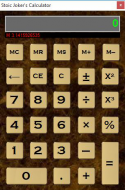
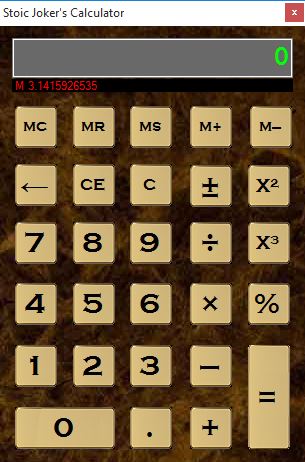
 Calculator.zip


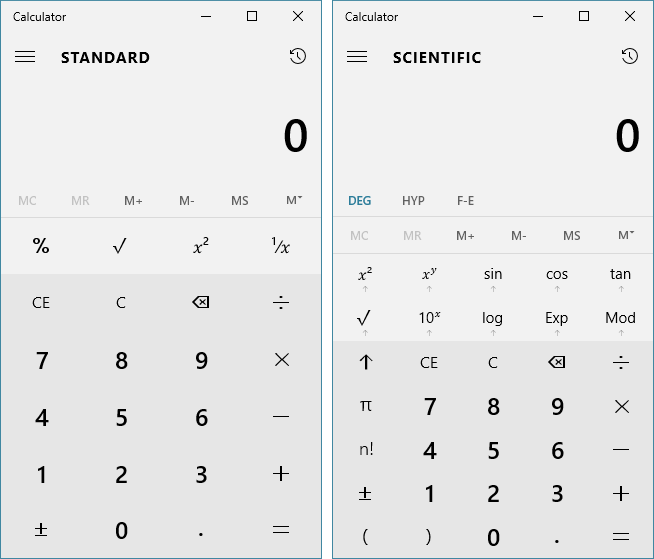


 but the real thing looks the same
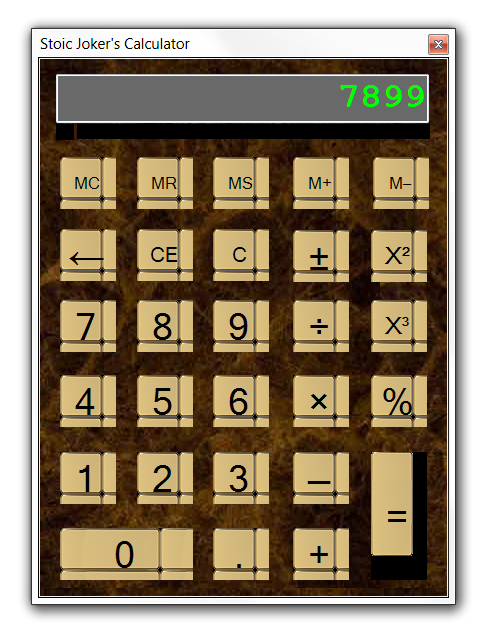

 I wondered how long it would take for tile to bite me in the ass. Are you running a nonstandard DPI by chance? I reset the property to stretch, and uploaded a new copy.