DonationCoder.com forum
 
Read-only archive. This is a static copy of the DonationCoder.com forum. Reading and searching work as before; logging in, posting and private messages do not.
Archive of 2026-10-21 · About this archive · Main site

Author Topic: 'Microsoft fix it' softfare to fix uninstall problems. Trustworthy?  (Read 6,679 times)

urlwolf

  • Charter Member
  • Joined in 2006
  • ***
  • Posts: 1,837
    • Gathering Badge
    • Linux User
I have > 1gb of uninstallers. I wonder if I could remove some.
Looks like removing by hand is dangerous. MS has a program for that:

http://support.microsoft.com/mats/Program_Install_and_Uninstall

Anyone used it? Worth it? Touches the registry, so a bit wary to pull the trigger.

Edvard

  • Coding Snacks Author
  • Charter Honorary Member
  • Joined in 2005
  • ***
  • Posts: 3,027
    • Participated in NANY Challenge Once
    • Coding Snacks
    • Linux User
I have used Microsoft Fix-It tools to generally good effect on my In-laws XP computer.  They are the kinds of people that give the Geek Squad nightmares even as they run the credit card.  Beautiful people whom I love and respect like my own kin, but victim to every "Your computer has been hacked with viruses!!!11!1" pop-up known to man.  
The last time, they were a victim of ransom-ware, with most of My Documents locked behind admin permissions (IIRC) and the Start menu gutted (was switched to Classic start menu, with a few empty folders and app shortcuts remaining, nothing in the Settings sub-menu).  Microsoft Fix-It actually fixed ~80% of the errors, with the rest being done by me manually (I had to re-enable the full start menu, uninstall the rogue toolbar and malware, etc.), so now their computer is hovering around 95% OK (fingers crossed), the rest can only be fixed by a complete re-install.

I decided to trust it because it IS put out by Microsoft themselves, who should know how their own systems work, and not a third party who may or may not have read the uninstall API correctly.  I'd say back up what you can, say a prayer if you're so inclined and pull the trigger.  Your only other options are leaving the uninstallers as they are (safe), or trusting a third-party app with a good reputation (potentially unsafe).
All children left unattended will be given a mocha and a puppy.

Innuendo

  • Charter Member
  • Joined in 2005
  • ***
  • Posts: 2,266
They are trustworthy & I've used them a time or two myself. Sometimes you just don't have time to go through doing everything manually & a good double-click solution is ideal.

I think I've used different ones a total of four or five times & every time it worked perfectly & worked as described. Insert standard 'make a backup before you make any major changes to your computer' speech here.

Curt

  • Supporting Member
  • Joined in 2006
  • **
  • Posts: 7,565
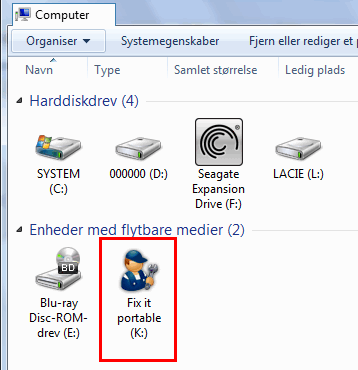
I trust it too. In my setup it has its own stick drive:


[attachimg=#]

Original address: https://www.donationcoder.com/forum/index.php?topic=37770.0