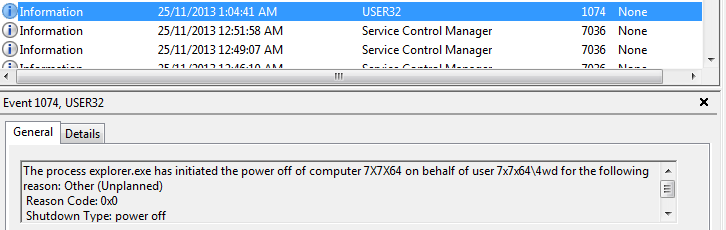
Getting back to the original question, can someone summarize whether, if you walk into the room and find your computer has shutdown (or restarted), what tool can you run (if any) to tell you WHY it last shutdown/restarted?
Does Win 7 still record the 6008 event in the system event log? That would at least tell you if the shutdown was unexpected.
Look at the Event Logs
If you just want a quick list of shutdown events try uptime.exe with the /S switch.
Look at the Event Logs
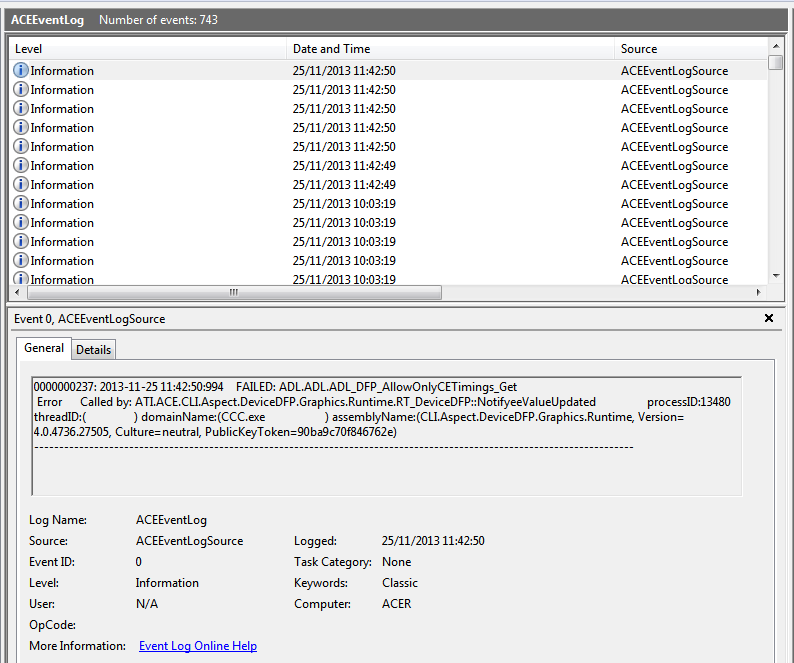
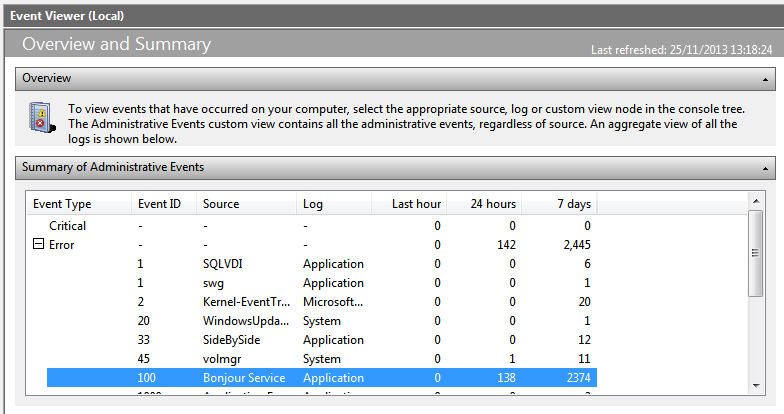
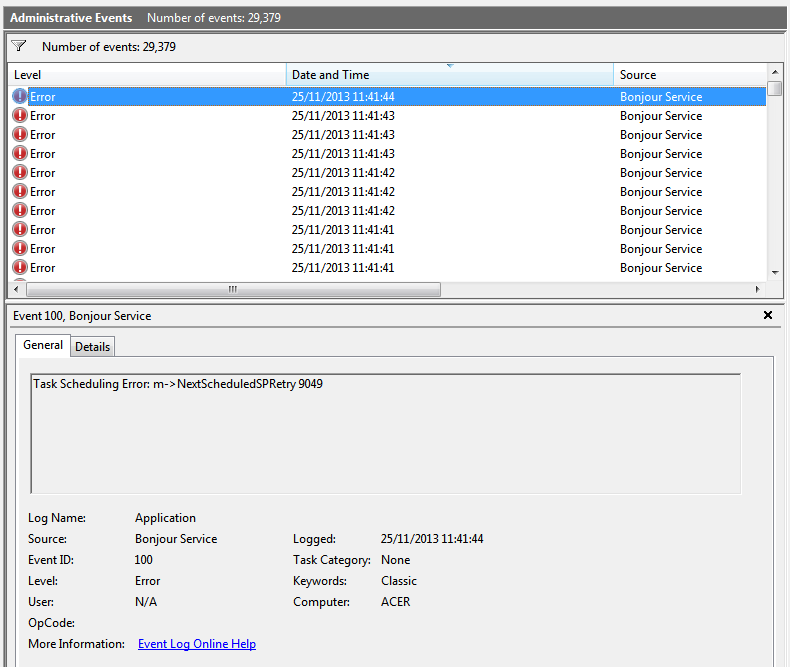
Thanks for that. I found two unusual events (see screenshots below).
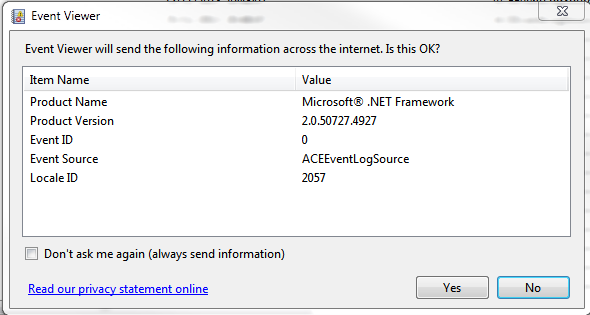
Firstly, in the ECEEventLog (whatever that is), for the last 5 days I have 743 events, and they all seem to relate to ATI.ACE.CLI.Aspect.DeviceDFP.Graphics.Runtime.RT_DeviceDFP, which seems to point to my ATI Radeon graphics card. Is that bad?
Secondly, under Administrative Events, I have 2374 errors (out of 2,445 errors in total) for the last 7 days, produced by Apple's Bonjour Service. I imagine this is for syncing with iCloud (which I don't really use), and checking whether I have the latest iTunes (which I don't really use). Is this something bad enough that it would be better for me to block this somehow?
These events are happening one minute before the ATI driver has a hernia. Can you check to see if that trend is followed with prior events, (the sample on the captures is rather small) ?

No. That seems to have been just a coincidence. But the ATI driver does seem to be crashing a lot then. It has given me 21 events only today (and I'm only counting the events occurring at different times, as I had 13 events at 23:29:40 alone), even though I haven't noticed anything unusual happening.
So what has the .NET Framework got to do with all this (ATI driver crashes)?
Aside from what Target mentioned, (trying Safe Mode), I'd be tempted to remove iTunes, the ATI drivers, and the .NET Framework.
Optional: Use Driver Sweeper to remove any trace of the ATI graphics drivers and the .NET Cleanup Tool.
Then reinstall .NET and the latest ATI drivers for the card and see how that goes for a while.
As before: Do a BACKUP before you do the above.
I think I'll start with the dusting...If you don't use iTunes I'd be sorely tempted to remove it and every trace of it, including Bonjour.

I don't know that anybody hates Bonjour more than I do, but I can't see it doing this. So I'd stay focused on the video angle for now.
Exception <UpdateJumpLists>: A valid active Window is needed to update the TaskbarThese all occured within a minute or two (and the list goes on).
Exception Called by: ATI.ACE.CLI.Component.Dashboard.DBFavouritesSectionVMController::DoSetTree
Could not load file or assembly 'file:///C:\Program Files (x86)\ATI Technologies\ATI.ACE\Branding\BrandingResourcesNet4.dll' or one of its dependencies. The system cannot find the file specified.
Error Called by: System.RuntimeTypeHandle::CreateInstance
Failed to retrieve Fuel shared caste
Error Called by: ATI.ACE.CCC.Implementation.CCC_Main::CCCNewThreadBegin
Could not find Type [ATI.ACE.CLI.AIB.TutorialInfoCentre.Tutorial.Dashboard.DB_TutorialInfoCentre] from [CLI.AIB.TutorialInfoCentre.Tutorial.Dashboard] in assembly [CLI.AIB.TutorialInfoCentre.Tutorial.Dashboard]
Error Called by: ATI.ACE.CLI.Component.Client.Shared.Private.BaseCaste::ProcessAspects
Exception <Load>: Could not load file or assembly 'CLI.AIB.TutorialInfoCentre.Tutorial.Dashboard' or one of its dependencies. The system cannot find the file specified.
Exception Called by: ATI.ACE.CLI.Component.Client.Shared.Private.BaseCaste::LoadAspects
Failed to subscrive to HKCU;software\wow6432node\ati\ace\settings\aem
Error Called by: System.Threading.ExecutionContext::runTryCode
FAILED: ADL.ADL.ADL_DFP_AllowOnlyCETimings_Get
Error Called by: ATI.ACE.CLI.Aspect.DeviceDFP.Graphics.Runtime.RT_DeviceDFP::NotifyeeValueUpdated
IDEMDeviceDFP2Settings_0812.GetDFP2ITCFlag failed with status 7
Error Called by: ATI.ACE.CLI.Aspect.DeviceDFP.Graphics.Runtime.RT_DeviceDFP::NotifyeeValueUpdated
iDEMDeviceDFP2Settings.GetDFP2DVIReduceBlankingInfo failed with status 7
Error Called by: ATI.ACE.CLI.Aspect.DeviceDFP.Graphics.Runtime.RT_DeviceDFP::NotifyeeValueUpdated
, but that didn't seem to make a difference. How worried should I be about these? The original automatic re-boot problem seems to have stopped, and all 3 of my monitors work fine. This is not affecting my work currently in any way.

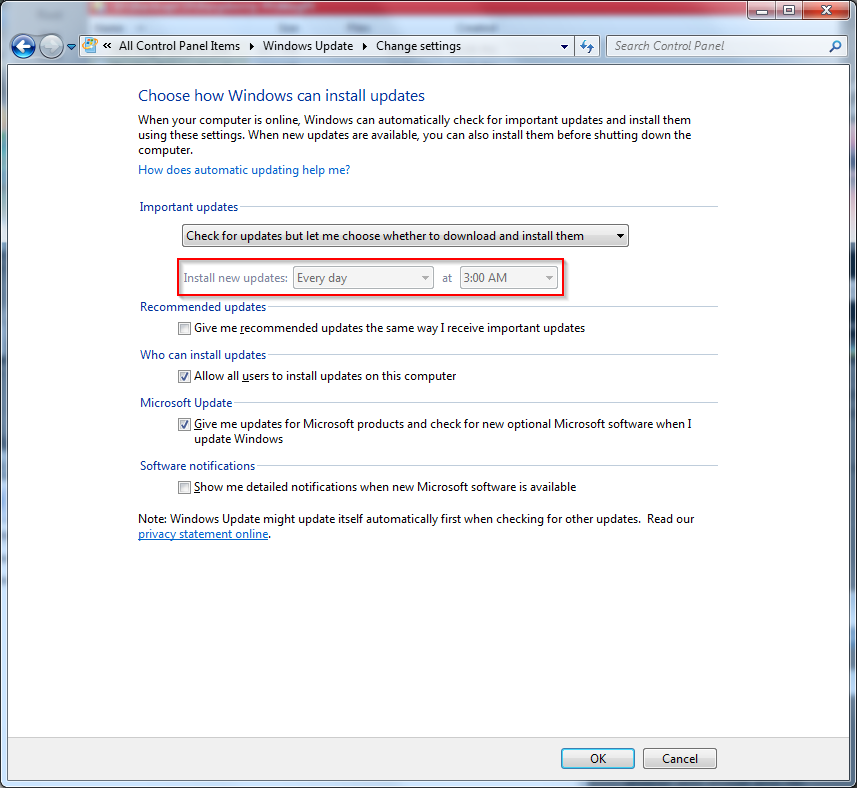
Do you have the system set to auto-update, (default is 3am everyday)?
This isn't going to turn out to be something as simple as this all along is it?
You were right. Having said that, nowhere does it say that you also give them the permission to restart your PC. I usually have quite a few applications open with work-in-progress, so I don't like the idea of those being shut down. But can MS still do the updates while the PC is not actually running?But can MS still do the updates while the PC is not actually running?

Not to mention all the updated drivers and software. Many thanks for all the help. (I did change the settings, so I'll wait and see if the reboots stop as well.)Time to turn in my tech badge, too much over-thinking ...

Original address: https://www.donationcoder.com/forum/index.php?topic=36589.0