


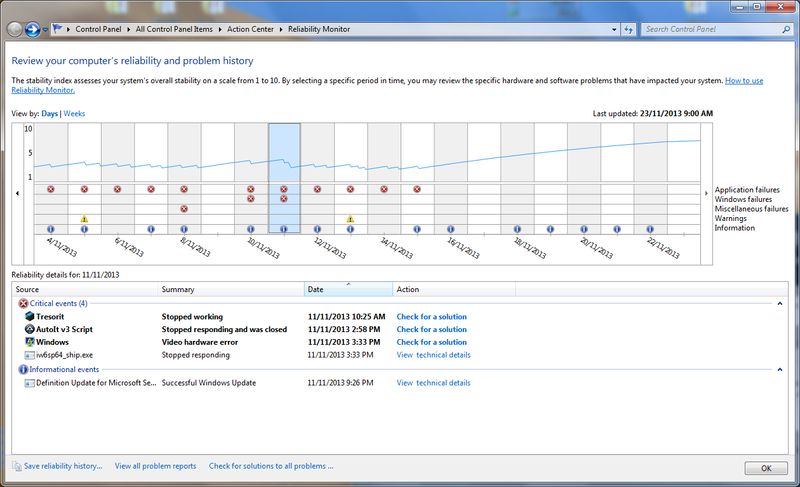
In recent days my Win 7, 64-bit PC has restarted itself automatically a number of times and I don't know why it is doing that and how I can prevent it from happening. Usually it happens when I wake up the computer and it is asking me to log on, having restarted itself. It does not restart the applications that were open at the time of shutting down.
The only major new installation I had done in recent days is that I have updated to IE11 (that is my latest restoration point).
Some other software I had updated or installed this week include TreeSheets and Ynote Classic, and AdBlock Plus. I use AVG 2014, Malwarebytes and WinPatrol Plus, but none of them have reported anything suspicious.
Oh, also, the first IE11 installation had failed, and it even put a shortcut on my desktop to its troubleshooting page, but the second installation seems to have worked (other than the above behaviour, if it's related).
Any suggestions how I can find out what's causing this behaviour and how I can stop it would be much appreciated.
The only major new installation I had done in recent days is that I have updated to IE11 (that is my latest restoration point).
Some other software I had updated or installed this week include TreeSheets and Ynote Classic, and AdBlock Plus. I use AVG 2014, Malwarebytes and WinPatrol Plus, but none of them have reported anything suspicious.
Oh, also, the first IE11 installation had failed, and it even put a shortcut on my desktop to its troubleshooting page, but the second installation seems to have worked (other than the above behaviour, if it's related).
Any suggestions how I can find out what's causing this behaviour and how I can stop it would be much appreciated.





 Not in a few years...