DonationCoder.com forum
 
Read-only archive. This is a static copy of the DonationCoder.com forum. Reading and searching work as before; logging in, posting and private messages do not.
Archive of 2026-10-21 · About this archive · Main site

Author Topic: searching function -delete selection-  (Read 5,892 times)

Herr BertA

  • Supporting Member
  • Joined in 2013
  • **
  • Posts: 3
searching function -delete selection-
« on: July 09, 2013, 04:13 AM »
just missing a button to delete a selection.
It's my daily work -screenshot - deleting parts of the shots- paste it into documentations
but i can not find the possibility to -simply- delete a selection.

in other Screenshotproggys its easy, select and delete button, in sc nothing happens

mouser

  • First Author
  • Administrator
  • Joined in 2005
  • *****
  • Posts: 40,931
    • Gathering Badge
    • Plugin Coding Medal
    • Participated in NANY Challenge Seventeen Times
    • Cody Award
    • Coding Snacks
    • Volunteers/Staff
Re: searching function -delete selection-
« Reply #1 on: July 09, 2013, 09:17 AM »
Can you elaborate a little more on what you mean by "deleting a selection"?

There are various things you *might* mean:
  • You might mean "how do I make an arbitrary rectangular region on an image black or white or covered up in some way"; for that you would select the region and choose one of the items at the bottom of the SpecialFX1 or SpecialFX2 menus.  The "Patch text/contents" item will try to replace the selected region with the best color automatically.
  • You might mean "how do I CROP an image to remove the area OUTSIDE of a selected rectangle"; for that you would use the CROP button on the toolbar (or Ctrl+R hotkey or item from Edit menu).
  • You might mean "how do I remove a vertical or horizontal STRIP from the middle of an image"; for that you would use the SPLICE menu items under the SpecialFX2 menu, which will let you remove interior sections of the image and is sort of the opposite of using crop.

Herr BertA

  • Supporting Member
  • Joined in 2013
  • **
  • Posts: 3
Re: searching function -delete selection-
« Reply #2 on: July 16, 2013, 11:32 AM »
Thanx, i've tried the 3 suggestions, but it's not what i want.

mybe i can make it a bit clearer.
should work like Patch text/contents but fill it with a color of my choice e.g. white

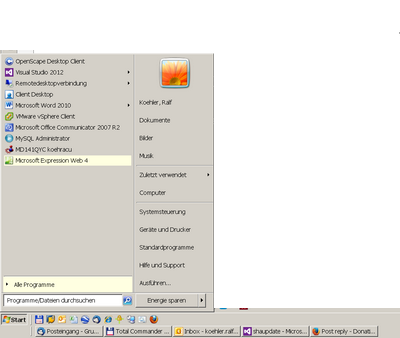
I've attached 2 Screenshots, first ist the shot, second is the shot with whiteouted space

regards

[attach]

cmpm

  • Charter Member
  • Joined in 2006
  • ***
  • Posts: 2,026
Re: searching function -delete selection-
« Reply #3 on: July 16, 2013, 05:20 PM »
This can be done with the "Draw highlighting rectangle/circle shape" button.
Set Inner Color to white and Blend Mode to Normal.
Transparency all the way up, 255.
Uncheck Shadow and Border Color.
It will keep these settings for your next capture and/or your next "Draw highlighting rectangle/circle shape" operation, until it's changed.

cmpm

  • Charter Member
  • Joined in 2006
  • ***
  • Posts: 2,026
Re: searching function -delete selection-
« Reply #4 on: July 16, 2013, 05:24 PM »
btw, I played with that Special FX2, very cool.
Some quick work to block out text and contents!  :Thmbsup:

cmpm

  • Charter Member
  • Joined in 2006
  • ***
  • Posts: 2,026
Re: searching function -delete selection-
« Reply #5 on: July 16, 2013, 05:35 PM »
Thanx, i've tried the 3 suggestions, but it's not what i want.

mybe i can make it a bit clearer.
should work like Patch text/contents but fill it with a color of my choice e.g. white

I've attached 2 Screenshots, first ist the shot, second is the shot with whiteouted space

regards
(see attachment in previous post)

Setting the inner color to white in "Draw highlighting rectangle/circle"  also affects and works in "Patch text/contents".

edit- well maybe a little...not much even, sorry, working too fast
« Last Edit: July 16, 2013, 05:47 PM by cmpm »

Herr BertA

  • Supporting Member
  • Joined in 2013
  • **
  • Posts: 3
Re: searching function -delete selection-
« Reply #6 on: July 17, 2013, 03:52 AM »
Thanks4Advice, so far it works for me.


Original address: https://www.donationcoder.com/forum/index.php?topic=35376.0