


Testing out Wine here and encountered a "visual" problem.
When I have multiple displays enabled, starting up applications via Wine can result in black edges/borders/bars (along the bottom and/or right side of an application's window (at least on the larger display):

Actually, where the black areas appear seems to match what would be the edges of the smaller display if its top-left corner were aligned with the top-left corner of the larger display.
Some work-arounds seem to be:
(The last two are mentioned in the WineHQ FAQ: "How do I get Wine to launch an application in a virtual desktop?")
Anyone encountered this and come up with a better fix?
When I have multiple displays enabled, starting up applications via Wine can result in black edges/borders/bars (along the bottom and/or right side of an application's window (at least on the larger display):
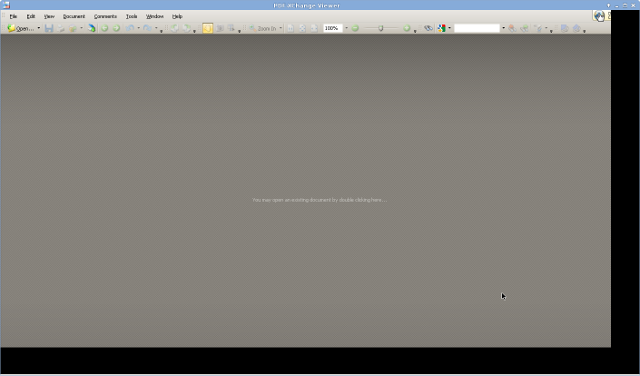
Actually, where the black areas appear seems to match what would be the edges of the smaller display if its top-left corner were aligned with the top-left corner of the larger display.
Some work-arounds seem to be:
- Disabling displays so that only one is active
- Enable "Emulate a virtual desktop" via winecfg
- Launch an application in a virtual desktop (e.g. wine explorer /desktop=atitle,1920x1080 path-to-program.exe)
(The last two are mentioned in the WineHQ FAQ: "How do I get Wine to launch an application in a virtual desktop?")
Anyone encountered this and come up with a better fix?