


Windows 7 x64
Problem: After capturing the active window, the New Screenshot window appears to be positioned in the center of the desktop workspace. This is a problem because of my monitor layout. This action places the top portion of the window off-screen, between the two top monitors.
Work around: Use Alt-Space to invoke that windows system menu, then press "M" to move the window with the keyboard cursor keys. Once you move the window, it will remember where you put it the next time it shows.
ScreenCenter might be a better starting point for it.
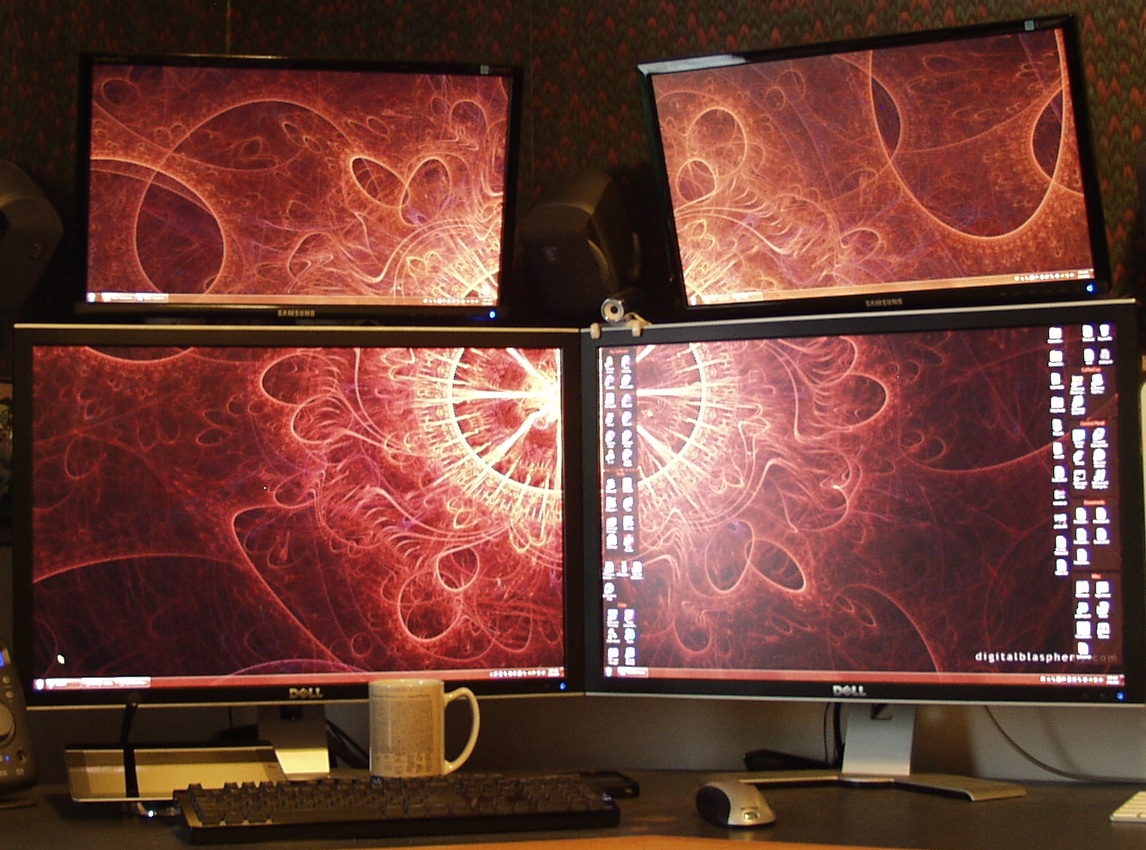
Problem: After capturing the active window, the New Screenshot window appears to be positioned in the center of the desktop workspace. This is a problem because of my monitor layout. This action places the top portion of the window off-screen, between the two top monitors.
Work around: Use Alt-Space to invoke that windows system menu, then press "M" to move the window with the keyboard cursor keys. Once you move the window, it will remember where you put it the next time it shows.
ScreenCenter might be a better starting point for it.


