


I've used SC a good while now (not on daily / commercial basis) but there are still problems I have that keep me from donating. Either lack of understanding (not from lack of reading help file), bugs, odd ways SC does things that aren't intuitive - really dunno. Except some things don't seem to work like most would expect. I won't put all my questions in one post.
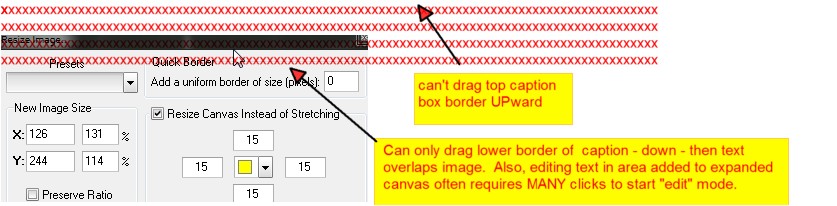
Adding / Resizing caption box. If there's a way to resize caption box, once typed in text & hit OK - only to find the text is too large / long & doesn't fit in allowed space, I can't find it. Yes, I can drag the caption box a bit - downward - but then text in it tends to overlap / cover the screenshot. I've not found a way to resize caption box up or horizontally. It will show the double headed arrow on top margin of caption box, but won't allow actually dragging it up.
Depending on length of screen shot, area in a caption box is VERY limited.
By some strange repetition of adding caption boxes, one after another, it enlarges the text area, but the result is a bit strange. Sometimes it works - some not, but that's a long way around.
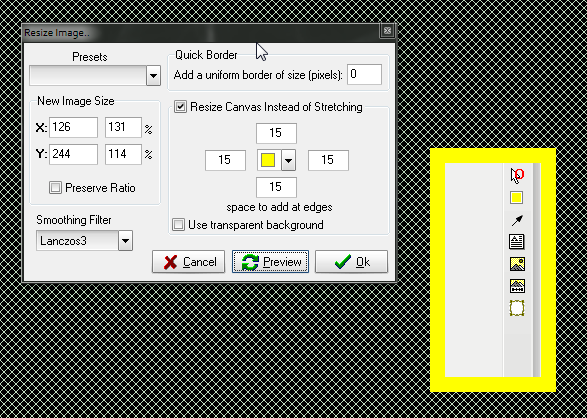
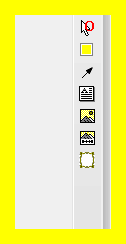
Another thing I haven't gotten to work - at all - is expanding the canvas. The help file has 1 or 2 lines & makes it sound simple. I've never found how to work it, clicking that option before trying to add a new object or after or any other time.
Not sure what "expanded canvas" should look like, even if was successful. I sort of expected to see some change in the background, where the canvas was expanded (if I ever did it right). I see no visible change after clicking Expand Canvas.
Thanks.
Adding / Resizing caption box. If there's a way to resize caption box, once typed in text & hit OK - only to find the text is too large / long & doesn't fit in allowed space, I can't find it. Yes, I can drag the caption box a bit - downward - but then text in it tends to overlap / cover the screenshot. I've not found a way to resize caption box up or horizontally. It will show the double headed arrow on top margin of caption box, but won't allow actually dragging it up.
Depending on length of screen shot, area in a caption box is VERY limited.
By some strange repetition of adding caption boxes, one after another, it enlarges the text area, but the result is a bit strange. Sometimes it works - some not, but that's a long way around.
Another thing I haven't gotten to work - at all - is expanding the canvas. The help file has 1 or 2 lines & makes it sound simple. I've never found how to work it, clicking that option before trying to add a new object or after or any other time.
Not sure what "expanded canvas" should look like, even if was successful. I sort of expected to see some change in the background, where the canvas was expanded (if I ever did it right). I see no visible change after clicking Expand Canvas.
Thanks.




 Hi cathie28, sounds like you really don't like using SSC. There are other choices, as you mentioned. Some are free and some are paid. I actually bought Snagit from Techsmith, however I find myself using SSC as my default capturing application instead of Snagit. SSC is the one set to start with Windows. On rare occasions, I will use Snagit to capture something I have issues with in SSC. I liked SSC so much that I made a donation to the site! I suppose I could complain about the issues in SSC that cause me to use Snagit occasionally, but I just find a way around them either with another tool or Snagit. It's great to have choices!
 Typically though, I will try to find something else that works for me. Screenshot captor I guess meets "my" expectations as a really good screen capture tool.


 , no one could read the down sized font on the caption; font size on add caption UI pretty small, for many to - easily - read.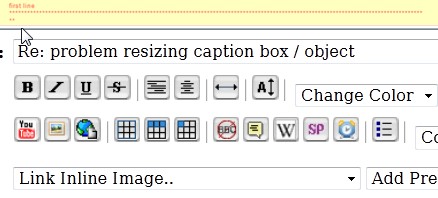
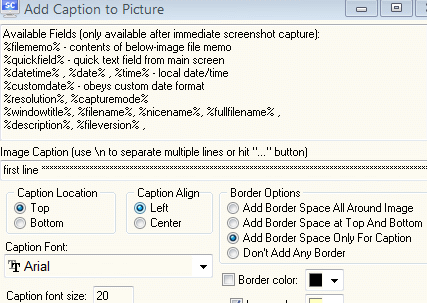


 The one line entry field, w/ tiny font, no line wrap, no idea of how many characters will fit over the width of current image - isn't useful.