DonationCoder.com forum
 
Read-only archive. This is a static copy of the DonationCoder.com forum. Reading and searching work as before; logging in, posting and private messages do not.
Archive of 2026-10-21 · About this archive · Main site

Author Topic: screen for reading and browsing  (Read 5,554 times)

kalos

  • Member
  • Joined in 2006
  • **
  • Posts: 1,824
screen for reading and browsing
« on: August 17, 2012, 08:49 PM »
hello!

as most monitors nowadays, my monitor is very wide

this maybe good for movies and games, but my main usage is text reading and web browsing, which should be better to have long vertical dimension and short horizontal (so that eyes wont get tired moving from one edge to the other)

is there a way that can split my screen vertically and display each window to each area?

placing my screen in portrait mode, makes it ridiculously elongated

thanks!

KynloStephen66515

  • Animated Giffer in Chief
  • Honorary Member
  • Joined in 2010
  • **
  • Posts: 3,772
    • Participated in NANY Challenge Three Times
    • Cody Award
    • Coding Snacks
    • Official Forum Clown
    • Volunteers/Staff
    • Writer
    • Hardware Hacker
    • DJ Badge - DJ
    • Linux User
Re: screen for reading and browsing
« Reply #1 on: August 17, 2012, 08:56 PM »
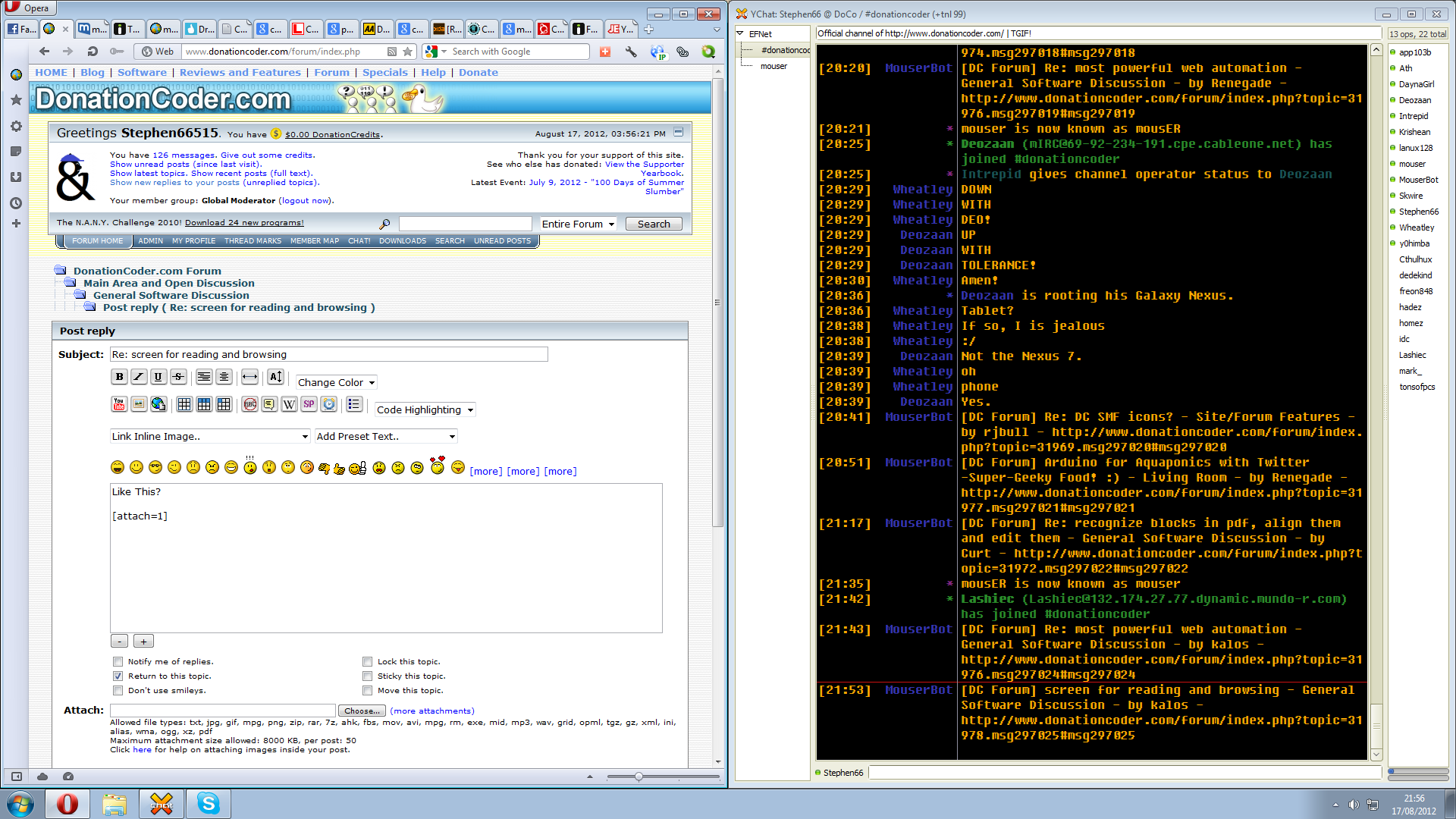
Like This?

dc.png

tomos

  • Charter Member
  • Joined in 2006
  • ***
  • Posts: 11,970
    • Gathering Badge
    • Participated in NANY Challenge Once
Re: screen for reading and browsing
« Reply #2 on: August 17, 2012, 09:32 PM »
Manage windows via

Gridmove
or
MoveIt - windows management app - Mini-Review

(I use both myself)
Tom

kalos

  • Member
  • Joined in 2006
  • **
  • Posts: 1,824
Re: screen for reading and browsing
« Reply #3 on: August 17, 2012, 09:53 PM »

tomos

  • Charter Member
  • Joined in 2006
  • ***
  • Posts: 11,970
    • Gathering Badge
    • Participated in NANY Challenge Once
Re: screen for reading and browsing
« Reply #4 on: August 17, 2012, 10:08 PM »
yes! but automatically

both of my suggestions are "manual".
They're both very quick though, as they use keyboard shortcuts.
Once you've used them a bit, the various windows should (I think) remember their positions.
You might also need an AHK script to quickly change from maximised to "normal" windows.
Tom

DerekHal

  • Supporting Member
  • Joined in 2011
  • **
  • Posts: 34
Re: screen for reading and browsing
« Reply #5 on: August 18, 2012, 06:29 PM »
With Skrommel's Winwarden you can set up a rule for each application, e.g. to position/move its window. Then if you make Winwarden start with Windows, you're done!

Personally I've been using WinSplit Revolution for years. At alternativeto.net there are more options.

I just did a search for "automat" on that page, and got two hits: allSnap and AutoSizer. They are not exactly what you asked for, but maybe some of the other applications on that page match that need better.
« Last Edit: August 19, 2012, 08:56 AM by DerekHal »

Original address: https://www.donationcoder.com/forum/index.php?topic=31978.0