


I was asked to give the new x² beta versions a short review. Here it comes!
xplorer² has already been discussed here in the past, so I will focus on the actual news in this version.
First, x² v2.0 is still a beta version, meant to find and squash bugs before release.

The majority of planned changes is already implemented though, the most significant one is docking.
You can drag every single panel around, make it even floating, which is especially nice for people who use the two-panel mode.
As you might see, the preview panel has also been improved a lot. Its "native" view uses Windows' own preview handlers for all known file types, so buggy third-party preview handlers won't crash x² anymore. Also, there's automatic resizing now.
xplorer² has been my primary file manager for a while. With v2.0 it makes another long step compared to its competitors.
The only thing that has still not been improved is the handling of Windows' namespaces, so assigning x² to folders like the Control Panel (via registry) does not always work, "Windows Update", for example, will show up as an empty folder. But that is rather common among file managers, so doing that is not recommended anyway.
A pity I only own one license. On the other hand, there's still XYplorer.
x² 2.0 discussion topic
xplorer² has already been discussed here in the past, so I will focus on the actual news in this version.
First, x² v2.0 is still a beta version, meant to find and squash bugs before release.
The majority of planned changes is already implemented though, the most significant one is docking.
You can drag every single panel around, make it even floating, which is especially nice for people who use the two-panel mode.
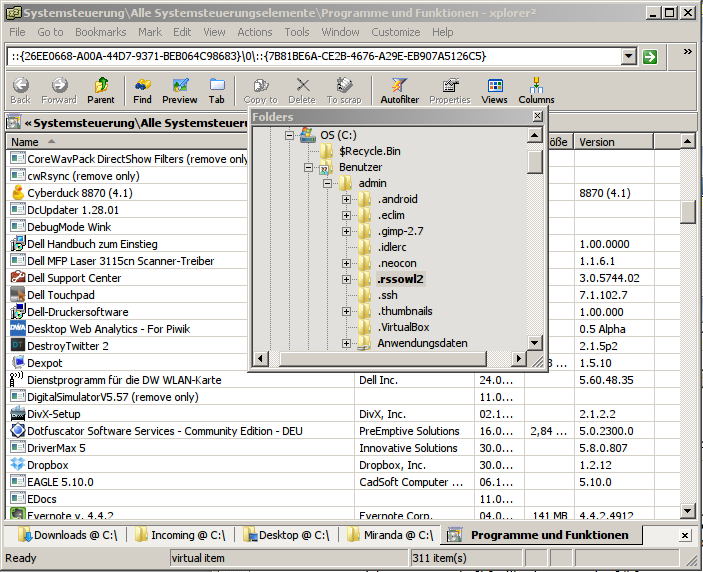
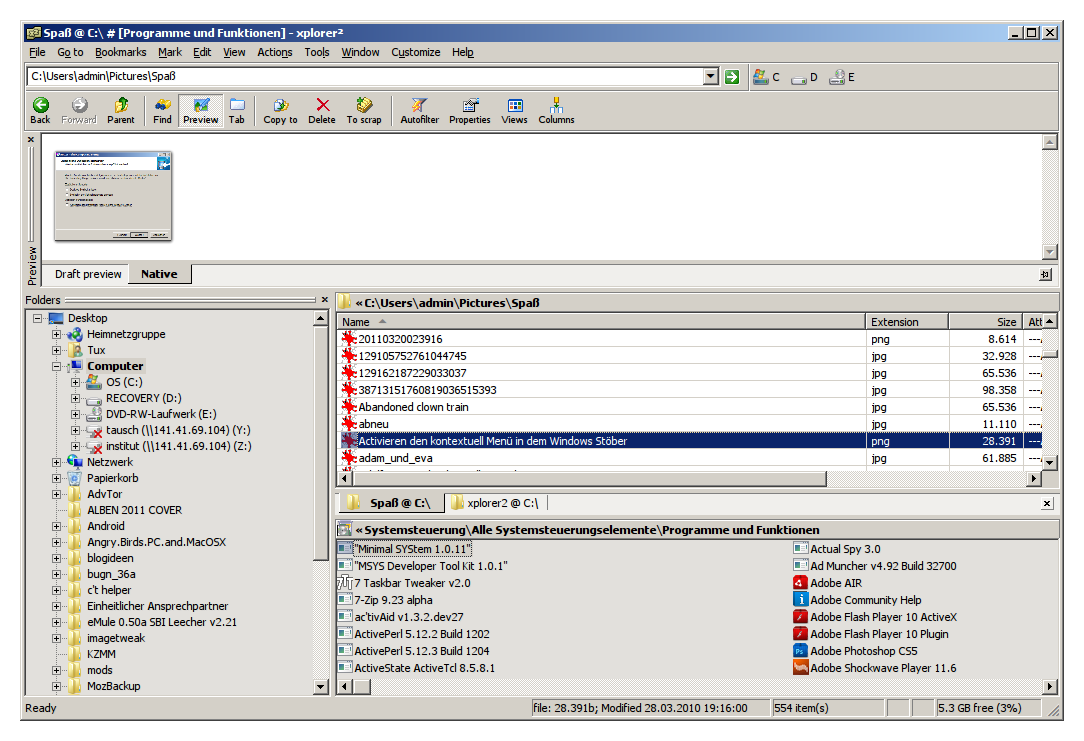
As you might see, the preview panel has also been improved a lot. Its "native" view uses Windows' own preview handlers for all known file types, so buggy third-party preview handlers won't crash x² anymore. Also, there's automatic resizing now.
xplorer² has been my primary file manager for a while. With v2.0 it makes another long step compared to its competitors.
The only thing that has still not been improved is the handling of Windows' namespaces, so assigning x² to folders like the Control Panel (via registry) does not always work, "Windows Update", for example, will show up as an empty folder. But that is rather common among file managers, so doing that is not recommended anyway.
A pity I only own one license. On the other hand, there's still XYplorer.
x² 2.0 discussion topic


