t42, did you try deactivating other apps to find if one of them may be interfering with TClock?In fact almost nothing to deactivate, because I made several new installations, x86 including, only to test TClock.

t42, did you try deactivating other apps to find if one of them may be interfering with TClock?In fact almost nothing to deactivate, because I made several new installations, x86 including, only to test TClock.

/exit : Exit T-Clock 2010
/prop : Open T-Clock 2010 Properties
/start : Start the Stopwatch Counter (open as/if needed)
/stop : Stop (pause really) the Stopwatch Counter
/lap : Record a (the current) Lap Time
/reset : Reset Stopwatch to 0 (stop as/if needed)

Also might be worth a shot to try the released with sourcecode build 98 to see if it behaves differently.


the archive already contains executable files


Maybe TClock cannot be run


That is a windows setting.
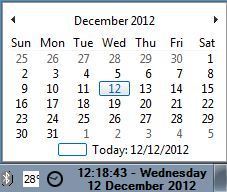
The default windows clock - calendar displays a bit above the taskbar and away from the edge as well.
That is a windows setting.
The default windows clock - calendar displays a bit above the taskbar and away from the edge as well.


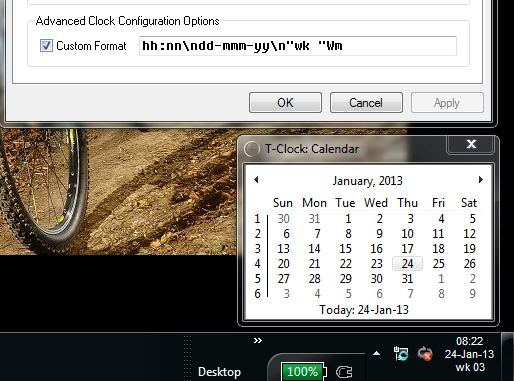
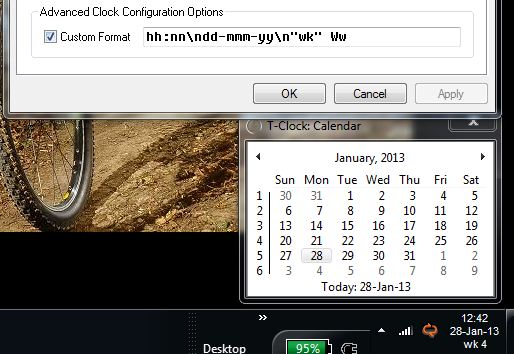
Since this year I have a problem that the weeknumber displayed in my tray lags 1 week behind the week number displayed in the calender, which is correct. The years before 2013 this was ok!Oh, you're right, same here. Didn't even notice, not even when the year started on Tuesday with week 0...

Although I do not use the built-in calendar have a look at T-Clock 2010\Properties\Miscellaneous - Calendar: First Week of Year (Change to 1.)It doesn't change the week number displayed in the main clock. I don't use the calendar, there's other solutions for that. I just keep the current week number displayed near the date and time. Right now it says "3" but it's actually already "4".


Ww seemed to work end of last week...


Original address: https://www.donationcoder.com/forum/index.php?topic=21944.0