
I haven't worked out the details, but it seems like it might be possible to apply Drag and Drop Robot to get generated mp3 files to play.
Re: DONE: automated mp3 rip from video clip
« Reply #50 on: May 02, 2011, 08:22 AM »


 Topic: DONE: automated mp3 rip from video clip (Read 111,118 times)




Oh! Ive been using this for a few years now, thank you!
I have version 1.0.0.1 on the box now. Now do I understand that this is a repackaged mencoder.exe? Also I have always been surprised that the output bitrate is not adjustable and is not discussed or mentioned, not here in the thread or in the package. Does it copy the bitrate from the source? Maybe this could appear in config.ini. Sorry if I've missed something.


this app didn't even have an INI file.
May I ask if you can add one so that we're able to overwrite the default value of 160kbit or as an alternative to add it to the cli syntax (e.g. "-bitrate 192")
I've tested with FLV, MP4, AVI, and MKV. Feel free to try whatever, though.Ok, thanks. That's helpful. The reason I asked is because when searching for converter software and narrowing down the field to the ones I want to try, the versatile ones are more attractive. I didn't see anything mentioned here.
... Mine works the way it does because it was specifically requested to by the original poster. In other words, I wasn't trying to compete with any of the others out there...just fulfilling a request. If you're looking for options and such, you'd definitely be better off using a different application. If you're looking for something that will quickly create a throw-away type of audio track, this might fit the bill. =]Ah, yes ... sure enough, that's basically what it says in the OP. Heh, I didn't take that into account
 Even so, the question of input formats was still open. But universality could be reasonably assumed given the no-brains, no-fuss goal of the program.
Even so, the question of input formats was still open.
For the record, the mEncoder binary does the grunt work of this app and it seems to support just about any format I've thrown at it. can I use it to save the video and discard the audio?
Uhhhh...anything that mEncoder can process?
Any ideas?


A interface. Any interface.


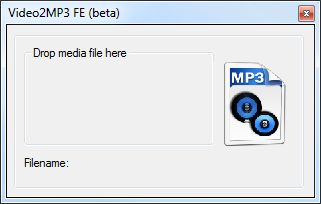
A interface. Any interface. A blank page that says "drag video here" is even better than nothing. Dragging a video into the application icon is really a cumbersome and time consuming for people like me who use FARR or shortcuts. One workaround I have come up with is to put video2mp3 into my sendto menu and send videos that way, but a drag-n-drop window would be great ^_^
Original address: https://www.donationcoder.com/forum/index.php?topic=20726.0
