Organize desktop icons and more...
I would like a program for organize the icons in the desktop and more.....
Simpler the best.
I would like a program for organize the icons in the desktop and more.....
Simpler the best.


 Topic: Organize desktop icons and more... (Read 27,531 times)


 [attach=#]

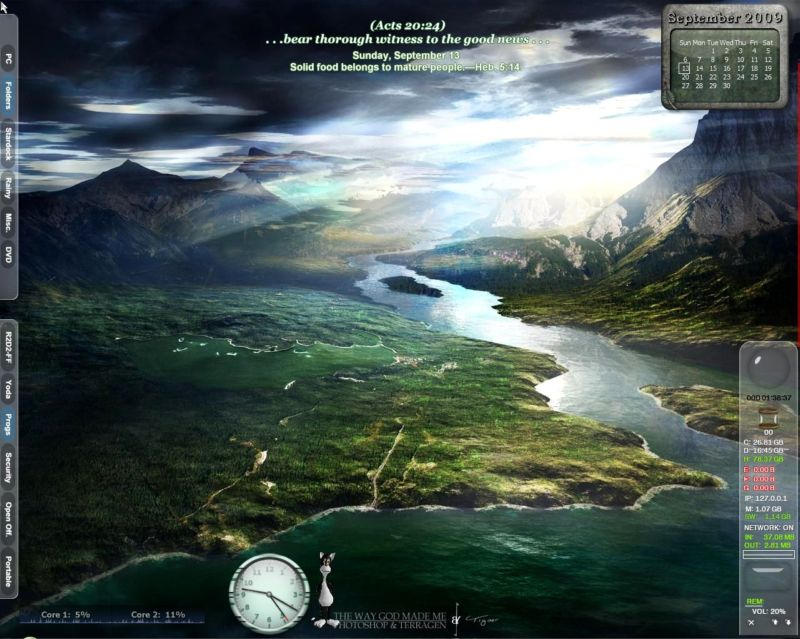
What does it mean to 'organize' the desktop icons? How many are there? I have organized mine by hiding all of them! A couple of years ago I didn't have as many icons as I have today, so back then I was using ($20) http://www.idesksoft.com/ , with great pleasure :-) But you may be thinking about a more 'practical' order?I'll take a look. For myself I don't need much. I have very few icons in the desktop. I use launchy, power tray and windows folders to launch almost everything from the task bar, and use one column to the left for the icons, maximum two columns.

Fences @ 0.96 would give me random explorer errors and crashes, was looking forward to updated or post-beta versions but if they are bundling other stuff might have to pass.
Regarding organizing icons I still think a clean desktop is a better possibility by setting up periodic folder and file moves via AHK, powerpro or something like Belvedere, probably not what the OP is asking but an option
I also recently started to use Fences, and would recommend it. However, the persistence of Impulse with the latest version is enough to make me de-install the whole lot.
As an interim measure, I have used Zone Alarm to block Impulse at the firewall, and I have set DC's Process Tamer to force kill the two Impulse applications that run. The Impulse system remains on the hard drive.
It's not an elegant approach, I realise, but it does save me the time and effort necessary to find out what happens to Fences if I try and expunge Impulse from the hard drive.
I actually have Impulse installed on my desktop, as I also have a subscription to Stardock's Object Desktop. However I uninstalled Fences on my notebook computer rather than install Impulse there.
Installing the Fences update on my desktop caused Impulse to reinstall over itself; they apparently did not include the ability to check and see if it is already installed!
Jim
What does it mean to 'organize' the desktop icons? How many are there? I have organized mine by hiding all of them! A couple of years ago I didn't have as many icons as I have today, so back then I was using ($20) http://www.idesksoft.com/ , with great pleasure :-) But you may be thinking about a more 'practical' order?
Fences @ 0.96 would give me random explorer errors and crashes, was looking forward to updated or post-beta versions but if they are bundling other stuff might have to pass.
Regarding organizing icons I still think a clean desktop is a better possibility by setting up periodic folder and file moves via AHK, powerpro or something like Belvedere, probably not what the OP is asking but an option
I have belvedere installed a lot time ago (27.12.2008). But I don't use......
I run Impulse as I have the whole Object Desktop package - I only fire it up when checking for updates! But you're correct - it does use resources which is why I upgraded to a Dual Core CPU...
Another option to tidy up is to put the icons in a folder and then in one click you have them or..........use the Quick Launch Bar? A Google search should bring up a plethora of programmes but on DC I find you can generally get good input from others experiences!
I find Object Dock much better than having Desktop Icons

I actually have Impulse installed on my desktop, as I also have a subscription to Stardock's Object Desktop. However I uninstalled Fences on my notebook computer rather than install Impulse there.
Installing the Fences update on my desktop caused Impulse to reinstall over itself; they apparently did not include the ability to check and see if it is already installed!
Jim
I actually have Impulse installed on my desktop, as I also have a subscription to Stardock's Object Desktop. However I uninstalled Fences on my notebook computer rather than install Impulse there.
Installing the Fences update on my desktop caused Impulse to reinstall over itself; they apparently did not include the ability to check and see if it is already installed!
Jim
Strange, because I'm updating my Stardock programmes all the time and Impulse just updates itself too without 'reinstalling'?


I used to use this before Desktop X..
http://www.sillysot.com/
Should do what your friend needs!
I used to use this before Desktop X..
http://www.sillysot.com/
Should do what your friend needs!
Original address: https://www.donationcoder.com/forum/index.php?topic=19911.0