My favorite is image zoom. It is really good.
Re: Firefox Extensions: Your favorite or most useful
« Reply #475 on: November 27, 2012, 07:31 AM »


 Topic: Firefox Extensions: Your favorite or most useful (Read 1,118,434 times)


Anyone using the DuckDuckGo AddOn? I'm trying it now. I can see adding it to the search engine list. But I'm wondering what the AddOn does for me other than stick a DDG Button on the toolbar?


- Add to Amazon Wish List Button 1.10
https://www.amazon.com/wishlist
Add any item from any website to your Amazon Wish List.
- Add to Search Bar 2.0
http://firefox.maltekraus.de/extensions/add-to-search-bar
Add any search on any page to the Search Bar.
- Add-on Compatibility Reporter 2.0
https://addons.mozilla.org/en-US/firefox/addon/add-on-compatibility-reporter/?src=api
Report add-on compatibility issues to Mozilla
- Auto Context 1.5.0.3 (Incompatible)
https://addons.mozilla.org/firefox/addon/5714
Automatically shows User Popup Menu if text is selected
- Bulk Image Downloader 4.39.0.0
http://BulkImageDownloader.com
Easily download images from image host sites. The Bulk Image Downloader application must be installed on the PC for this to work.
- CoLT 2.5.9
http://www.borngeek.com/firefox/colt/
Makes it easy to copy link text and locations.
- Download Statusbar 0.9.10
http://downloadstatusbarapp.com
View and manage downloads from a tidy statusbar
- DownloadHelper 4.9.12
http://www.downloadhelper.net
Download videos and images from many sites
- Exit Button Firefox 0.4.2
http://www.linnhe.net/firefox/extensions.html
Adds a toolbar button to exit Firefox.
- Extension List Dumper 1.15.2
http://www.sogame.cat/
Dumps a list of the installed extensions.
- Flagfox 4.2.3
http://flagfox.net/
Displays a flag depicting the location of the current server
- Google Reverse Image Search 0.6
http://barisderin.com/
Google Reverse Image Search is a simple tool that lets you search the images reversely on Google Images.
- Greasemonkey 1.5
http://www.greasespot.net/
A User Script Manager for Firefox
- IE View 1.5.1
http://ieview.roub.net/
Open pages in IE via Firefox menus
- InFormEnter 0.6.3
http://informenter.mozdev.org/
Helper for form filling in semi-automatic mode.
- Interclue 1.6.3
http://interclue.com/
The ultimate link augmentation multitool
- Linkification 1.3.9
http://yellow5.us/firefox/linkification/
Converts text links into genuine, clickable links.
- Location Bar Enhancer 5.0 (Disabled)
https://addons.mozilla.org/en-US/firefox/addon/ui-enhancer/
Implements feature rich Breadcrumb User Interface in the Location Bar
- NextPlease 0.9.2
http://nextplease.mozdev.org/
Fast navigation over next and previous pages of forums, search results, etc.
- Nightly Tester Tools 3.3
https://wiki.mozilla.org/QA/Automation_Services/Projects/Addons/NightlyTesterTools
Useful tools for the nightly tester.
- Open In RegEdit 0.1.2.4 (Incompatible)
https://addons.mozilla.org/firefox/4478/
Select registry keys in the page and open them in the registry editor
- Readability 2.4
http://www.readability.com/
Readability is a web and mobile app that zaps clutter and saves web articles in a comfortable reading view.
- Restart Firefox 0.5
https://addons.mozilla.org/addon/10749/
Restart Firefox with ease
- RightToClick 2.9.4 (Disabled)
http://nc.ddns.us/extensions.html
Allows right clicks, highlighting and more where forbidden by javascript
- Save File to 2.3.5
http://savefileto.googlecode.com/
Save files to user-defined folders and their sub-folders straight from context menu.
- Save Session 1.3.1.6
http://diary.noasobi.net/
Save Session can save the session only once.
- Stylish 1.3.1
http://userstyles.org/
Restyle the web with Stylish, a user styles manager.
- Tab Mix Plus 0.4.0.3.1
http://tmp.garyr.net
Tab browsing with an added boost.
- VTzilla 1.5
https://www.virustotal.com/documentation/browser-extensions/mozilla-firefox/
Right-click on any link and scan the target with VirusTotal, scan your downloads with VirusTotal before storing them in your PC, free and easy. More information at: https://www.virustotal.com/documentation/browser-extensions/mozilla-firefox/
- WordWeb one-click lookup 5.0.4406 (Disabled)
http://wordweb.info
Supports Ctrl+Right-Click (or other hot key) word lookup in WordWeb. Created by Deskperience for WordWeb
Can it still be used to bypass FF addon version check?This is pretty much pointless nowadays that Mozilla automatically bumps compatibility for add-ons.
Can it still be used to bypass FF addon version check?This is pretty much pointless nowadays that Mozilla automatically bumps compatibility for add-ons.

Directly on the servers.
Unless of course the author doesn't bother to submit it.Indeed. So... disabling compat. check in your about:config could be easier.
What's the verdict on Mr Tech?
Are there still any users of Mr Tech Toolkit?I had Mr Tech Toolkit for years, and managed my add-ons through it, but Iremoveddisabled it as it seemed to be not keeping up with the FF updates and started causing FF to crash in peculiar ways. I was sad to see it go.
What must I do to force Firefox / Waterfox to install an addon / extension?Nightly Tester Tools :: Add-ons for Firefox will force add-on compatibility
btw, anyone who tries firefox to see if they want to keep using it, should not even start to try it until they install Tab Mix Plus.
To me, this 1 extension is the make or break feature of firefox to me. It turns a browser with poor tab support to one with amazing tab support. (note: there are a couple other tab extensions for firefox, they may be equally good for all i know, but you NEED one of these otherwise ff sucks, imho).
So if you are a tabbed-browser fan, and have been dissapointed with plain firefox, you need to try tab mix plus, it's just packed with cool options.
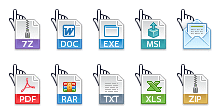
Cursor Indicator On Link Hover - with large icons - userstyles.orgQuote from: Cursor Indicator On Link Hover - with large iconsA cursor indicator. Hovering over hyperlinks will show a different cursor based on the targets file extension.
[attachimg=#]
Original address: https://www.donationcoder.com/forum/index.php?topic=1685.0