Good Evening Sir Agent! Thanks for upgrading the software for me…  I noticed there is an undo button in the latest version of the software, Forgive me sir, I did not make my self clear, the button undo is a great idea Sir, but I think just a simple Ctrl+Z for undo and Ctrl+Y for redo shortcut without the button will do…
I just thought of a new function that would greatly help us Sir… I’ll edit this reply to post the new function and its purpose… I’ll try if I can make a mockup for it Sir…
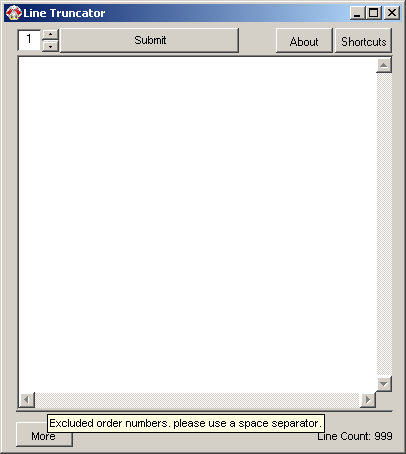
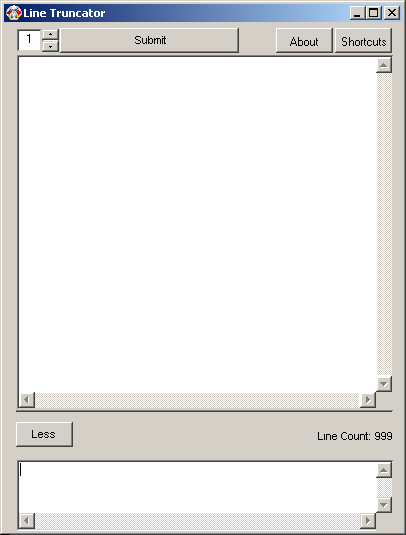
EDIT: I can’t make a mockup Sir, balsamiq trial doesn’t have the UI I was looking for but I’ll describe what I mean Sir, can you make collapsible options at the bottom of the software Sir…
Purpose: Just like what I’ve posted early this morning, we use the Line Truncator to extract the order numbers, Sir can you make a collapsible textbox at the bottom of the software that we may be able to add order numbers separated by commas to be automatically deleted when they appear on the results?
Example:
In this example, I would exclude order number 1346795, 64482, 84101 and I chose a length of 7…
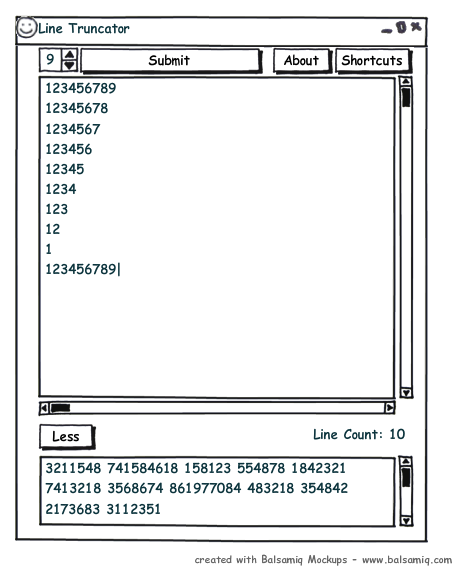
I put a filter in the collapsible textbox at the bottom of the software and add the order numbers or characters I want to exclude
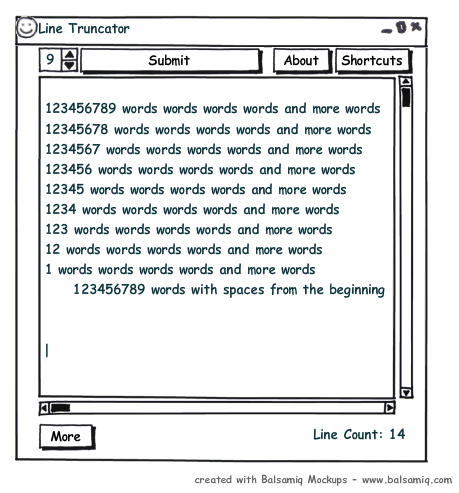
The result must be from:
Into:
The 2nd, 5th and 6th line were automatically omitted because the process result shows the characters “1346795, 64482 and 84101” and it was in list of excluded words…
One more thing Sir… Can you make the color white background except for the textbox to be the same like the button of about and Shortcuts
Thank You once again Sir Agentsteal… You’re such an excellent programmer! not to mention your very long patience…
I noticed there is an undo button in the latest version of the software, Forgive me sir, I did not make my self clear, the button undo is a great idea Sir, but I think just a simple Ctrl+Z for undo and Ctrl+Y for redo shortcut without the button will do… I just thought of a new function that would greatly help us Sir… I’ll edit this reply to post the new function and its purpose… I’ll try if I can make a mockup for it Sir…
EDIT: I can’t make a mockup Sir, balsamiq trial doesn’t have the UI I was looking for but I’ll describe what I mean Sir, can you make collapsible options at the bottom of the software Sir…
Purpose: Just like what I’ve posted early this morning, we use the Line Truncator to extract the order numbers, Sir can you make a collapsible textbox at the bottom of the software that we may be able to add order numbers separated by commas to be automatically deleted when they appear on the results?
Example:
In this example, I would exclude order number 1346795, 64482, 84101 and I chose a length of 7…
I put a filter in the collapsible textbox at the bottom of the software and add the order numbers or characters I want to exclude
Quote
1346795, 64482, 84101
The result must be from:
Quote
123456789 words words endless words
1346795 words words endless words
12345678 words words endless words
1234 words words endless words
64482 words words endless words
84101 words words endless words
12345 words words endless words
Into:
Quote
1234567
1234567
1234
12345
The 2nd, 5th and 6th line were automatically omitted because the process result shows the characters “1346795, 64482 and 84101” and it was in list of excluded words…
One more thing Sir… Can you make the color white background except for the textbox to be the same like the button of about and Shortcuts
Thank You once again Sir Agentsteal… You’re such an excellent programmer! not to mention your very long patience…


 I used and test the truncator at the office, my line lead saw it and liked it!
  She even wants to give it to some other people at the office right away, I just told her it’s under development, She asked me who made the software and I showed her the about button and told her a friendly programmer from other part of the world made this!

 Thanks again Sir… You’re the best!