DonationCoder.com forum
 
Read-only archive. This is a static copy of the DonationCoder.com forum. Reading and searching work as before; logging in, posting and private messages do not.
Archive of 2026-10-21 · About this archive · Main site

Author Topic: IDEA: My Documents, Desktop and Favourites Backup for all Users on a PC  (Read 11,702 times)

scottchamings

  • Supporting Member
  • Joined in 2008
  • **
  • Posts: 8
Hi,

I would love some code that will go through C:\Documents and Settings and for each user copy their My Documents, Favorites and Desktop folder to another folder structure retaining their username.

eg

copy C:\Documents and Settings\Scott\My Documents to %Path I specify%\Scott\My Documents

I often need to do this and manual copying is just so slow and clumbersome...

Thanks

Scott

belkira

  • Member
  • Joined in 2006
  • **
  • Posts: 52
    • Coding Snacks
Re: IDEA: My Documents, Desktop and Favourites Backup for all Users on a PC
« Reply #1 on: September 04, 2008, 03:32 PM »
Scott,

Might give this a try. I have been using it for a while and it works very well.

http://www.karenware.com/powertools/ptreplicator.asp

-belkira

scottchamings

  • Supporting Member
  • Joined in 2008
  • **
  • Posts: 8
Re: IDEA: My Documents, Desktop and Favourites Backup for all Users on a PC
« Reply #2 on: September 04, 2008, 04:09 PM »
This is close but not quite.  I need something that does not need me to select the folders under each of the users names or even know them in advance.

Basically need it to parse all the user ids, start a copy but keep the path structure intact and only copy the My Documents, Favorites and Desktop folders and down for each of the users, even though there might be heaps more folders under each user (Temp etc) which I dont want...

VideoInPicture

  • Honorary Member
  • Joined in 2008
  • **
  • Posts: 467
    • Coding Snacks
Re: IDEA: My Documents, Desktop and Favourites Backup for all Users on a PC
« Reply #3 on: September 04, 2008, 07:48 PM »
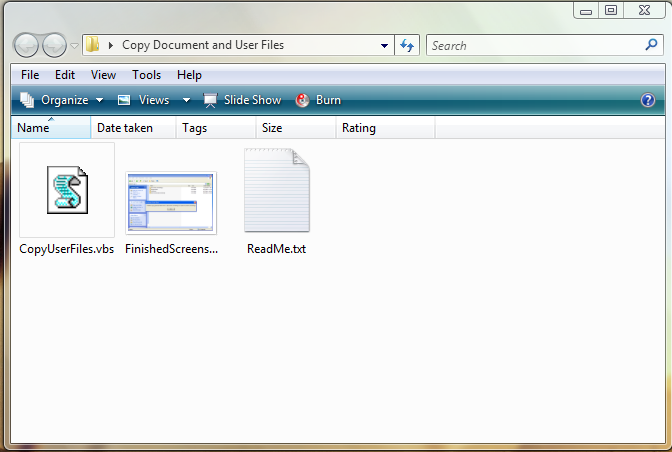
Attached is a VB Script file that will do what you specified. Just double-click the .vbs file and it will automatically copy the selected folders. Change the strDestination path to change where the copied files are placed.

From your other thread about file copying, I assume you are going to be using this in a corporate environment so a VB Script file is your best choice since it will run on all computers without the need for more software. See the comments in the code for more details.

Quote
Code: (vb)
' CopyUserFiles.vbs
' VBScript for copying the Document and User files to another directory
' Coded for Windows XP but can be adapted for 2000 / Vista by changing
' FavoritesFolder, DesktopFolder, MyDocumentsFolder, strFilePath, and strDestination to suit your needs
' 
' Program runs silently while copying. It may take a while to copy large files. 
' A messagebox will pop up when finished.
'
' Author: Eric Wong http://circledock.wikidot.com
' VideoInPicture@gmail.com
' Version 1.0 - 4th September 2008
' ----------------------------------------------------------

Option Explicit

Dim objFSO_DIR, objFolder, objCopyFolder, colSubfolders, objSubfolder
Dim objFSO, objFileCopy
Dim strFilePath, strDestination
Dim fileChecker, objShell
Const OverWriteFiles = True

Const FavoritesFolder = "\Favorites"
Const DesktopFolder = "\Desktop"
Const MyDocumentsFolder = "\My Documents"

strFilePath = "C:\Documents and Settings"
strDestination ="C:\New Documents and Settings"

Set objFSO = CreateObject("Scripting.FileSystemObject")
Set fileChecker = CreateObject("Scripting.FileSystemObject")
Set objShell = CreateObject("Shell.Application")
'Set objCopyFolder = CreateObject("Shell.Application")

objFSO.CreateFolder(strDestination)

Set objFSO_DIR = CreateObject("Scripting.FileSystemObject")
Set objFolder = objFSO_DIR.GetFolder(strFilePath)
Set colSubfolders = objFolder.Subfolders

'This is the core of the file copying process
For Each objSubfolder in colSubfolders
    Set objFolder = objFSO.CreateFolder(strDestination & "\" & objSubfolder.Name)  

    If fileChecker.FolderExists(objSubfolder & FavoritesFolder) = True Then
       fileChecker.CopyFolder objSubfolder & FavoritesFolder, objFolder & FavoritesFolder, OverWriteFiles
    End If

    If fileChecker.FolderExists(objSubfolder & DesktopFolder) = True Then
       fileChecker.CopyFolder objSubfolder & DesktopFolder, objFolder & DesktopFolder, OverWriteFiles
    End If

    If fileChecker.FolderExists(objSubfolder & MyDocumentsFolder) = True Then
       fileChecker.CopyFolder objSubfolder & MyDocumentsFolder, objFolder & MyDocumentsFolder, OverWriteFiles
    End If
Next

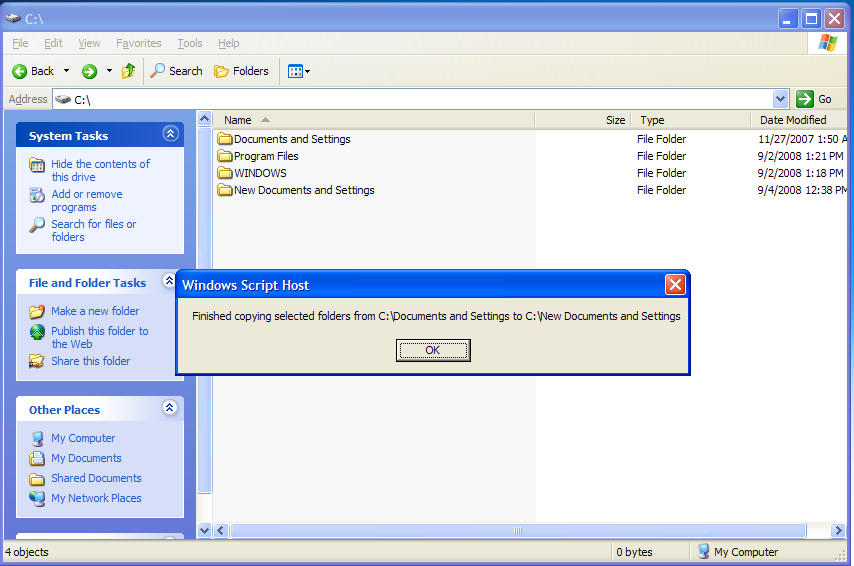
WSCript.Echo "Finished copying selected folders from " & strFilePath & " to " & strDestination
Wscript.Quit
Author of Circle Dock: http://circledock.wikidot.com
Author of Video In Picture: http://videoinpicture.wikidot.com
Author of Webcam Signature: http://webcamsignature.wikidot.com
Author of Easy Unicode Paster: http://easyunicodepaster.wikidot.com

scottchamings

  • Supporting Member
  • Joined in 2008
  • **
  • Posts: 8
Re: IDEA: My Documents, Desktop and Favourites Backup for all Users on a PC
« Reply #4 on: September 04, 2008, 10:19 PM »
awesome, thanks, will try out later today on a couple of PCs I need to reimage....

VideoInPicture

  • Honorary Member
  • Joined in 2008
  • **
  • Posts: 467
    • Coding Snacks
Re: IDEA: My Documents, Desktop and Favourites Backup for all Users on a PC
« Reply #5 on: September 04, 2008, 10:41 PM »
Just a note: ensure that the folder you specify to copy to doesn't already exist because the program is not set up to overwrite an existing folder and will throw an error. It can be modified to overwrite an existing folder if that is what the goal is.
Author of Circle Dock: http://circledock.wikidot.com
Author of Video In Picture: http://videoinpicture.wikidot.com
Author of Webcam Signature: http://webcamsignature.wikidot.com
Author of Easy Unicode Paster: http://easyunicodepaster.wikidot.com

lanux128

  • Global Moderator
  • Joined in 2005
  • *****
  • Posts: 6,277
    • Coding Snacks
    • Volunteers/Staff
    • Gathering Badge
    • Participated in NANY Challenge Once
    • Linux User
Re: IDEA: My Documents, Desktop and Favourites Backup for all Users on a PC
« Reply #6 on: September 05, 2008, 01:29 AM »
cool script! i was going to suggest XXCOPY but i guess with Eric's script, one need not to fiddle with switches. :)

Original address: https://www.donationcoder.com/forum/index.php?topic=14719.0