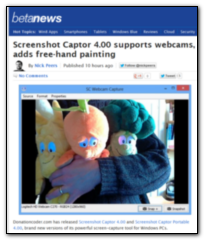
Also there is a dedicated hotkey available for repeating the capture of the same area, if you need to keep capturing the same area over and over.
Re: Links to Reviews and Comments - Add yours!
« Reply #50 on: January 17, 2013, 11:49 PM »


 Topic: Links to Reviews and Comments - Add yours! (Read 292,739 times)


Then I remembered that I still had a copy of Screenshot Captor (SC), which the first time put me off with its busier interface.
However, having spent a bit more time with SC, I was amazed with all the extra and really well-thought-out functionality. Its Quick-Capture bar turned out to be the solution to my problem, as I could take the screenshot with one click of the mouse, which overrode the keyboard sensitivity of the software window I wanted to capture.
Since then I’ve switched to SC as my main screenshot software, as it speeds up greatly the whole process of capturing the screenshot, editing the file name, and editing the image itself, as part of e.g. creating screenshots for this blog.

Compared to both Screenpresso and Snagit, Screenshot Captor feels utilitarian and complex. But it's also very powerful, and perhaps more important, it's free/donationware. Screenshot Captor has all the same capture tools Screenpresso and Snagit feature, including scrolling capture. In fact, its scrolling capture feature even out-performed Snagit's in a PCWorld's review of a previous version... If you prefer a more traditional look to your utilities, or want to try a powerful free tool before shelling out money for a commercial alternative, you should try out Screenshot Captor. If you find it useful, consider donating to the developer.
"I can only highly-recommend this tool as it is, without doubt, one of the best free screen capture tools that one can find."


"Screenshot Captor is just not another average screen grabber. It stands out thanks to its multitude of editing tools and file management options. It can be used for simple daily tasks up to complex jobs where you need to take lots of screenshots and edit them in detail. The advanced feature pack and comprehensive suite of configuration settings make it a serious competitor to other software programs that are not free, and place it in the category of one of the best screenshot capture utilities on the market."

It also offers visual embellishments such as borders and shadows, and automatic file naming. It offers easy watermarking, integration with image editing apps and Windows Explorer integration, and its microscopic system requirements mean you can leave it running all the time without worrying about a negative effect on your PC’s performance.. it’s much more useful than anything Windows itself offers.


^ well done mouser !
Your naming skills are getting a bashing again
http://www.techradar.com/news/download-of-the-day-screenshot-captor
Captor. Captor. Captor. Nope: try as we might, we can’t help thinking that the developers have made a mistake naming this one: captor usually means something that has captured something else and is keeping that thing prisoner. Sinister naming aside - what’s next? Vid Napper?
Screenshot Captor is designed to do one thing and do it well: capture a screenshot and keep it prisoner. Er, we mean capture a screenshot and enable you to use it elsewhere.

... I cannot stop laughing at what they wroteYes, well, depressingly, they probably did not write it for peoples' amusement. The thing was apparently intended to be a technical review in what was (or what used to be) a relatively credible technical website blog.
_______________________________
If you’re running Windows 10 you probably don’t need it, but on older Windows devices it’s much more useful than anything Windows itself offers.With all that seemingly misplaced focus and superficial chitchat, the reader is probably at least left none the wiser, and at worst, misled, as to why he/she would want to download the software.
Screenshot Captor, from DonationCoder, is the most powerful free screen capture tool you can download. It's thoughtfully designed and packed with options that will make your life easier, whatever you need screen grabs for.
...
Screenshot Captor is our favorite screen capture software, and for good reason – it’s enormously flexible and packed with tools to save you time and effort.
Screenshot Captor recommended by TechRadar yesterday:

Screenshot Captor, from DonationCoder, is the most powerful free screen capture tool you can download.Amen to that!
Screenshot Captor is a complete screen capture tool with multi-monitor support. It can capture the screen or part of it using a number of methods. You can also use it to annotate and edit he captures screenshots easily.
Short and imperfect ("free" rather than "donationware") comments on the TrishTech blog, concluding:QuoteScreenshot Captor is a complete screen capture tool with multi-monitor support. It can capture the screen or part of it using a number of methods. You can also use it to annotate and edit he captures screenshots easily.
 )
)Even though Screenshot Captor does not come with any of the editing tools of its own, you can configure it to work with any of the other image editors, watermarking tools, batch image resizing tools and so on. Screenshot Captor is available both as a setup installer as well as a portable program.
“Computer technology in plain English”
The fact you keep referring to it as “the Screenshot Captor” rather than just “Screenshot Captor”, and a large amount of spelling/grammatical mistakes absolutely infuriates me.
On another note, you state that Screenshot Captor does not have an editing suite of its own…this is false…had you have opened the software you would have seen that it has an entire suite of editing tools.
One final note: On what planet is this a review? You simply told us (wrongly) what the software is and does…a review would usually contain the “reviewers” opinions on such things…even your conclusion doesn’t contain any such thing…and in fact, the conclusion actually contradicts your suggestion that this software does not have it’s own editing tools.
This is really just a shameful attempt to gain traffic by purporting to have reviewed something popular.
Original address: https://www.donationcoder.com/forum/index.php?topic=1471.0