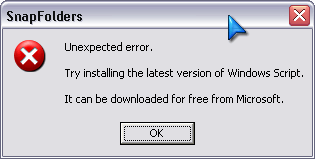
Thanks, Perry - but speaking of 'scripts', SnapFolders wouldn't work in my setup - some conflict of a kind, I guess, though it suggest that I get the latest script-something from MS. The problem must be something else, for I am confident my script version is newer than the one Matts was using back in 2005.
(see attachment in previous post)
A script that I use here at work for adding links to my favourites I've posted below. It handles multiple selected files, you'd want to edit the targetFolder for a place on your own computer:
' VB Script Document
option explicit

Dim iCount, sSourceFilePath, ws, fso, sObjectName, sShortCutPath

Set ws = CreateObject("WScript.Shell")
Set fso = CreateObject("Scripting.FileSystemObject")

Dim sTargetFolder
' Change the following to point to where you want the link to appear
sTargetFolder = ws.SpecialFolders("Favorites") & "\"

  For iCount = 0 To (WScript.Arguments.Count -1)
    sSourceFilePath = WScript.Arguments.Item(iCount)
    sObjectName = mid(sSourceFilePath,instrrev(sSourceFilePath,"\")+1)

    sShortCutPath = sTargetFolder & sObjectName & ".lnk"

    ' Create the shortcut
    With ws.CreateShortcut(sShortCutPath)
      .TargetPath = sSourceFilePath
      .IconLocation = sSourceFilePath
      .Save
    End With
  Next
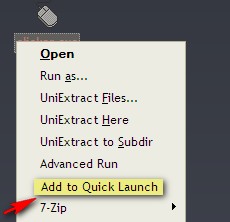
If you save it somewhere (C:\Scripts maybe?) then you can add a shortcut link to the script from your Send To directory (eg: C:\Documents and Settings\pmowbray\SendTo) then it'll be always available from the RMB Context Menu in Explorer.
You can easily add your own locations into the script where indicated. Multiple locations could be handled by multiple scripts (as long as the entries in your Send To menu didn't get too many).
Don't know if it's any help, but it was a script that I've had lying around for a while... If you're interested we could add other logic that could be used in determining a subFolder to put the link (MP3's for example?)









 ehh... days.