Does anybody know of anything better for Flow Charting than Visio?
Cost and O/S are irrelevant, but I'm starting to get desperate.
Cost and O/S are irrelevant, but I'm starting to get desperate.


 Topic: Help! Good flowcharting sw needed (Read 42,406 times)


think it's important they should go through a "tools evaluation" phase


Veign recommends EDraw Flowchart.

Veign recommends EDraw Flowchart.
I bought and think this is a great tool. It very easy to use and you can be up and running in minutes. I reviewed many when I was looking for a flowchart program and EDraw was better, and easier to use, then the rest.


 ). I've been struggling with ConceptDraw, but EDraw is much simpler, and yet seems more powerful. Anyway, am happily flow-charting my PhD at the moment.
I bought it too, Curt (is anyone surprised
Add maintenance to my purchase:
for 1 year period €85
for 2 years period €150
all the minor and major updates, released during your maintenance period;
priority technical support form;
- you are right, Jim, there is quite a distance between eDraw home planning and 3D HA, but I also think they are two different types of programs. 3D HA must be called a specialist on this subject, I think.
I didn't remember about Gliffy.com - maybe my eyes long ago noticed the word "online", which usually turns me off. Do you know if the free-version-user really gains access to all the same features as the premium-version-user, except of course for the listed differences in quantity / uploads / ads?? I think the advert-free alternative is dreadful expensive: $5 per month!! But the program really looks capable.
Edraw Max 4 New Features[attachthumb=#]
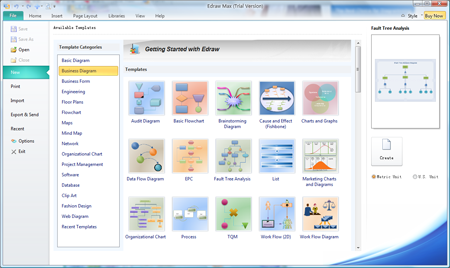
1. Get started quickly. You can find just the right template by using the new Getting Started window in Edraw. Large template previews Large thumbnail previews and descriptions of each template help you to quickly identify the templates that are best for your diagrams. (See Screenshot)
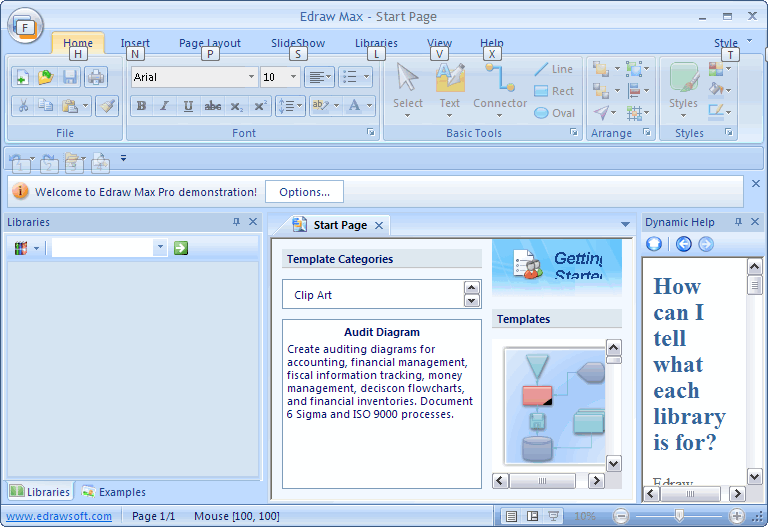
2. The new UI is MS Office 2007 style like. Full ribbon features.
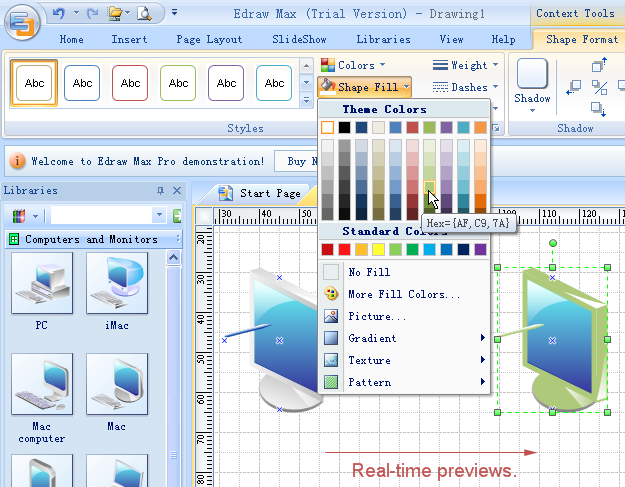
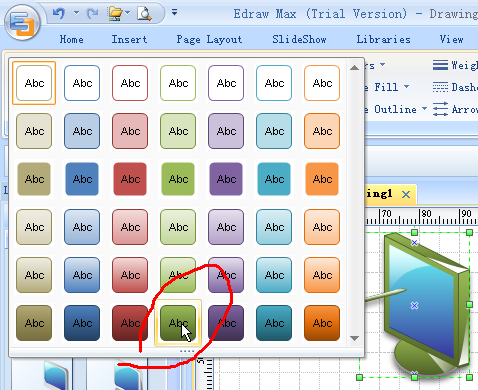
3. Added Themes, Color Themes, Effects and Fonts. Easy to change the whole diagram by changing the active theme. With the new Theme feature, you can format the colors and effects in an entire diagram with a single click. (See Screenshot)
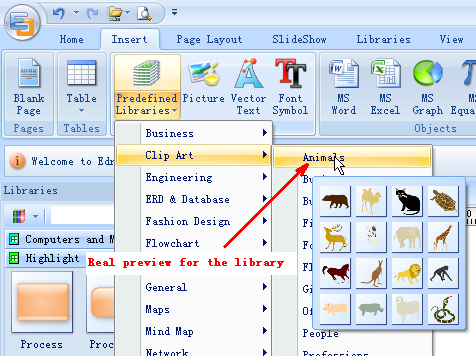
4. Real-time previews (See Screenshot). When you scroll over the various galleries in Edraw, you'll see your drawings and various objects change to display what they'll look like if you decide to apply those settings. Just click on the thumbnail in the gallery to actually accept the changes. This makes it a lot faster to see, for example, how changing a color scheme will affect your drawings.
5. Quick layouts and quick styles. These provide quick formatting options for the object in question, and make it easy to create good-looking slides with just a few clicks. (See Screenshot)
6. Put Edraw graphics into Word, Excel, PowerPoint with one-click buttons. (See same Screenshot as #5)
7. Text objects supported line space, bullet, Indent, back color, super script, sub script and more.
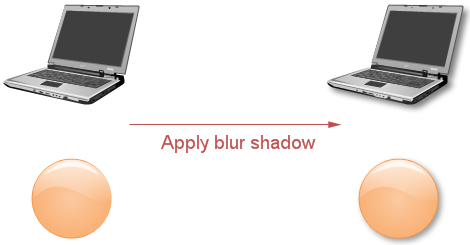
8. Shadows in general are so very nice compared to those in previous versions. We can actually control the transparency, amount of blur, and color now. (See Screenshot)
9. Shape and text presets make it really easy to apply a preset look to an object or text.
10. It's quicker to zoom in and out now using the zoom slider in the southeast corner of the screen.
11. Added the Insert Table function.
12. Watermark. Insert ghosted text behind the content on the page. This is often used to indicate that a document is to be treated specially, such as Confidential or Urgent.
13. It is now easier to find just the right symbols in the library (See Screenshot) because of the real-time previews.
14. Recolor picture, Light and Contrast, transparent PNG support.
15. Opened the Shape Sheet function for senior users to create more complicated shapes.
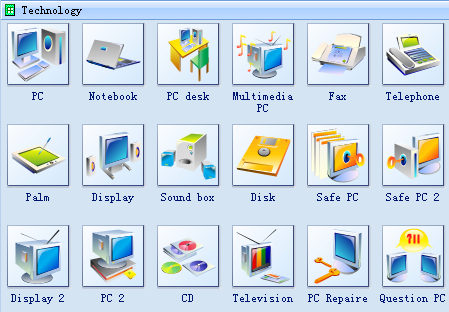
16. More 2000 high quality clip arts (See Screenshot).
17. Added the background view relative to normal view. In the background view you can modify all background elements.
18. Added the dynamic help within the program.
Edraw Max 4, Fixes:
1. Improved the Insert Hyperlink function.
2. Improved the Print function. Support more page sizes such as A0, A1. You can also print the large size graphics in separate pages.
3. High quality graphic export.
4. Significantly improved performance of finding symbols.
5. Allowed to modify the grid space.
6. Fixed some bugs in Geometry dialog.
Product Manual: http://www.edrawsoft.com/archives/edrawsolution.pdf
 Nice: it comes with a lifetime licence (I'm sure that this is one of the reasons that I bought a licence in the first place, but I'd forgotten!).

Original address: https://www.donationcoder.com/forum/index.php?topic=13290.0