edit: type something like ""cn cd C:\ && dir &&""When I do exactly this (cn cd C:\ && dir &&) I get a directory listing of the directory that contains FARR.
[edit]
cn dir c:\ && Works fine.


 Topic: Output to Farr's memo mode (Read 70,161 times)


edit: type something like ""cn cd C:\ && dir &&""When I do exactly this (cn cd C:\ && dir &&) I get a directory listing of the directory that contains FARR.


 There are to many of my plugins waiting for recoding and bachalor state examinations are coming


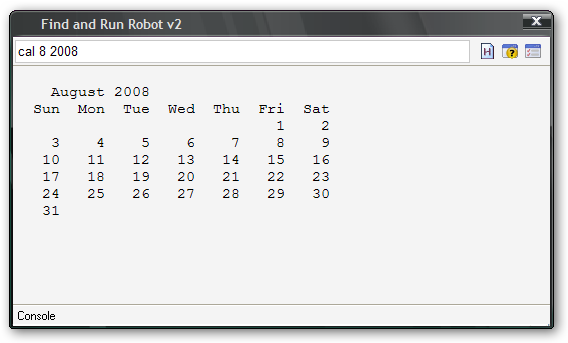
cn dir c:\ &&[/tt] Works fine.
Is this broken in latest Farr betas? Anytime I paste a path to exe file(ie c:\program files\somehting.exe) after "cn", Farr starts directory searching
I cannot also get citytime alias working in august 5th update. I was woirking fine couple versions before

I have uploaded new version of Console plugin.
Now you execute command by enter
To use aliases type:
test
^test (.*?)$
City time: $$1 | pcommand console D:\citytime.exe $$1
I have uploaded new version of Console plugin.
Now you execute command by enter
To use aliases type:
test
^test (.*?)$
City time: $$1 | pcommand console D:\citytime.exe $$1
do all aliases based on Console need to be modified?
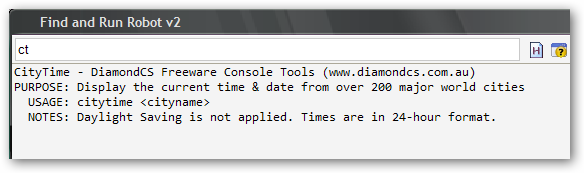
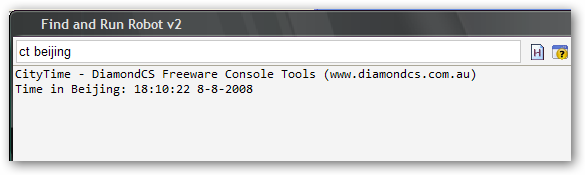
yes, czechboy. i have to modify since the new updates doesn't allow the older alias to appear. but i lose some functionality as well. previously if i typed the alias for citytime (ct), it'd show some usage example in memo mode. the same as if i had typed in the cmd prompt (wish i had taken a screenshot) but it is no longer available. can i revert to the old behaviour?
yes, czechboy. i have to modify since the new updates doesn't allow the older alias to appear. but i lose some functionality as well. previously if i typed the alias for citytime (ct), it'd show some usage example in memo mode. the same as if i had typed in the cmd prompt (wish i had taken a screenshot) but it is no longer available. can i revert to the old behaviour?
I guess you have baad alias since it works for me
this alias:
^ct {0,1}(.*?)$
does not even request space
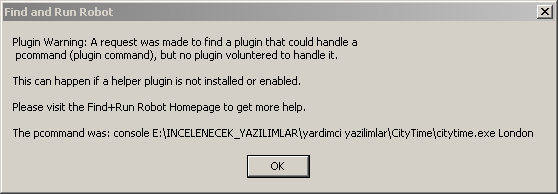
czechboy, does console plugin rely on any other plugin or service? It gives me an error below.


runcap ping.exe 127.0.0.1Original address: https://www.donationcoder.com/forum/index.php?topic=13053.0