


Here's a little program i made for myself to automatically remove credits from .srt files. Also the program clean and rename the .srt and video filenames.
You could find a more accurate description (and F.A.Q. and Screenshots) here:
SRTFilter Blog
The program is FREEWARE.
I know what this dont help so much to english-speak people but could help others (like me) what use srt subtitles a lot.
Description from the blog:
SRTFilter is a program to automatically edit and rename subtitle files in SubRip format (.srt)
It is fully configurable both in appearance and language.
Their Windows Explorer Shell extensions allow access to the program from any folder/file on your disk.
It also supports drag & drop of subtitle files.
It is extremely fast. Process 45 subtitle files by second.
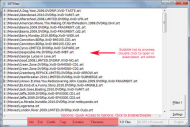
A quick and easy way to:
* Correct common errors in. srt files. Errors that can cause trouble on household divx players, especially a very common error on machines with Mediatek Chipset does not display the last subtitle line.
* Delete according to preferences set by the user, captions containing certain keywords (credits)
* Remove <tags> style.
* Rename automatically subtitle (and video) files, removing year, scene groups and user defined words, all thru regular expressions filters (also user defined).
Special module for Series with Episode Numbering Style choice (s01e01, S01E01, 1x01).
I hope you enjoy it.
Cheers!
You could find a more accurate description (and F.A.Q. and Screenshots) here:
SRTFilter Blog
The program is FREEWARE.
I know what this dont help so much to english-speak people but could help others (like me) what use srt subtitles a lot.
Description from the blog:
SRTFilter is a program to automatically edit and rename subtitle files in SubRip format (.srt)
It is fully configurable both in appearance and language.
Their Windows Explorer Shell extensions allow access to the program from any folder/file on your disk.
It also supports drag & drop of subtitle files.
It is extremely fast. Process 45 subtitle files by second.
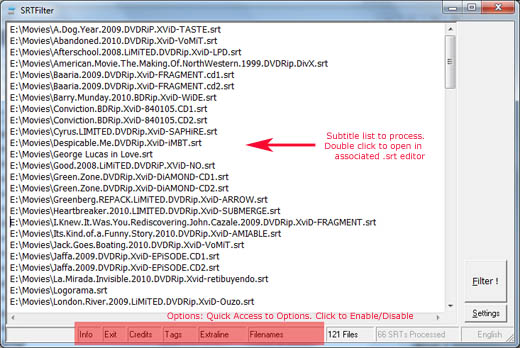
A quick and easy way to:
* Correct common errors in. srt files. Errors that can cause trouble on household divx players, especially a very common error on machines with Mediatek Chipset does not display the last subtitle line.
* Delete according to preferences set by the user, captions containing certain keywords (credits)
* Remove <tags> style.
* Rename automatically subtitle (and video) files, removing year, scene groups and user defined words, all thru regular expressions filters (also user defined).
Special module for Series with Episode Numbering Style choice (s01e01, S01E01, 1x01).
I hope you enjoy it.
Cheers!


