DonationCoder.com forum
 
Read-only archive. This is a static copy of the DonationCoder.com forum. Reading and searching work as before; logging in, posting and private messages do not.
Archive of 2026-10-21 · About this archive · Main site

Author Topic: Saving  (Read 10,734 times)

emerald222

  • Supporting Member
  • Joined in 2006
  • **
  • Posts: 12
Saving
« on: September 11, 2007, 12:04 AM »
I cannot remember to save.  I have a program I update frequently, but doesn't ask me to save before I close it.  Arg!  (shouted many, many times upon opening said program).  So what I need is either something that won't let me close it without saving, or upon opening triggers another program that at least reminds me to save.  Has this been done?  Is it doable?  Can someone save me from more hoarse throats caused by frustration?  Thanks!
"I may not have gone where I intended to go, but I think I ended up where I needed to be."

lanux128

  • Global Moderator
  • Joined in 2005
  • *****
  • Posts: 6,277
    • Coding Snacks
    • Volunteers/Staff
    • Gathering Badge
    • Participated in NANY Challenge Once
    • Linux User
Re: Saving
« Reply #1 on: September 11, 2007, 01:36 AM »
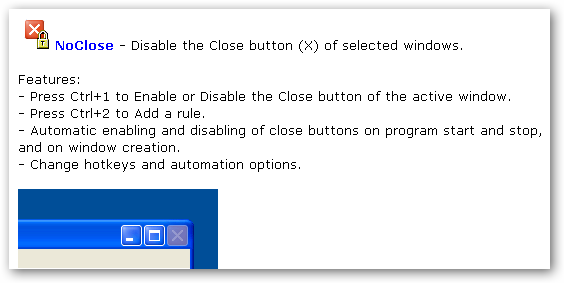
if it is a paid software, it's better to approach the developer to point out such a flaw in the design.. :) in the meantime you can use Skrommel's NoClose or GoneIn60s. one removes the [x] button on the main window so that you won't be able to close the program and the other hides the window for one minute in case, you wish to recall the program.. here are the links..
• DONE: "Stop Me From Closing It" - prevent easy closing of a program
• IDEA: program to prevent specified programs from being closed without confirm

emerald222

  • Supporting Member
  • Joined in 2006
  • **
  • Posts: 12
Re: Saving
« Reply #2 on: September 11, 2007, 04:43 AM »
NoClose looks great...but I can't get it to start with the program, even added as a rule.  So if I can remember to "noclose" it on starting, I could probably remember to save.  Am I doing something wrong with the program, or was it not designed that way?  Thanks,
"I may not have gone where I intended to go, but I think I ended up where I needed to be."

lanux128

  • Global Moderator
  • Joined in 2005
  • *****
  • Posts: 6,277
    • Coding Snacks
    • Volunteers/Staff
    • Gathering Badge
    • Participated in NANY Challenge Once
    • Linux User
Re: Saving
« Reply #3 on: September 11, 2007, 04:58 AM »
i haven't used NoClose yet but from the thread, it looks like you have to start NoClose 1st then your program so that you can use Ctrl+1 to disable the "Close" button. if that works, then add the rule from the settings window..

[attach=#]

emerald222

  • Supporting Member
  • Joined in 2006
  • **
  • Posts: 12
Re: Saving
« Reply #4 on: September 11, 2007, 05:20 AM »
Such a wonderfully simple program  :)  but I must be doing something wrong.  :(  What I need is for the close button to be disabled when I open the program, but I can't seem to get it to do that.  It will disable once open (yea!!), I add it as a rule, but next time I open it it is enabled.  Poopie.  Suggestions? 
"I may not have gone where I intended to go, but I think I ended up where I needed to be."

lanux128

  • Global Moderator
  • Joined in 2005
  • *****
  • Posts: 6,277
    • Coding Snacks
    • Volunteers/Staff
    • Gathering Badge
    • Participated in NANY Challenge Once
    • Linux User
Re: Saving
« Reply #5 on: September 11, 2007, 05:51 AM »
did you exit NoClose after disabling the [x] in your program? to keep your program's close button to be disabled, NoClose must be running in the background..

Original address: https://www.donationcoder.com/forum/index.php?topic=9926.0