Thanks, rjbull. I just saw your post - I'll look for the update immediately.
Re: ReNamer: The best freeware file renamer? (yes says cybernetnews.com)
« Reply #50 on: September 27, 2007, 01:24 AM »


 Topic: ReNamer: The best freeware file renamer? (yes says cybernetnews.com) (Read 131,368 times)


I cannot see that Flexible Renamer has been updated since May 2003 (except for addin of German UI in 2005) - is this program really to be counted among the best today?


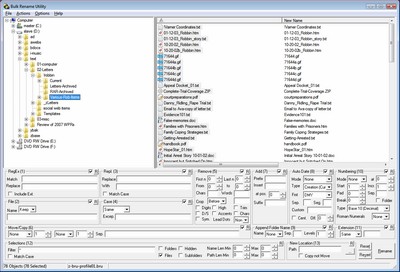
Features
- Intelligent number sorting
- JPEG/MP3 tag support and many more Meta-Variables
- Auto-Preview support
- "Scipts" to save commonly used renaming options
-and [?] command prompt style wildcards for replacing and remove options
- "Undo" button so a renaming operation can be rolled back
- Floating thumbnail window for viewing pictures and optional thumbnail file list view
- Optional Explorer integration for right-clicking on folders or using "Send To"
- no install program is needed.



I just installed BRU - very nice. Lots of easy options there.
2.03-2.09 - Critical.
There is a time bomb in these versions. PFrank will not start when the current month is December of any year.

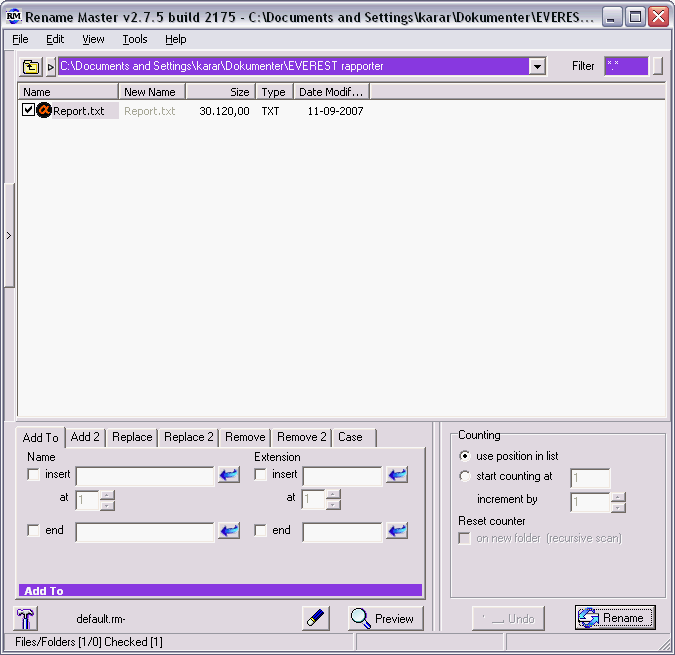
I couldn't decide which one to use, but I finally grabbed the FREE Rename Master from JoeJoe, the Jackass! ...


Does 'your' renamer support Send To > ?


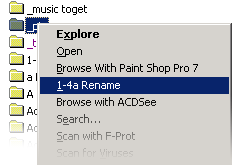
Bulk Rename Utility (my favourite) installs a context menu option like the one Lanux notes above for 1-4a above.
Does 'your' renamer support Send To > ?I couldn't decide which one to use, but I finally grabbed the FREE Rename Master from JoeJoe, the Jackass! ...
The renaming part of this Master is the finest (thums up) and easy to work with, but unfortunately the "Send To > Rename Master" feature wouldn't work on my XP. And because I also truly disliked the totally strange navigation system this program used, I erased it. The Send To feature is vital I think, and any new renamer of mine must support Send To >
So of course I ask the DC forum:
Does 'your' favourite renamer support Send To ??
Fast File Renamer: Rename multiple files at the click of a button!
Current version: 1.0, February 05, 2007
Fast File Renamer is a freeware program which can help you with the tedious task of renaming large numbers of files. The program can be used by anyone who needs to keep large collections of files organized (such as mp3 files, image and graphics files, web-site-related files, system files).
Fast File Renamer also has a 'simulate' function where you can preview the effects of any changes before applying them and it supports the use of the '*' wildcard character (inside the pattern which is to be deleted or replaced).
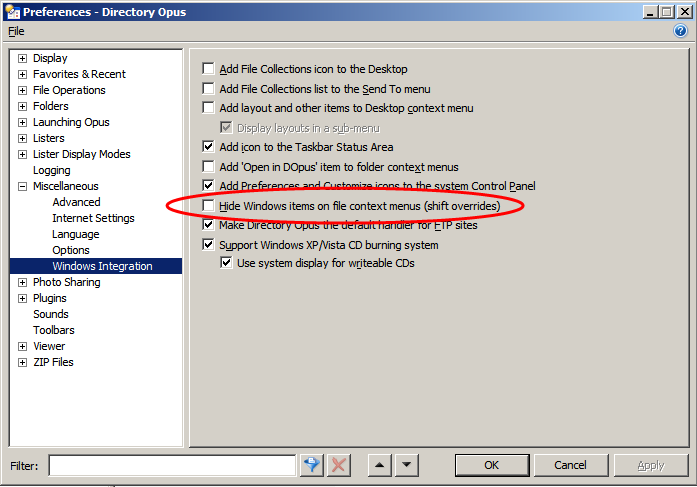
 - I'd forgotten about it. To check for this, J-Mac, hold down the shift key when you right click an item in Dopus. If BRU Context entry appears, you'll know that you have disabled Windows Explorer context menu items. I'll be back in a jiffy to tell you where to look for this setting.
Original address: https://www.donationcoder.com/forum/index.php?topic=9908.0