DonationCoder.com forum
 
Read-only archive. This is a static copy of the DonationCoder.com forum. Reading and searching work as before; logging in, posting and private messages do not.
Archive of 2026-10-21 · About this archive · Main site

Last post Author Topic: Should I add desktop screencast(movie) recording to ScreenshotCaptor?  (Read 26,545 times)

mouser

  • First Author
  • Administrator
  • Joined in 2005
  • *****
  • Posts: 40,931
    • Gathering Badge
    • Plugin Coding Medal
    • Participated in NANY Challenge Seventeen Times
    • Cody Award
    • Coding Snacks
    • Volunteers/Staff
If this wasn't too difficult to add, should i add the ability for Screenshot Captor to capture desktop screencasts (movies)?
The movies would be in standard avi format, and i wouldnt provide any editing functionality in SC, you'd have to edit them in another program, and youd have to convert them to swf or whatever if you wanted, using another tool.

Can i see a show of hands regarding who would want this? or should i just leave this to other tools?

AbteriX

  • Member #520
  • Charter Honorary Member
  • Joined in 2005
  • ***
  • Posts: 1,150
Hi mouser, thank you for your gentle offer  :Thmbsup:

1) For me this is related to the Captor.exe size
Right now we are at ~1,5MB here.

2) What would be the advantage of this feature?
Well, it would be nice to have this "by hand" to quickly record an error or like that...
but than the size of the AVI would be too big to eMail or so.

Just think: an option for an kind of slide show with the taken shots would be niftier?

-

so i thinK
a - if it not increase the exe size that much
and
b - if it is not to much work to implement this for you
then YES, nice to have.

Questions:
- how much can the exe increase?
- are there more DLLs or so?
- can this implementation break the stability of SC?
Greetings, Stefan.

PhilB66

  • Supporting Member
  • Joined in 2007
  • **
  • Posts: 1,522
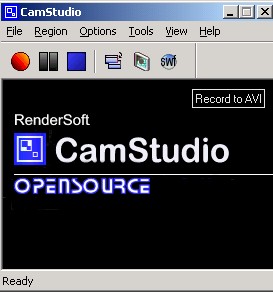
That would be awesome. I use Rendersoft CamStudio but think that a screen capture and recorder in one would be a great combo. Development for CamStudio stopped but Source code available at http://gnuwin.epfl.ch/sources/camstudio/

mouser

  • First Author
  • Administrator
  • Joined in 2005
  • *****
  • Posts: 40,931
    • Gathering Badge
    • Plugin Coding Medal
    • Participated in NANY Challenge Seventeen Times
    • Cody Award
    • Coding Snacks
    • Volunteers/Staff
Maybe a good way to add this, IF i add this, would be as a plugin, so it would be optional.

cranioscopical

  • Friend of the Site
  • Supporting Member
  • Joined in 2006
  • **
  • Posts: 4,776
    • Cody Award
    • Official Forum Clown
    • rotten turkey sandwich - Rotten Turkey Sandwich
I guess the replies you receive will reflect each individual's need for recording.

I'd say no.  I have tools to do this already.

An optional plug-in is hard to argue with, however, as it avoids 'bloat' for those who don't need recording.

So, you have my input... a definite no yes maybe.
Chris

jgpaiva

  • Artificial Idiocy
  • Global Moderator
  • Joined in 2006
  • *****
  • Posts: 4,727
    • Cody Award
    • Participated in NANY Challenge Once
    • Coding Snacks
    • Portugal Inhabitant
    • Linux User
If it'd be as good as screenshotcaptor, i'd say "YEEEEEES!!!".

Still, if it'd be aimed at a "quick and dirty" recording with all the cool features of SC (like copy path to clipboard :D), i'd say "YEEEES!!!" (notice there are 2 'E's less :P)

Darwin

  • Charter Member
  • Joined in 2005
  • ***
  • Posts: 6,985
    • Gathering Badge
You can't miss if you make this an optional plug-in, Jesse.
"Some people have a way with words, other people,... oh... have not way" - Steve Martin

nudone

  • Cody's Creator
  • Columnist
  • Joined in 2005
  • ***
  • Posts: 4,119
    • Cody Award
will you be adding something special into the mix - if not then perhaps it's best left for another program?????????????

Darwin

  • Charter Member
  • Joined in 2005
  • ***
  • Posts: 6,985
    • Gathering Badge
nudone - as I see it, adding simple screencasting capabilities to screencaptor will allow those people who might like the functionality of a screencast application, but only use it once or twice a year, to have it without being forced to spend significant amounts of money on something that they don't actually need very often and for features that they won't need at all.
"Some people have a way with words, other people,... oh... have not way" - Steve Martin

Carol Haynes

  • Waffles for England (patent pending)
  • Global Moderator
  • Joined in 2005
  • *****
  • Posts: 8,073
    • Cody Award
    • Furry Fandom Badge - Furry Fandom
If you plan to extend the functionality (editing and formats) in the future then why not - it would be useful.

If you just plan a quick capture to AVI I would suggest it is best left to another app. Jing seems to work reasonably well (actually incredibly simply) for SWF capture at the moment for anyone who wants it and there are Wink and Camstudio for people who want a bit more from their software. Since both are free I would suggest that adding very basic functionality would just mean that people need more than one application installed - which seems a bit like pointless duplication.

katykaty

  • Supporting Member
  • Joined in 2006
  • **
  • Posts: 224
I don't think that would be so useful - after all CamStudio does that really well and is freeware.

What would be fantastic would be something similar only for creating animated gifs.

Typical application I've got in mind: for adding in to html help documents to illustrate a short simple process. Animated gifs are ideal for this as they use next to no memory and don't rely on the user having the right swf or avi player.

KenR

  • Super
  • Blogger
  • Joined in 2006
  • ***
  • Posts: 826
I think it would be better to write a separate app. SC is a good app as it is and I think that adding features to do an entirely different app would clutter the interface with irrelevant stuff. Better to write one of your typical best of its class apps to do just one thing.

Ken
Kenneth P. Reeder, Ph.D.
Clinical Psychologist
Jacksonville, North Carolina  28546

KenR

  • Super
  • Blogger
  • Joined in 2006
  • ***
  • Posts: 826
On the other hand, I barely have 600 posts (unlike most of the others commenting) and JG wants it, so ...  ;D
Ken
Kenneth P. Reeder, Ph.D.
Clinical Psychologist
Jacksonville, North Carolina  28546

Darwin

  • Charter Member
  • Joined in 2005
  • ***
  • Posts: 6,985
    • Gathering Badge
:harhar: I guess I stand corrected! I have both Snag-It and BBFlashback so have no need of such a plug-in for Screencaptor, myself, but it still sounds a reasonable option to add. I guess two things spring to mind: 1. I hadn't realised that there are free alternatives to BBFlashback, etc (I bought it when I realised that the screencasting component in Snag-It is woefully inadequate for my needs, and not in a million years could I afford Camtasia!) 2. Maybe it's just me, but given the choice between installing a solid app that does screencaps and has basic screencasting capabilities and two apps to do the same thing, I'll take the single app. But then, I am contradicting myself, in a way, because I have often railed against the "everything AND the kitchen sink" approach to software coding...

Ken - I know your tongue is in your cheek/fingers are crossed when you write:

Quote
On the other hand, I barely have 600 posts (unlike most of the others commenting) and JG wants it, so ...

but don't sell yourself short! You cast a long shadow around here and your opinion is highly valued!
"Some people have a way with words, other people,... oh... have not way" - Steve Martin

KenR

  • Super
  • Blogger
  • Joined in 2006
  • ***
  • Posts: 826
:harhar: I guess I stand corrected! I have both Snag-It and ...
AND the kitchen sink" approach to software coding...

Ken - I know your tongue is in your cheek/fingers are crossed when you write:

Quote
On the other hand, I barely have 600 posts (unlike most of the others commenting) and JG wants it, so ...

but don't sell yourself short! You cast a long shadow around here and your opinion is highly valued!

Hey Darwin. You were right about my comment being tongue in cheek.  :D Seriously though, I really appreciate what you said! Even if not true, it was very gracious and kind.

Ken
Kenneth P. Reeder, Ph.D.
Clinical Psychologist
Jacksonville, North Carolina  28546

jgpaiva

  • Artificial Idiocy
  • Global Moderator
  • Joined in 2006
  • *****
  • Posts: 4,727
    • Cody Award
    • Participated in NANY Challenge Once
    • Coding Snacks
    • Portugal Inhabitant
    • Linux User
After reviewing the previous posts and giving some more thought to this, i'd say "no" too.
Reasons:

1 - I had no idea there were decent freeware alternatives (wink is pretty good, but it can't do movies, only "faster slideshows")
2 - I think that your (mouser) work is more needed in other stuff :)
3 - If you did a simple version of a screencasting app, i can see people starting to ask for more features and improvements that soon would overlap with other more developed apps and would only make you lose time playing catch up
« Last Edit: August 14, 2007, 12:06 AM by jgpaiva »

Josh

  • Charter Honorary Member
  • Joined in 2005
  • ***
  • Posts: 3,411
    • Gathering Badge
    • Official Forum Clown
    • Coding Snacks
    • Plugin Coding Medal
    • Volunteers/Staff
    • Military Service Badge - US Army
    • Furry Fandom Badge - Furry Fandom
    • Linux User
Mouser,

I say add this if you can allow the user to configure the appropriate video codec to be used for encoding. Various applications allow you to select from installed codecs, and this could help alleviate the filesize issue. This would be a nice CORE feature to SSC.

Josh
Strength in Knowledge

mouser

  • First Author
  • Administrator
  • Joined in 2005
  • *****
  • Posts: 40,931
    • Gathering Badge
    • Plugin Coding Medal
    • Participated in NANY Challenge Seventeen Times
    • Cody Award
    • Coding Snacks
    • Volunteers/Staff
I think as others have better summarized, there are already good free programs for recording screencasts, and while it might be possible to add a rudimentary version of this to screenshot captor in a weekend, it would take much longer to do a reasonably good implementation, and that's time i should probably spend on other stuff.

There's a good chance i might come back to this at some point, but for now i'm going to put it on the back burner, since i have bigger fish to fry.

steeladept

  • Fettucini alfredo is macaroni & cheese for adults
  • Supporting Member
  • Joined in 2006
  • **
  • Posts: 1,061
    • Linux User
    • Military Service Badge - US Air Force
I don't think that would be so useful - after all CamStudio does that really well and is freeware.

What would be fantastic would be something similar only for creating animated gifs.

Typical application I've got in mind: for adding in to html help documents to illustrate a short simple process. Animated gifs are ideal for this as they use next to no memory and don't rely on the user having the right swf or avi player.

I agree with the animated gifs.  There are a few fair to decent gif animators out there, but I think it would be much easier to do it straight from a screen capture, rather than capturing, cropping, setting, then uploading the gifs individually.  Then compressing them all into a single animated gif.  What a bunch of steps.  If this could be streamlined, it would be a great addition.

One other great addition would be a way (or an easier way if I just haven't figured out how yet) to capture an entire web page, instead of just what is onscreen.  I know SnagIt recently added that feature and I think it would be very useful indeed.  Of course I say that not even sure that screenshotcaptor doesn't already, so how much do I really use that feature. ;D :-\

mouser

  • First Author
  • Administrator
  • Joined in 2005
  • *****
  • Posts: 40,931
    • Gathering Badge
    • Plugin Coding Medal
    • Participated in NANY Challenge Seventeen Times
    • Cody Award
    • Coding Snacks
    • Volunteers/Staff
sc can do it, its called a scrolling capture.

steeladept

  • Fettucini alfredo is macaroni & cheese for adults
  • Supporting Member
  • Joined in 2006
  • **
  • Posts: 1,061
    • Linux User
    • Military Service Badge - US Air Force
Yeah, I figured it could, but it could be much easier.  Once you told me where to look, I tried it about 5 times and only succeeded once.  Every other time, it kept trying to capture "object" which was an automated region choice.  Very cool, but not what I was trying to do.  Never the less, thank you for telling me where to look.  :Thmbsup:

EDIT, never mind.  It is late.  I was holding ctrl+click instead of ctrl+shift+click.  Good night.
« Last Edit: August 14, 2007, 04:38 AM by steeladept »

tranglos

  • Supporting Member
  • Joined in 2006
  • **
  • Posts: 1,081
    • Participated in NANY Challenge Twice
Re: Should I add desktop screencast(movie) recording to ScreenshotCaptor?
« Reply #21 on: December 10, 2007, 01:59 AM »
One other great addition would be a way (or an easier way if I just haven't figured out how yet) to capture an entire web page, instead of just what is onscreen.  I know SnagIt recently added that feature and I think it would be very useful indeed.  Of course I say that not even sure that screenshotcaptor doesn't already, so how much do I really use that feature. ;D :-\

Besides SC, try "Save as Image" add-on for Firefox:
https://addons.mozilla.org/en-US/firefox/addon/3408

Does exactly what you describe; saves to jpeg/gif/png and shows a neat preview where you can just save the whole page or crop a region.

.marek

Deozaan

  • Charter Member
  • Joined in 2006
  • ***
  • Posts: 9,827
    • Participated in NANY Challenge Eight Times
    • Cody Award
Re: Should I add desktop screencast(movie) recording to ScreenshotCaptor?
« Reply #22 on: December 10, 2007, 02:04 AM »
If you can do it well, do it. If it's going to be lame, leave it out.  :)

cvbusa

  • Charter Member
  • Joined in 2006
  • ***
  • Posts: 33
No need to add screencast recording to this wonderful product ... no need to compete with the high end screen recorders like Camtasia (which cost $300) and there are lots of free and inexpensive tools that do screen recording on the cheap and  low end of the market. Screenshot Captor should continue  to be quick and responsive with as small of a memory and resource footprint as possible.

Feature ideas & enchancements

1) add save options of  single/multi-page PDF and multi-page TIFF
2) add MiniCap functionality to trigger a running ScreenshotCaptor to silently capture a specific  area, window or screen or entire workspace from the command-line in a .bat file
3) better callouts
4) better rubberstamp tool

Thanks again for a great product.

PS I ran a 2 week demo of the latest version of Snagit (8.2.3) and the only features I really thought were outstanding are its vector based callouts & rubberstamp features.

mouser

  • First Author
  • Administrator
  • Joined in 2005
  • *****
  • Posts: 40,931
    • Gathering Badge
    • Plugin Coding Medal
    • Participated in NANY Challenge Seventeen Times
    • Cody Award
    • Coding Snacks
    • Volunteers/Staff
3+4 i agree 100%.

Original address: https://www.donationcoder.com/forum/index.php?topic=9555.0