Also, is it possible to count words as well as characters?actually it's possible but not in real-time, though.. i can add a button or a hot-key that can do that & display the word-count in a message-box.. is that ok?


 Topic: IDEA: Show number of characters as I type in email (Read 61,879 times)


Also, is it possible to count words as well as characters?actually it's possible but not in real-time, though.. i can add a button or a hot-key that can do that & display the word-count in a message-box.. is that ok?

 but i'm in discussion with Nod5 to use a g-label instead, let's see how it turns out..
Still no luck with v1.36, outlook or express.kiwi2b: can you post a screenshot of your Outlook's compose window? by any chance, are you using non-English Windows? if you are using the English version, then try quitting the program then delete the INI file that is created (filename: count.ini) then start the program again..
Real time word count would be nice, but button access would be okay too. Here's hoping...hopefully this would not be a problem.. as mentioned earlier, i'll be able to implement real-time word-count soon..

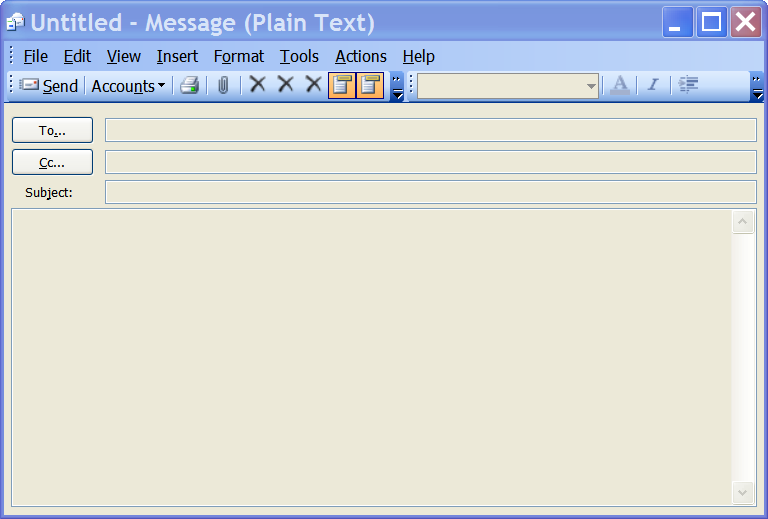
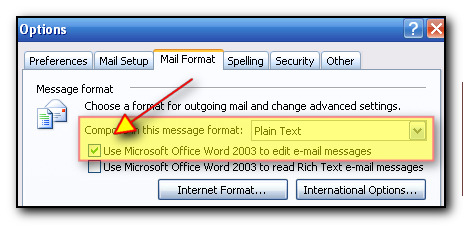
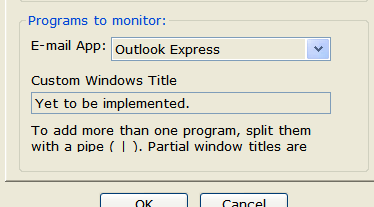
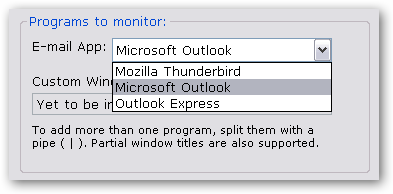
 one of the thing is that Outlook uses two different window class and window titles based on the option highlighted in the image below. so hopefully now the problem that kiwi2b mentioned would have been solved..
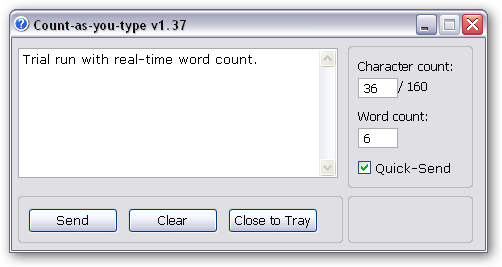
  here is a demo screenshot, i have to expand the gui to fit everything in & on the bottom-right i'm thinking on placing the config button or a donationcoder.com banner, featuring cody..
 i always forget maximised windows. in fact, CountAsYouType was programmed to appear on the right on the compose window.. this is fixable - in case of maxed windows, i'll just set it to appear on the center. is this ok?That's fine.


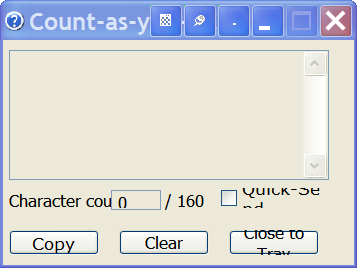 winlarge.png
(15.6 KB, 357x268 - viewed 636 times.)
winlarge.png
(15.6 KB, 357x268 - viewed 636 times.)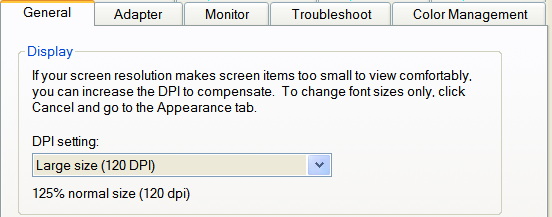 winlargesetting.png
(23.3 KB, 552x217 - viewed 574 times.)
winlargesetting.png
(23.3 KB, 552x217 - viewed 574 times.)That problem: I run my screen at 125% of normal size using the setting found under Display Properties, which makes CountAsYouType's font too big for its windows. Most, but not all, programmes can handle this. Be good if the programme's text could allow for this.
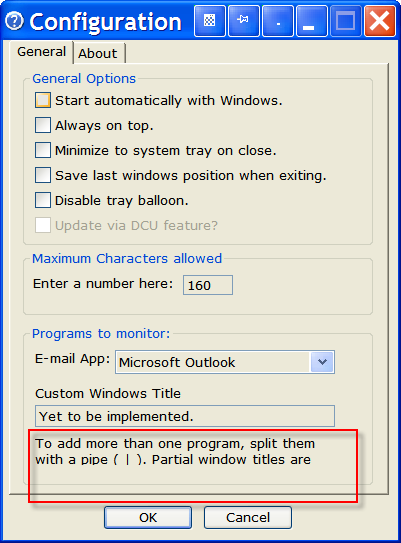
anyway, i'll check the AHK forums and try to code around non-fixed dimensions. and it seems that i'll have to give this large display setting the priority.. hopefully, the problem is fixed now & i also made some other changes which include: 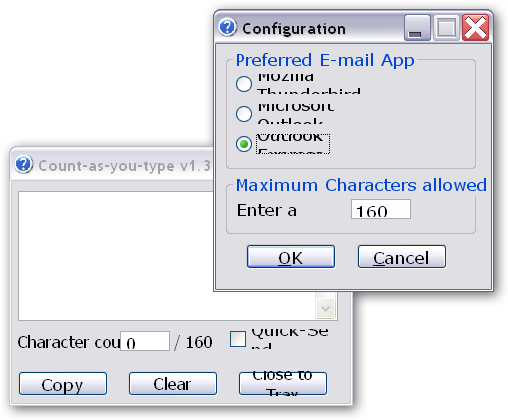 120_DPI-Before.png
(28.0 KB, 508x420 - viewed 2966 times.)
120_DPI-Before.png
(28.0 KB, 508x420 - viewed 2966 times.)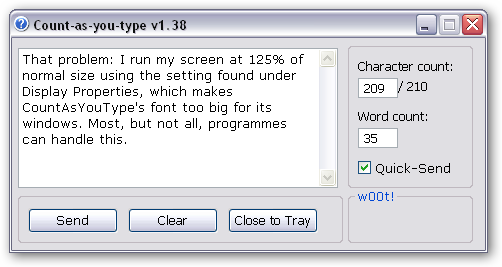 120_DPI-02.png
(16.2 KB, 502x267 - viewed 3067 times.)
120_DPI-02.png
(16.2 KB, 502x267 - viewed 3067 times.) Count-as-you-type-v138.ahk
(9.1 KB - downloaded 475 times.) Count-as-you-type-v138.exe
(237.6 KB - downloaded 594 times.) Perfect ... almost ... :
Count-as-you-type-v138.ahk
(9.1 KB - downloaded 475 times.) Count-as-you-type-v138.exe
(237.6 KB - downloaded 594 times.) Perfect ... almost ... :

 config_screen.png
(16.8 KB, 281x281 - viewed 630 times.)
config_screen.png
(16.8 KB, 281x281 - viewed 630 times.)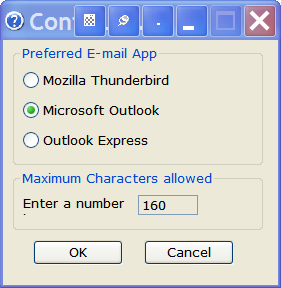 config_screen_large.png
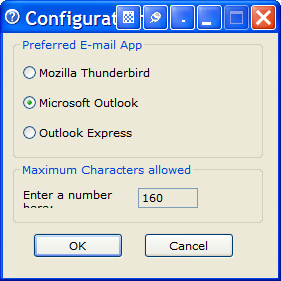
(15.6 KB, 281x288 - viewed 596 times.) it should be "enter a number here" but i'll lop off the "here" from now on..
config_screen_large.png
(15.6 KB, 281x288 - viewed 596 times.) it should be "enter a number here" but i'll lop off the "here" from now on..hehe you have an eye for detailsI've heard that before somewhere, I'll have to watch that.
cpu usage thingy.. are you running the ahk script or the compiled exe when the high cpu activity occurs?The compiled exe. The problem shows when I have an open Outlook message and the CountAYT window open, with another programme on top. Instead of staying quiet, Task manager is showing CountAYT as wanting 8 to 14% of the CPU. Like when I am writing this message.
saving the last GUI position when exiting is probably the better choice ... have a check-box that will save the GUI position to INI file when closingYes, absolutely. Everybody's prefs are different, so this would solve it.
by autostart with Outlook, you mean to start Count-as-you-type with Windows?Ideally, optionally, start just with Outlook ( or other mail progs) if possible, and then close with Outlook. Keeps the tray clear. Most people around these DonationCoder parts probably already have a too full tray as it is.
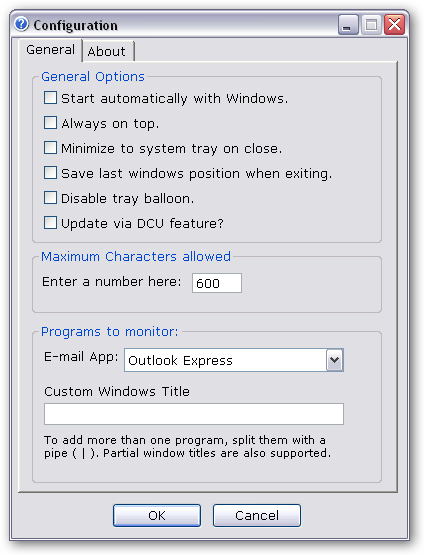
Otherwise, just start with windows I guess.close button to minimize to systray - check..Thanks
is there any particular messages that is bothering you or you hate them all equally?
This one: when loading, it displays the current config settingsIt's that being repeatedly told something I already know feeling coming back again.
Probably best to make each one optional, to please everyone...Quotecpu usage thingy.. are you running the ahk script or the compiled exe when the high cpu activity occurs?The compiled exe. The problem shows when I have an open Outlook message and the CountAYT window open, with another programme on top. Instead of staying quiet, Task manager is showing CountAYT as wanting 8 to 14% of the CPU. Like when I am writing this message.

 i will try compiling again & see if that solves the problem.. My guess is a lot of people with similar but different problems that sound the same but aren't.)
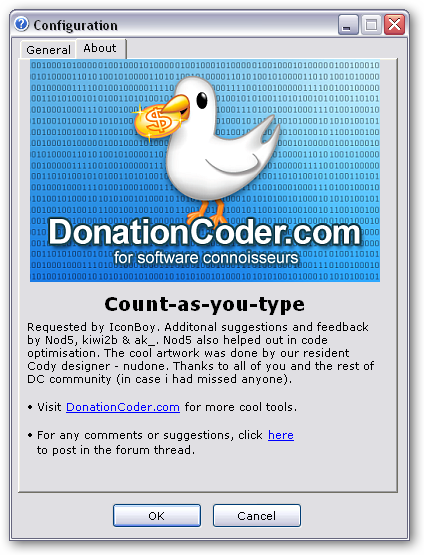 ws-cayt-140.png
(186.9 KB, 424x555 - viewed 1886 times.) Count-as-you-type-v140.ahk
(14.6 KB - downloaded 537 times.) Count-as-you-type-v140.exe
(384.0 KB - downloaded 636 times.)
ws-cayt-140.png
(186.9 KB, 424x555 - viewed 1886 times.) Count-as-you-type-v140.ahk
(14.6 KB - downloaded 537 times.) Count-as-you-type-v140.exe
(384.0 KB - downloaded 636 times.)...don't forget to disagregate the balloon tips, it's the one that always tells you about what email programme it is watching I need to disable, the other balloons are great.Any of this possible?
A suggestion: not for me at this point, but I can see it as useful, is it possible to make CAYT the only way to enter text into a New Message window, and password protect the options window? That way it could completely stop people writing huge emails when they don't need to
Also, if I open a new message in outlook, CAYT starts, but if I close the message and open another new message, CAYT fails to open. btw, i haven't forgotten your suggestions but i'm planning to do some work on the custom window first and newer apps like Outlook 2007 will be supported under custom winTitle.. if all goes well, the feature will work like this: you put the titles of programs as they appear on your desktop & CAYT will pop-up when they are detected. the syntax could be this way: new file -|New Message|untitled 1.40a and 1.40b seem free of the problem (1.40b seemed to have a problem once, but can't be sure. I'd choose 1.40a to be safe). Well done. about CAYT failing to reopen, did you close the compose window 1st or CAYT? i actually had put in a flag so that CAYT doesn't pop-up if it is closed while the compose window is open. the rationale was that the users need some breathing space..Okay, I clicked the Close to Tray button of CAYT. Good point about the breathing space. If I click the button, I guess it says CAYT is not required, so it needs to stay in the tray.
so you know the drill, i'll be posting a minor release to you and you'll have to verify that the status of the problem and so on.. Original address: https://www.donationcoder.com/forum/index.php?topic=9420.0