DonationCoder.com forum
 
Read-only archive. This is a static copy of the DonationCoder.com forum. Reading and searching work as before; logging in, posting and private messages do not.
Archive of 2026-10-21 · About this archive · Main site

Author Topic: Making the Switch-05: Ten Great Ideas of GNU/Linux  (Read 26,263 times)

zridling

  • Friend of the Site
  • Charter Member
  • Joined in 2005
  • ***
  • Posts: 3,299
Making the Switch-05: Ten Great Ideas of GNU/Linux
« on: June 21, 2007, 02:34 PM »
Every OS comes with some great ideas, and just like software, I've always wondered: why not combine the best of each to make a super OS? Ah well, I'm sure there's a simple answer, like "because." But here are some good ideas I've seen so far in GNU/Linux.

(01) Live CDs/DVDs.
Just boot straight from the CD to test GNU/Linux in any given distribution. If you don't like it, exit, and remove the disc. You're back to Windows, no harm, no foul.

(02) Automatic partitioning.
If you do decide to install the distribution, it will automatically partition your drive to cooperate with Windows. While this is not unique to GNU/Linux, the way it's done is pretty stupid-proof, and guys like me; that is, guys who are scared to wreck their existing systems, need this kind of help since it's one less thing I have to learn from the start. I haven't tested every distribution, but most all of them provide this option in a clear manner during setup.

(03) "Package Managers" or software installation managers.
There are several different ones depending on your taste, but these will list all the applications known to work with your chosen distribution. Every time you boot, it updates every piece of software on your system from the package manager. No worry, no conflicts, no fuss. You don't have to mess with .exe or .msi files, and the manager even cleans up installation debris after it's done. Each Linux distribution comes with hundreds and possibly thousands of application programs included. This alone can save you thousands of dollars for each desktop system you configure. For the more technically inclined, development tools, such as compilers for the C, C++, Ada, Fortran, Pascal and other languages, are included as well as Perl, PHP, and Python interpreters. Editors and versioning tools also are included in this category. Whether you are looking for Instant Messaging clients, backup tools or Web site development packages, they likely are all included within your base Linux distribution.

(04) No rebooting upon updates.
One of the most frustrating things about installing or upgrading programs on certain operating systems is the constant need to have to reboot. This is especially true with drivers or system files. The only thing that requires a reboot is if you upgrade the kernel itself, which incidently, is named "Linux." How is this possible? When you open a file, the kernel follows the link, and assigns the inode a file descriptor (a number that it keeps track of internally). When you delete the file, you are "unlinking" the inode; the file descriptor still points to it. You can create a new file with the exact same name as the old file after deleting it, effectively "replacing" it, but it will point to a different inode. Any programs that still have the old file open can still access the old file via the file descriptor, but you have effectively upgraded the program in place. As soon as the program terminates (or closes the file), and starts up (or tries to access it again), it accesses the new file, and there you have it, a completely in-place replacement of a file!

(05) GNU/Linux runs well on old hardware.
This extends the life of your computer, and saves money. I can get behind that idea. Because of a combination of the internal design of Linux and development contributions from a diverse community, Linux tends to be more frugal in the use of computer resources. This may manifest itself in a single desktop system running faster with Linux than with another operating system, but the advantages go far beyond that. It is possible, for example, to configure a single Linux system to act as a terminal server and then use outdated hardware as what are called thin clients. This server/thin client configuration makes it possible for older, less powerful hardware to share the resources of a single powerful system thus extending the life of older machines.

(06) Way too many distros! But wait, this is good.
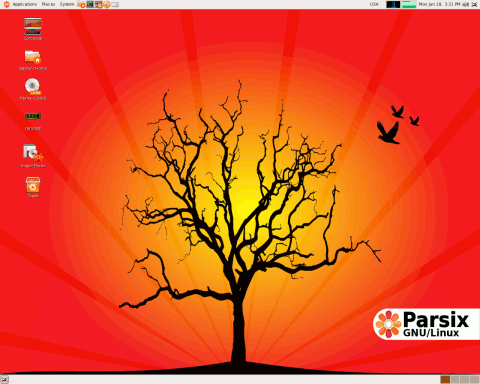
You have a choice — to choose a distro based on your goals and your system. For example, there's a gamer distro; server distros; graphics/video editing distros; "small" distros that install only the basics and then let you install whatever else you want to customize your system; enterprise distros; distros for education; distros for kids; 32 & 64-bit distros, and so on. Your choice. Vista sorta has this idea, but everything under Vista Ultimate merely disables features, and the Mac OS comes in one flavor: vanilla.

[attach parsix-0.90-small.png]
- zaine
« Last Edit: July 26, 2007, 07:56 AM by zridling »

mouser

  • First Author
  • Administrator
  • Joined in 2005
  • *****
  • Posts: 40,931
    • Gathering Badge
    • Plugin Coding Medal
    • Participated in NANY Challenge Seventeen Times
    • Cody Award
    • Coding Snacks
    • Volunteers/Staff
Re: Making the Switch-05: Ten Great Ideas of GNU/Linux
« Reply #1 on: June 21, 2007, 02:42 PM »
Very nice  :up: :up: :up:

ps. I hope you also do a "10 Horid Ideas of GNU/Linux" blog, if you can think of them -- I think it would help complete the picture.

zridling

  • Friend of the Site
  • Charter Member
  • Joined in 2005
  • ***
  • Posts: 3,299
Re: Making the Switch-05: Ten Great Ideas of GNU/Linux
« Reply #2 on: June 21, 2007, 03:00 PM »
That's coming, and will likely be the last or close to last post, as I continue to immerse myself in this! Most of my own gripes are directly counter to my Windows experience, and they are very specific. Parts 3 & 4 just list a couple.
- zaine

gjehle

  • lonesome linux warrior
  • Member
  • Joined in 2006
  • **
  • Posts: 286
    • Gathering Badge
Re: Making the Switch-05: Ten Great Ideas of GNU/Linux
« Reply #3 on: June 21, 2007, 03:57 PM »
ps. I hope you also do a "10 Horid Ideas of GNU/Linux" blog, if you can think of them -- I think it would help complete the picture.

haha, well, as always, there will be a lot of those
since very often the pro of one thing is the contra of another

i'm kinda interested in what you think are the 10 worst things tho ;-)
out of pure curiosity
i know there are plenty of things that suck
i still love it, even after 6+ years

zridling

  • Friend of the Site
  • Charter Member
  • Joined in 2005
  • ***
  • Posts: 3,299
Re: Making the Switch-05: Ten Great Ideas of GNU/Linux
« Reply #4 on: June 21, 2007, 05:19 PM »
The [unspecified] ones I've come across so far were not insurmountable. There's either an alternative, or I was not doing something right. After only two weeks, I'm comfortable spending most of my day in GNU/Linux, which has surprised me. It also means that by year's end (the next round of distro updates), I will likely make Windows my background machine and work primarily in GNU/Linux. If/when I do that, I will also put XP on my old machine (removing Vista), and use it to download usenet porn nonstop. Then I can run a 64-bit version of GNU/Linux on the newer machine.
- zaine

matt_man22

  • Honorary Member
  • Joined in 2006
  • **
  • Posts: 11
Re: Making the Switch-05: Ten Great Ideas of GNU/Linux
« Reply #5 on: June 23, 2007, 01:54 AM »
I started running Arch Linux about 5 months ago (after learning on Ubuntu).  I removed Windows within one month and have never had the need to install it.  The only problem I have is with work (they use Windows-only software), but they supply a Windows laptop for me to use.

While the 10 great ideas about Linux seems arrogant (as a lot of Linux users are), it really is so customizable that there is no reason a downside cannot be solved.  The only downside I have run into are having to pay close attention to upgrades.  Programs are rapidly developing for Linux and a lot of things can go wrong if you do not pay attention to the the install notes.  But upgrades are really needed only once or twice a month. 

As zridling is discovering, it takes time to learn the new commands/filesystem, but in the end I recommend everyone at least try some distro out, it's worth it.

mikiem

  • Participant
  • Joined in 2006
  • *
  • Posts: 99
Re: Making the Switch-05: Ten Great Ideas of GNU/Linux
« Reply #6 on: June 23, 2007, 04:51 PM »
RE: "(01) Live CDs/DVDs."
I used to run Linux off a parallel port Zip drive!  ;D

That said, if I was going to turn my wife, mom, sister on to Linux, it'd be one of the Linspire distro's. If I was going to use it for actual work I'd need more of the apps I buy for XP/Vista to be ported to Linux... while there are some VERY remarkable niche apps, I don't hate MS so much that I'm going to shoot myself in the foot using software that's almost there. And regardless anything else, the debate over licensing  might make it wise to take a wait and see attitude, at least for anything other than a server role.

urlwolf

  • Charter Member
  • Joined in 2006
  • ***
  • Posts: 1,837
    • Gathering Badge
    • Linux User
Re: Making the Switch-05: Ten Great Ideas of GNU/Linux
« Reply #7 on: June 23, 2007, 07:39 PM »
anything like dopus for linux?
ahk?
onenote?

Those three would cover 95% of my needs.

zridling

  • Friend of the Site
  • Charter Member
  • Joined in 2005
  • ***
  • Posts: 3,299
Re: Making the Switch-05: Ten Great Ideas of GNU/Linux
« Reply #8 on: June 25, 2007, 11:44 AM »
urlwolf, not that I can tell. GNU/Linux will greatly benefit from the many Web 2.0 apps out there like MindMeister (online version of Mind Manager). And note, these are great "ideas" not great apps. In my mind there's no question that Windows wins that battle over any platform, but not in every area (web admin, for example). But until someone builds an AutoHotkey for GNU/Linux, then I'm not going to even try. There's an alternative to everything, but to me, that's not the question. The goal is for the operating system to be transparent; i.e., just ran the apps without adding problems or slowing them down. Perhaps the best reason to choose a particular OS is the apps themselves, since 90% of my entire day is spent among a half dozen apps:

  • Opera (has a Linux version, and I don't mind using Firefox at all)
  • NewsLeecher (does not, though there are decent alternatives)
  • XYplorer (no real alternative to this or Directory Opus, period)
  • EmEditor (Emacs and vi are high-end, but their usability suffers by comparison. gEdit for Linux is like a light TextPad)
  • XnView (has a Linux version)
  • PhotoFiltre Studio (although I'm really liking GIMP now, a lot, and may switch to it on the Windows side, too)

On the other hand, almost all GNU/Linux distros come with tons of games, can run most multimedia "out of the box" (or one download away for a driver or codec), they build in little things like a screen capture app, CD/DVD/ISO burning tools, keyboard shortcut (for the system, like a lot of WIN key apps) office suite (okay, OpenOffice), and image editing. Another app I'm really liking is Quanta Plus, an HTML/CSS/PHP editor.
- zaine

Lashiec

  • Member
  • Joined in 2006
  • **
  • Posts: 2,374
Re: Making the Switch-05: Ten Great Ideas of GNU/Linux
« Reply #9 on: June 26, 2007, 07:48 PM »
Frankly, the only idea that nothing like xplorer² or the other file managers exists under Linux gives me the creeps. But the idea of installing and uninstalling apps without worrying about leaving debris always amazed me.

I think that besides the idiosyncrasy in some Linux software and the lack of alternatives in certain type of software, the only thing I would find disturbing is that a piece of software is not in the repository, you have to compile it yourself for your own distribution, because there's nothing like one size fits all like in Windows (with caveats, though). On the other hand, that's pretty much impossible.

I wonder, if Linux rose to great presence in desktop computers overnight (say a 15% market share), would it be possible to maintain such huge repositories in most distributions?

zridling

  • Friend of the Site
  • Charter Member
  • Joined in 2005
  • ***
  • Posts: 3,299
Re: Making the Switch-05: Ten Great Ideas of GNU/Linux
« Reply #10 on: June 27, 2007, 04:26 AM »
Lashiec, perhaps the reason why there's no DOpus/ XYplorer/ xplorer² on GNU/Linux is that the layout of the Linux filesystem is a different model than we know in Windows. Mayank Sarup does the best job of outlining it. This may be one of the hardest things to wrap my mind around. In Windows we have a "file manager" that manages files on different media — HDs, floppies, CD/DVD, old ZIP drives, network drives, FTP, and so on — CLICK-n-DRAG. And while you can manage your files on GNU/Linux this way, it's not efficient for that platform, since it follows Unix hierarchy. Instead, files in Linux, even executables, are fluid and mobile.

The day someone builds one, they'll be a hero. However, I think it would take a vast amount of money to support the programmer/s to do so. Even on the Windows side, it takes a special breed of brain to build a good file manager. The best file managers we have on the Windows side have all evolved toward their excellence.

As for your last question, I don't see why not. SourceForge hosts most of the apps, not the individual distros themselves. Oddly, not all software in the Ubuntu repository is compatible with Debian. But you don't know until it won't install.
- zaine
« Last Edit: June 27, 2007, 04:32 AM by zridling »

steeladept

  • Fettucini alfredo is macaroni & cheese for adults
  • Supporting Member
  • Joined in 2006
  • **
  • Posts: 1,061
    • Linux User
    • Military Service Badge - US Air Force
Re: Making the Switch-05: Ten Great Ideas of GNU/Linux
« Reply #11 on: June 27, 2007, 05:34 PM »
Lashiec, perhaps the reason why there's no DOpus/ XYplorer/ xplorer² on GNU/Linux is that the layout of the Linux filesystem is a different model than we know in Windows.

Excellent point that I couldn't put adequately into words due to my limited experience.  That said, it does seem it shouldn't be too difficult to create an application that finds these programs or even one that manages the data within a user's home folder (which is where most data should be kept anyway unless there is a compelling reason to do otherwise).  Even moving things is pretty simple in *NIX, so why not have a simple GUI interface that allows you to manage that movement?  You already are using the interface and the CLI commands are there already, they just need married into a UI that is usable.  I know you are just the messenger about this, but I see both sides to this.  I know the system is not even vaguely like a windows environment (except maybe for the look if you choose to have one), yet I really never see any good file management tools either beyond CLI tools.  Again, maybe this is my limited experience talking, but I wouldn't think it should be difficult, and it seems it would be quite handy...

zridling

  • Friend of the Site
  • Charter Member
  • Joined in 2005
  • ***
  • Posts: 3,299
Re: Making the Switch-05: Ten Great Ideas of GNU/Linux
« Reply #12 on: June 28, 2007, 12:52 PM »
There's a lot of opportunities to create some great software on the GNU/Linux platform; if nothing else, just making similar software like the great file managers we have on Windows. Porting won't work for this category. But the first person who does build (a) an AutoHotkey app, and (b) a great file manager for GNU/Linux will be a pioneer, I think. I'm using MEPIS this week and you can do some clever things with Konquerer, but it presents files in a web layout kind of way. Definitely not used to that. My question is: who has this kind of time anymore?
- zaine

steeladept

  • Fettucini alfredo is macaroni & cheese for adults
  • Supporting Member
  • Joined in 2006
  • **
  • Posts: 1,061
    • Linux User
    • Military Service Badge - US Air Force
Re: Making the Switch-05: Ten Great Ideas of GNU/Linux
« Reply #13 on: June 28, 2007, 06:16 PM »
There's a lot of opportunities to create some great software on the GNU/Linux platform; if nothing else, just making similar software like the great file managers we have on Windows. Porting won't work for this category. But the first person who does build (a) an AutoHotkey app, and (b) a great file manager for GNU/Linux will be a pioneer, I think. I'm using MEPIS this week and you can do some clever things with Konquerer, but it presents files in a web layout kind of way. Definitely not used to that. My question is: who has this kind of time anymore?
Amen

Nod5

  • Supporting Member
  • Joined in 2006
  • **
  • Posts: 1,175
    • Coding Snacks
    • Participated in NANY Challenge Three Times
    • Plugin Coding Medal
Re: Making the Switch-05: Ten Great Ideas of GNU/Linux
« Reply #14 on: July 08, 2007, 01:10 PM »
anything like dopus for linux?
ahk?
onenote?
As for OneNote alternatives, I recently found this list of Ubuntu software tips http://www.littleubuntu.com/blog/?p=3 . It includes BasKet Note Pad, http://basket.kde.org/ . After testdriving it for a few minutes my impression is that it's a kind of OneNote light. It has free form notes, tagging, filtering, special objects like to-do-lists. I'm not sure if it allows wiki style internal links from one Basket page to another. These screenshots shows many of these and other features:
http://basket.kde.org/screenshots.php

vixay

  • ViXaY
  • Supporting Member
  • Joined in 2006
  • **
  • Posts: 140
    • Coding Snacks
Re: Making the Switch-05: Ten Great Ideas of GNU/Linux
« Reply #15 on: July 12, 2007, 04:28 AM »
There is a dual pane explorer in linux.... i don't remember it's exact name but it was called KDE Explorer or some such thing, it was part of the KDE distro but works on ubuntu as well. It works just like dopus :).... so there are options for switching, you just have to dig.
"Drunk on the Nectar of Life!" -me

Lashiec

  • Member
  • Joined in 2006
  • **
  • Posts: 2,374
Re: Making the Switch-05: Ten Great Ideas of GNU/Linux
« Reply #16 on: July 12, 2007, 02:34 PM »
That Basket thing looks nice, it seems like a cross between AM-Notebook and Surfulater. Pity that the project is semi-dead, as the developer doesn't have time for it anymore.

Laughing Man

  • V for Viktor
  • Charter Member
  • Joined in 2006
  • ***
  • Posts: 105
Re: Making the Switch-05: Ten Great Ideas of GNU/Linux
« Reply #17 on: July 12, 2007, 02:49 PM »
Wouldn't python be a close thing to AHK?

Edvard

  • Coding Snacks Author
  • Charter Honorary Member
  • Joined in 2005
  • ***
  • Posts: 3,027
    • Participated in NANY Challenge Once
    • Coding Snacks
    • Linux User
Re: Making the Switch-05: Ten Great Ideas of GNU/Linux
« Reply #18 on: July 12, 2007, 09:37 PM »
Python would be very close, but is more complex than what is needed for simple tasks like AHK does, although Kommander is looking mighty close...

The thing is, there are so many tools available in Linux for getting things done, you almost don't need a scripting/automation tool. AHK's major win point is you can use it go get things done that Windows doesn't let you do by default.

You want a hotkey manager? take your pick, every desktop environment has them, and there are more.
You want pretty interactive dialogs for your scripts? Try Zenity.

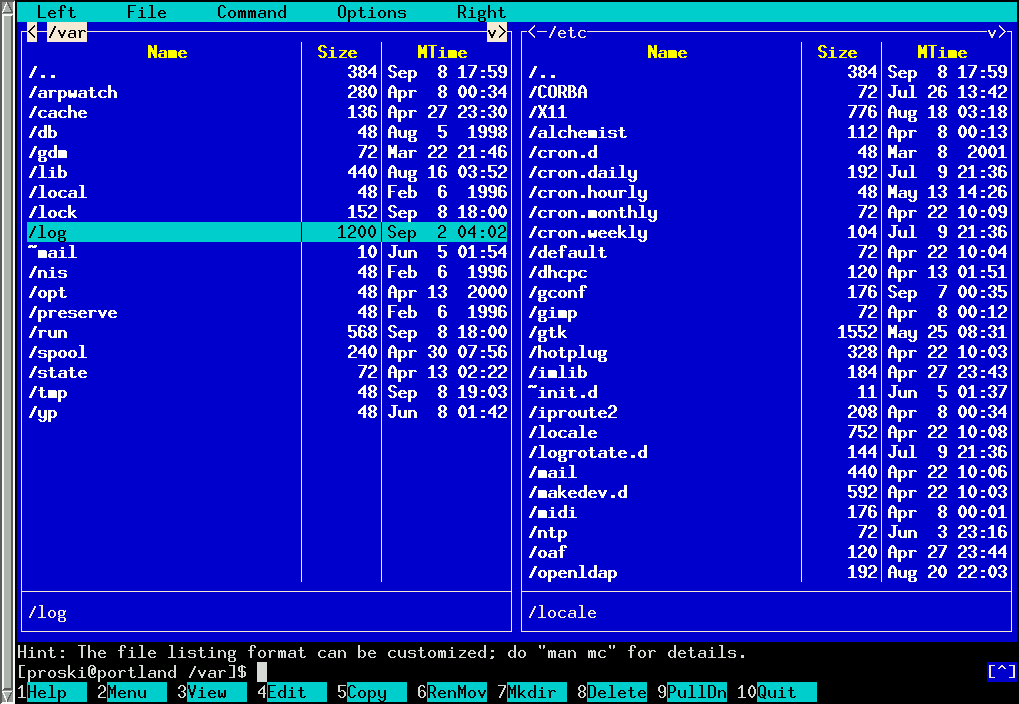
You want file management? Gnome has Nautilus, KDE has Konqueror and Krusader, XFCE has Thunar, the rest of us have the old standby Midnight Commander, XFE, TKDesk, and a million other lesser derivatives.

*whew*

I'll stop there...
All children left unattended will be given a mocha and a puppy.

Original address: https://www.donationcoder.com/forum/index.php?topic=8959.0