Basic Info
Infra Recorder is a free CD burning solution for Microsoft Windows.
Introduction
I have fond memories of Nero, which came with the first CD-RW drive that I bought years back. However over the years, I became disenchanted with Nero, the bundle-ware and began actively looking for a light-weight alternative. On such a journey, I discovered Infra Recorder - which I didn't know much about except that it uses cdrtools and the programmer is also involved with TugZip. However I was pleasantly surprised with the program's simple interface, and even more with the easiness of use.
Like most of the burners, InfraRecorder can work with audio, data and mixed-mode CDs. This program is also able to handle disc images (CUE, ISO) and RAW images, supports on-the-fly recording, erase rewritable discs and save audio and data tracks to files. Full list of features can be found at the website.
Screenshots of the Program
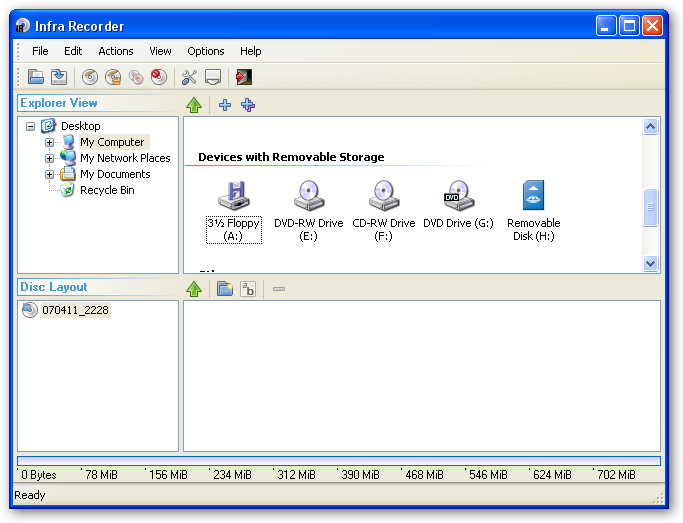
Main Window
[attach=#]
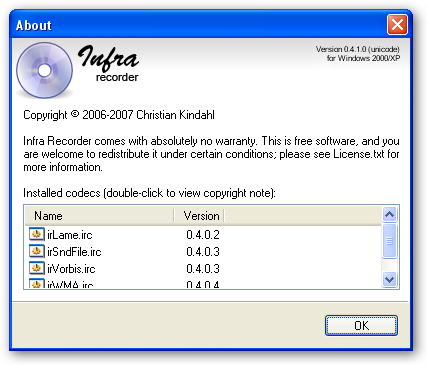
About Box
[attach=#]
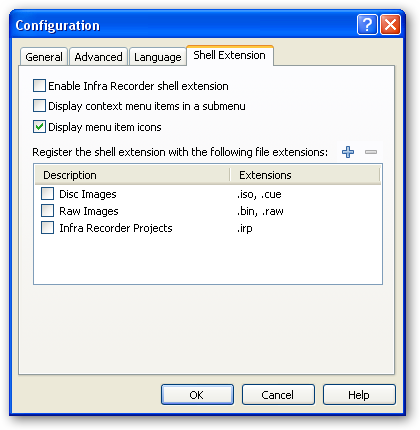
Configuration
[attach=#]
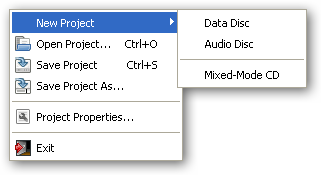
Infra Recorder's 'File' menu
[attach=#]
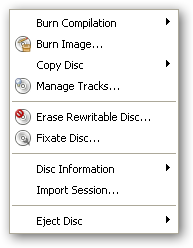
Infra Recorder's 'Actions' menu
[attach=#]
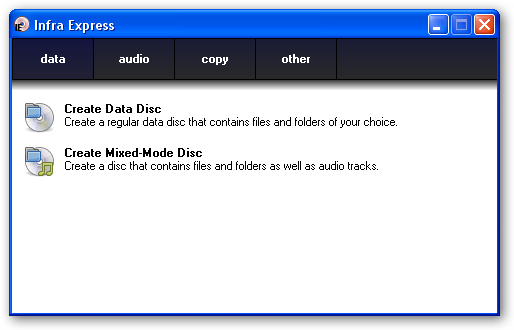
Infra Recorder's Wizard Mode
[attach=#]
Who is this app designed for:
This program will be most useful to regular 'burners' in two basic ways. Firstly: those who do not need any handholding, which means with no wizard mode interruption, users can get down to the actual burning right-away. And secondly, for users who have their own choice of complementary software to aid them. In other words, this is a single program as opposed to suites provided by major vendors.
The Good
Light (about 3MB in zipped version), both options - installers and zipped portable available. Modern UI features such as drag and drop, explorer integration and very low system requirements (32 MB RAM and 7.2 MB hard-disk space). The author is actively updating the program, check out the roadmap.
The needs improvement section
The current version is quite good even though a tad bit slow to start-up, maybe it has something to do with my system, which 3 optical drives. Other than that, I have not encountered any problems at all.
Why I think you should use this product
This program is most suitable for users who want burn a CD or DVD quickly without the fanfare. However new users will not have much problems, either and there is also the Wizard-mode GUI similar of Nero Express (see screenshot above).
How does it compare to similar apps
I have looked at several others, namely DeepBurner, ImgBurn, SilentNight Microburner and Burrrn (audio CD only) while all the others have their own plus points but I find InfraRecorder is easier for someone on a transition as it much more flexible and the GUI is quite standard, therefore more suited to my needs.
Conclusions
I had a good time using InfraRecorder and since it's still in active development, you can be sure that things will only get better. With ample documentation, it'll be only a matter of time before you feel right at home. Do give it a try.
Links to other reviews of this application
I couldn't find any reviews, there's Wikipedia entry though.
Infra Recorder is a free CD burning solution for Microsoft Windows.
| App Name | Infra Recorder |
| App URL | http://infrarecorder.sourceforge.net |
| App Version Reviewed | Version 0.42.1.0 (Unicode) |
| Test System Specs | Pentium 3 733Mhz, 512MB RAM, WinXP Pro SP2 |
| Supported OSes | Windows 9x/ME/2000/XP/x64; tested on WinXP Pro SP2 |
| Support Methods | Help file included with the program. Other methods of support: the author's email and a very nascent FAQ on the website. |
| Pricing Scheme | Freeware, donations accepted. |
| Author Donation Link |  Donate to Christian Kindahl, the Author Donate to Christian Kindahl, the Author |
| Reviewer Donation Link | Donate to Lanux128, the Reviewer |
| Relationship between Reviewer and Product | I am not affiliated with this product and its developer in any way. |
Introduction
I have fond memories of Nero, which came with the first CD-RW drive that I bought years back. However over the years, I became disenchanted with Nero, the bundle-ware and began actively looking for a light-weight alternative. On such a journey, I discovered Infra Recorder - which I didn't know much about except that it uses cdrtools and the programmer is also involved with TugZip. However I was pleasantly surprised with the program's simple interface, and even more with the easiness of use.
Like most of the burners, InfraRecorder can work with audio, data and mixed-mode CDs. This program is also able to handle disc images (CUE, ISO) and RAW images, supports on-the-fly recording, erase rewritable discs and save audio and data tracks to files. Full list of features can be found at the website.
Screenshots of the Program
Main Window
[attach=#]
About Box
[attach=#]
Configuration
[attach=#]
Infra Recorder's 'File' menu
[attach=#]
Infra Recorder's 'Actions' menu
[attach=#]
Infra Recorder's Wizard Mode
[attach=#]
Who is this app designed for:
This program will be most useful to regular 'burners' in two basic ways. Firstly: those who do not need any handholding, which means with no wizard mode interruption, users can get down to the actual burning right-away. And secondly, for users who have their own choice of complementary software to aid them. In other words, this is a single program as opposed to suites provided by major vendors.
The Good
Light (about 3MB in zipped version), both options - installers and zipped portable available. Modern UI features such as drag and drop, explorer integration and very low system requirements (32 MB RAM and 7.2 MB hard-disk space). The author is actively updating the program, check out the roadmap.
The needs improvement section
The current version is quite good even though a tad bit slow to start-up, maybe it has something to do with my system, which 3 optical drives. Other than that, I have not encountered any problems at all.
Why I think you should use this product
This program is most suitable for users who want burn a CD or DVD quickly without the fanfare. However new users will not have much problems, either and there is also the Wizard-mode GUI similar of Nero Express (see screenshot above).
How does it compare to similar apps
I have looked at several others, namely DeepBurner, ImgBurn, SilentNight Microburner and Burrrn (audio CD only) while all the others have their own plus points but I find InfraRecorder is easier for someone on a transition as it much more flexible and the GUI is quite standard, therefore more suited to my needs.
Conclusions
I had a good time using InfraRecorder and since it's still in active development, you can be sure that things will only get better. With ample documentation, it'll be only a matter of time before you feel right at home. Do give it a try.
Links to other reviews of this application
I couldn't find any reviews, there's Wikipedia entry though.