That is a very bad subject, but owell, if you can come up with something better, let me know.
Anyways on with what I found out.
I found this really cool tweek for windows, I don't know what all it works with, but I am using xp pro SP2.
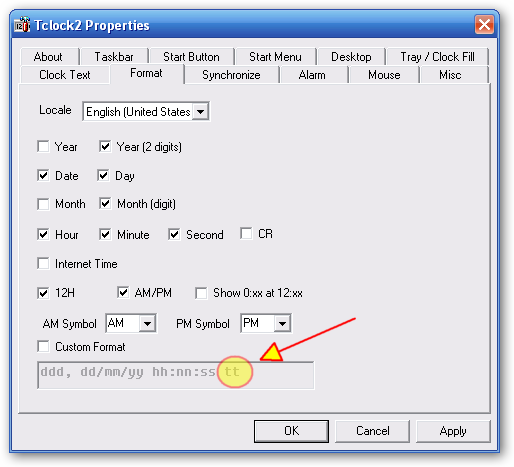
you can change the boring AM and PM on your clock in the system tray to what ever you want, but it has to be 5 characters or less, because anything after that wont show up.
[attach=#]
here is a screenshot of what my pm timestamp is. I was testing to see how many characters I could use, for that I typed <(O_O)> and <(O_O is all that shows. if you want to do this, then...
edit:I forgot to mention, after you change the timestamps, double click on the clock, and then close the time settings dialog that opens.
Anyways on with what I found out.
I found this really cool tweek for windows, I don't know what all it works with, but I am using xp pro SP2.
you can change the boring AM and PM on your clock in the system tray to what ever you want, but it has to be 5 characters or less, because anything after that wont show up.
[attach=#]
here is a screenshot of what my pm timestamp is. I was testing to see how many characters I could use, for that I typed <(O_O)> and <(O_O is all that shows. if you want to do this, then...
Code
'Author:    Frankie Miklos © 2003 PuPpYpc.com
'Date:      8/27/2003

Dim ws, key, am, pm

    Set ws = WScript.CreateObject("WScript.Shell")

    key = "HKCU\Control Panel\International\"

    am = InputBox("Type in the new AM time stamp:", "Change AM Time Stamp", "AM")

    If am <> "" Then
        ws.RegWrite key & "s1159", am
        MsgBox "The AM time stamp has been successfully changed to " & am & "!" & vbNewLine & "Double-click the time in the system tray and click OK", vbInformation, "Success"
    End If

    pm = InputBox("Type in the new PM time stamp:", "Change PM Time Stamp", "PM")

    If pm <> "" Then
        ws.RegWrite key & "s2359", pm
        MsgBox "The PM time stamp has been successfully changed to " & pm & "!" & vbNewLine & "Double-click the time in the system tray and click OK", vbInformation, "Success"
End Ifedit:I forgot to mention, after you change the timestamps, double click on the clock, and then close the time settings dialog that opens.