


Those of you who were online tonight witnessed my crazy little stunt into a Vista issue that was just... unbelieveable to deal with, for the lack of a better term (or do you have a better-fitting one?). Here's a summary:
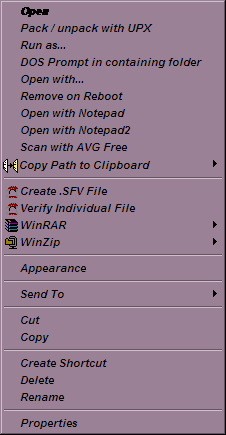
I downloaded drivers from Sony Ericsson for my W810i phone. They were packaged into a self-extracting archive with the extension EXE. But I just wanted to get at the contents, so I right-clicked it and chose "open with" and selected WinRAR to manually extract the contents. The open with dialog appeared and I selected WinRAR just as intented, and then realized, too late, that the box at the bottom that says "Always open this type of file with this application" (or whatever it really says, you get the point) was CHECKED. Well, guess what that did? Exactly. All of the EXE files now wanted to be launched through WinRAR... of course that doesn't work. Even Vista's own application that lets you set default file type associations and program access default setting is itself an EXEcutable, so that wouldn't launch. Ditto for command prompt, cmd.exe. Ditto for regedit.exe. I was SOL it seemed, and am very grateful to those brave souls who were online at #donationcoder at the time because they tried just about everything to help me out. They gave lots of great suggestions, though unfortunately none of them helped... save for a link that Skwire posted that ultimately saved the day. Here it is: http://forums.microsoft.com/TechNet/ShowPost.aspx?PostID=1081511&SiteID=17
All of the above things failed. Finally, I went to that thread Skwire found and the second post from the bottom ended up being the fix I was looking for all along.
Still, I don't know exactly what fixed it.. my guess is that it was adding this key: [HKEY_CURRENT_USER\Software\Microsoft\Windows\CurrentVersion\Explorer\FileExts\.exe\OpenWithProgids]
"exefile"=hex(0):
(Note that the original poster in that thread did NOT include any instructions on HOW to add entries, nor did he specificy of which type they must be. Vista gives you a bunch of options for registry entry types when adding new ones.. among them are "key", "string value", "binary value", etc. What I chose when adding this particular value was "string", and it worked.. so I'm content. I just wanted to add that here so that it may be known. To add a new entry into the registry, just right click either on the key in the tree on the left or on the white space on the right when a key is selected. You can't miss it as it will be the only option in the menu that appears.)
Thing is.. I'd LIKE TO KNOW. So how about you do me a favor and do the following:
If you are currently running Vista, open regedit and go here: [HKEY_CURRENT_USER\Software\Microsoft\Windows\CurrentVersion\Explorer\FileExts\.exe]
Then show me what each of the four views look like. (That's if you have them all. If one or more of them are missing, just say so. Knowing that is just as valuable as knowing what's there.) To see what I mean, check out the attached screenshots. My hope is that this thread will serve those who run into the same problem in the future, and to help those people find this thread easier, let me include some "tags" that hopefully, Google will pick up when it indexes this thread: exe fix problem file association set vista registry
The point of all this is to find out what the EXE entry in the registry looks like by default. Once we know that, fixing this issue should be a piece of cake.
I downloaded drivers from Sony Ericsson for my W810i phone. They were packaged into a self-extracting archive with the extension EXE. But I just wanted to get at the contents, so I right-clicked it and chose "open with" and selected WinRAR to manually extract the contents. The open with dialog appeared and I selected WinRAR just as intented, and then realized, too late, that the box at the bottom that says "Always open this type of file with this application" (or whatever it really says, you get the point) was CHECKED. Well, guess what that did? Exactly. All of the EXE files now wanted to be launched through WinRAR... of course that doesn't work. Even Vista's own application that lets you set default file type associations and program access default setting is itself an EXEcutable, so that wouldn't launch. Ditto for command prompt, cmd.exe. Ditto for regedit.exe. I was SOL it seemed, and am very grateful to those brave souls who were online at #donationcoder at the time because they tried just about everything to help me out. They gave lots of great suggestions, though unfortunately none of them helped... save for a link that Skwire posted that ultimately saved the day. Here it is: http://forums.microsoft.com/TechNet/ShowPost.aspx?PostID=1081511&SiteID=17
- I tried copying regedit.exe to another location, renaming it to regedit.com and launching. I did this with both regedit.exe and regedit32.exe. The former can be found in C:\Windows and the latter in C:\Windows\System32.
- I tried merging registry files into the registry that should change the crucial setting that caused the problem to fix it. Most of the REG files provided came from the users online in #donationcoder and one of them came from a DSLReports.com thread.
- I tried uninstalling WinRAR, which made all the errors go away but now presented me with an OPEN WITH dialog for every application I tried to launch. What to pick to open them with? It's a mystery.
- On the open with dialog, I tried the "search the web for an application to open this with" to see if that would help at all and, ironically, got this: http://shell.windows.com/fileassoc/0409/xml/redir.asp?EXT=exe. What, Vista doesn't know the EXE extension? Of course not. It's so rare these days...
All of the above things failed. Finally, I went to that thread Skwire found and the second post from the bottom ended up being the fix I was looking for all along.
Still, I don't know exactly what fixed it.. my guess is that it was adding this key: [HKEY_CURRENT_USER\Software\Microsoft\Windows\CurrentVersion\Explorer\FileExts\.exe\OpenWithProgids]
"exefile"=hex(0):
(Note that the original poster in that thread did NOT include any instructions on HOW to add entries, nor did he specificy of which type they must be. Vista gives you a bunch of options for registry entry types when adding new ones.. among them are "key", "string value", "binary value", etc. What I chose when adding this particular value was "string", and it worked.. so I'm content. I just wanted to add that here so that it may be known. To add a new entry into the registry, just right click either on the key in the tree on the left or on the white space on the right when a key is selected. You can't miss it as it will be the only option in the menu that appears.)
Thing is.. I'd LIKE TO KNOW. So how about you do me a favor and do the following:
If you are currently running Vista, open regedit and go here: [HKEY_CURRENT_USER\Software\Microsoft\Windows\CurrentVersion\Explorer\FileExts\.exe]
Then show me what each of the four views look like. (That's if you have them all. If one or more of them are missing, just say so. Knowing that is just as valuable as knowing what's there.) To see what I mean, check out the attached screenshots. My hope is that this thread will serve those who run into the same problem in the future, and to help those people find this thread easier, let me include some "tags" that hopefully, Google will pick up when it indexes this thread: exe fix problem file association set vista registry
The point of all this is to find out what the EXE entry in the registry looks like by default. Once we know that, fixing this issue should be a piece of cake.






 - carpe noctem





 VanDragt.com


