
I, too, would like the link to ver 2.00.45
Thanks,
dk
Thanks,
dk


 Topic: Latest FARR v2.00.140 ALPHA PREVIEW Release - Aug 15, 2007 (Read 840,318 times)


Let's see how many of your requests already exist
you can now hide column headers, status bar, and toolbar (just drag toolbar to full right and buttons are gone
Check out the path completion and hopefully it does what you want.
-mouser


Being able to scroll through all files/folders is handy sometimes. But that would mean having an option to enable Explicit Directory Searching to use a scrolling listbox for output instead a static display of the N item, ordered search results window you currently use. The scrolling list would be alpha sorted, preferably (or make options available to change sort order).
Another useful option related to this would be separate max limits for normal searches vs. explicit directory searches? For normal searches, 9 items has always been plenty - I don't think I've ever gone past the 3rd result item. But for file/directory browsing, I could see needing as many as 50 results visible - if scrolling all results is not an option.
That sounds like what I've been suggesting. When you do a tab completion FARR doesn't know yet which file you are looking for (maybe you don't either!) so the most helpful thing it can do is throw up a scrolling list of the folder contents, with the focus on the list. Right arrow drills down further if on a folder, left arrow backs out. Any character key echoes to the input box, shifts the focus there and narrows the results.


 I really needed a larger, bold font in the search entry box; it's perfect right now. I only ever see similar flicker in some .Net apps, but that doesn't apply to FARR. Probably just some inefficiency in the skinning engine?


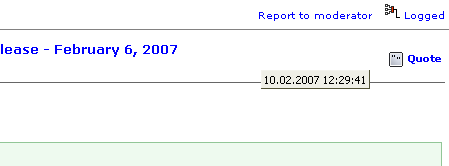 Screenshot - 16.02.2007 , 22_26_38.png
(4.5 KB, 449x166 - viewed 874 times.)
Screenshot - 16.02.2007 , 22_26_38.png
(4.5 KB, 449x166 - viewed 874 times.)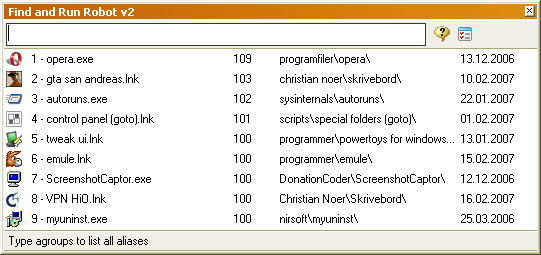 Screenshot - 16.02.2007 , 22_26_51.png
(21.0 KB, 541x255 - viewed 839 times.)
Screenshot - 16.02.2007 , 22_26_51.png
(21.0 KB, 541x255 - viewed 839 times.)2. Tooltip stays on top when exiting FARR. This occurs when the pointer hovers over any result, and I exit the FARR window with Esc.

Original address: https://www.donationcoder.com/forum/index.php?topic=6624.0