


Volt - v0.0.6 - December 17, 2006
WHAT IT DOES:
I humbly submit "Volt", a tray-based, hotkey-driven system volume controller. The app is a redux of VolumeTray (http://glorysoft.omsk.ru/volumetray.html) that can use the same skin format but that will allow me to add/change a few things that VolumeTray does not have/allow.
SCREENSHOT:
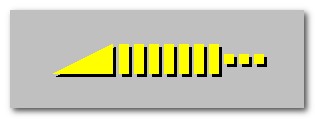
Tray menu and default skin icon:

Options dialog:

FILES:
Main installer:
http://www.autohotkey.net/~skwire/apps/volt/volt-setup.exe
Help file (CHM format):
http://www.autohotkey.net/~skwire/apps/volt/Volt.chm
Additional "Mirrored" skin pack:
http://www.autohotkey.net/~skwire/apps/volt/volt-mirrored-color-pack.zip
- First public release.
WHAT IT DOES:
I humbly submit "Volt", a tray-based, hotkey-driven system volume controller. The app is a redux of VolumeTray (http://glorysoft.omsk.ru/volumetray.html) that can use the same skin format but that will allow me to add/change a few things that VolumeTray does not have/allow.
SCREENSHOT:
Tray menu and default skin icon:
Options dialog:
FILES:
Main installer:
http://www.autohotkey.net/~skwire/apps/volt/volt-setup.exe
Help file (CHM format):
http://www.autohotkey.net/~skwire/apps/volt/Volt.chm
Additional "Mirrored" skin pack:
http://www.autohotkey.net/~skwire/apps/volt/volt-mirrored-color-pack.zip



 , what do you think of adding an on-screen display of the volume level (and mute state) as the hotkeys are pressed (if that's even possible)?

 )
)