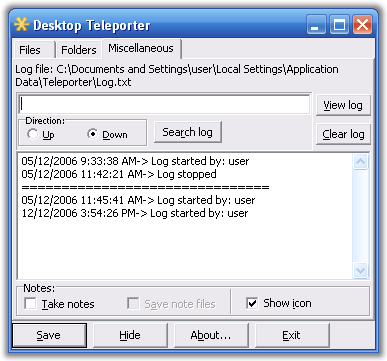
tchikien:
some suggestions from me, how about changing systray menu's Resume & Pause to a single Enabled with a check on it?
some suggestions from me, how about changing systray menu's Resume & Pause to a single Enabled with a check on it?


 Topic: IDEA: Desktop Teleporter (Read 106,277 times)


 Teleport.rar
(673.9 KB - downloaded 963 times.)
Teleport.rar
(673.9 KB - downloaded 963 times.)

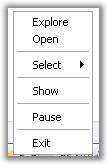 Teleport-context-menu.png
(2.4 KB, 107x164 - viewed 2500 times.)
Teleport-context-menu.png
(2.4 KB, 107x164 - viewed 2500 times.)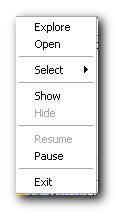 Teleport-context-menu-old.png
(5.3 KB, 115x212 - viewed 2786 times.)
Teleport-context-menu-old.png
(5.3 KB, 115x212 - viewed 2786 times.)btw, using the hotkey "Ctrl+Alt+Shift+H" the main window appears behind all other programs.. i kinda prefer it prefer to appear focused.This will fix that problem
Teleport.rar
(673.6 KB - downloaded 887 times.)


 Made a gui to my previous post and changed the name.


Would it be possible to add multiple folder support to the program ?this is already supported, see my post above (Fig.1)..

Log Monitor might also be able to do what you want:
http://www.donationcoder.com/forum/index.php?topic=6109
Teleport.rar
(677.5 KB - downloaded 1048 times.) MoveOut is set to start disabled, you can change this in the setting, but I've decided to add an extra confirmation dialog when starting MoveOut in an enabled state. Try v.1.1.
How about commandline options to allow running moveOut using the windows task scheduler and quit cleanly after that, or send email/log if errors occur?
 Uh oh, I actually forgot to put in the code! There's nothing there but the messagebox! Try MoveOut v1.2.
But even more serious: it does not check that the destination folder exists, and if the folder does not exist, it renames the target file to the destination folder name. Not all users would figure out what had happened. They would see a new un-typed file named "Desktop" on their desktop and delete it, then later realize that they were missing a file from the desktop (and not be able to find it in the Recycle Bin).

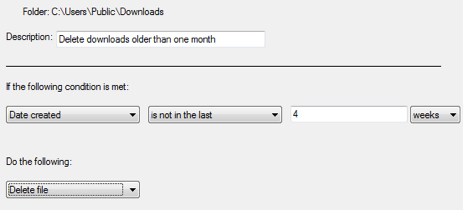 delete-old-downloads.PNG
(26.1 KB, 463x210 - viewed 1666 times.)
delete-old-downloads.PNG
(26.1 KB, 463x210 - viewed 1666 times.)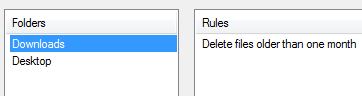 folder-rules.png
(3.2 KB, 362x96 - viewed 2927 times.)
folder-rules.png
(3.2 KB, 362x96 - viewed 2927 times.)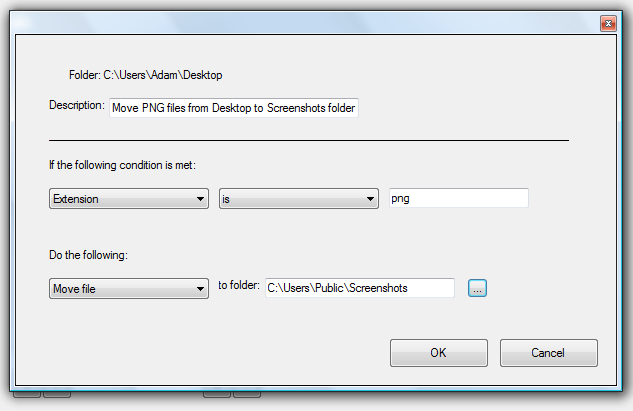 move-png-to-screenshots.PNG
(28.3 KB, 633x411 - viewed 1797 times.)
move-png-to-screenshots.PNG
(28.3 KB, 633x411 - viewed 1797 times.)Original address: https://www.donationcoder.com/forum/index.php?topic=6091.0