Hi,
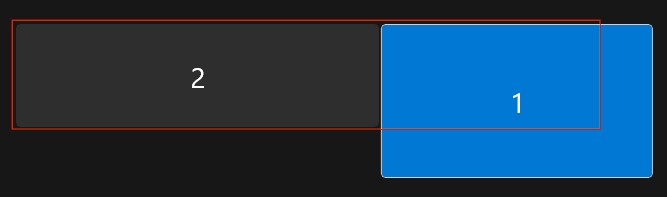
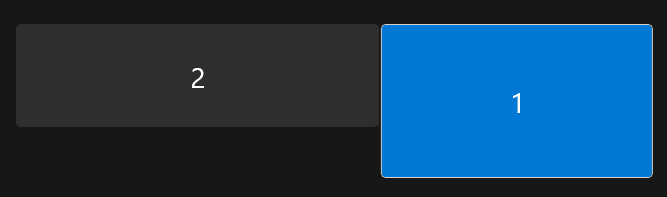
I have a problem capturing my secondary monitors screen. Monitor "2" is my primary display, "1" is the secondary (see screenshot of Windows 11 "System > Display" settings).
When I "grab the entire workspace" the grabbed area on the secondary monitor ("1") is too small (see red rectangle in screenshot).
When I "grab selectied region" I cannot move the mouse outside the red rectangle.
Monitor 1:
- Scale 100%
Resolution: 5120x1440
Monitor 2:
- Scale 150%
Resolution: 3840x2160
I have a problem capturing my secondary monitors screen. Monitor "2" is my primary display, "1" is the secondary (see screenshot of Windows 11 "System > Display" settings).
When I "grab the entire workspace" the grabbed area on the secondary monitor ("1") is too small (see red rectangle in screenshot).
When I "grab selectied region" I cannot move the mouse outside the red rectangle.
Monitor 1:
- Scale 100%
Resolution: 5120x1440
Monitor 2:
- Scale 150%
Resolution: 3840x2160