


Based on a user request I made a small (very fast) tool.
Its purpose is to create within a folder that has a lot of series many season named sub-folders and move the collection to there.
Exemplary "c:\series\Super.Cool.Stuff.S01E01.With.A.Title.AAC.mp4" would be moved into "c:\series\Super.Cool.Stuff.S01.AAC\"
So all S01 files with same ending (in that case AAC) would be moved into same folder.
Rules:
1. files must be using dots instead of space char.
2. files must have a S00E00 tag, where the numbers can vary from 00 to 99
Patterns:
By default I have external integrated those 480p/576p/720p/1080p/2160p/XviD/HEVC/Rerip/BDRip/AAC/DVDRip/PDTV
The patterns are used to remove any titles from the generated folder name.
Patterns are not a must.
You can easy extend/modify them by editing the (generated) ini file.
Most important is that you follow my example:
All number from 0 to "Limit" must be present.
To reset everything to its defaults you just need to delete the .ini file and above will be automagical written for you.
(for writing my app needs to have admin rights if you copied it into a Windows protected folder like \Programs\)
Installation:
Extract the archive into any folder of your choice.
Best practice is to put in not in a Windows protected folder like \Programs\
Run the .exe file with Administrator Rights (when you are logged on with an Administrator Account, you do not need to run the .exe in admin mode)
(admin mode/account is needed so my app does have write permission for your local system registry)
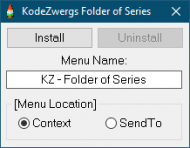
Press [Install]
From now on you having a context menu "KZ - Folder of series" available when you right click on any folder.
When you do not need my app anymore just repeat above steps and select [Uninstall] and delete my .exe plus .ini file.
Requirements:
Windows 64bit Operating System.
Description:
While my app works, there will be nothing shown, it does do its task in background with fastest methods that Windows offers.
This tool is not created to run on folders that are protected by Windows OS (exemplary \Program Files\ )
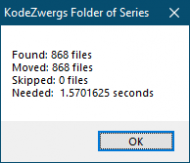
When my app is done it show you some information.
Warranty:
I am not responsable for any errors that might damage your system.
By using my app you agree to that.
Bugs:
None known right now.
Snapshot of how it could look like when it has finished a job:
Enjoy, its free!
Its purpose is to create within a folder that has a lot of series many season named sub-folders and move the collection to there.
Exemplary "c:\series\Super.Cool.Stuff.S01E01.With.A.Title.AAC.mp4" would be moved into "c:\series\Super.Cool.Stuff.S01.AAC\"
So all S01 files with same ending (in that case AAC) would be moved into same folder.
Rules:
1. files must be using dots instead of space char.
2. files must have a S00E00 tag, where the numbers can vary from 00 to 99
Patterns:
By default I have external integrated those 480p/576p/720p/1080p/2160p/XviD/HEVC/Rerip/BDRip/AAC/DVDRip/PDTV
The patterns are used to remove any titles from the generated folder name.
Patterns are not a must.
You can easy extend/modify them by editing the (generated) ini file.
Most important is that you follow my example:
Quote
[Patterns]The "Limit" field must be present and telling current maximum entry.
Limit=11
0=480p
1=576p
2=720p
3=1080p
4=2160p
5=XviD
6=HEVC
7=Rerip
8=BDrip
9=AAC
10=DVDRip
11=PDTV
All number from 0 to "Limit" must be present.
To reset everything to its defaults you just need to delete the .ini file and above will be automagical written for you.
(for writing my app needs to have admin rights if you copied it into a Windows protected folder like \Programs\)
Installation:
Extract the archive into any folder of your choice.
Best practice is to put in not in a Windows protected folder like \Programs\
Run the .exe file with Administrator Rights (when you are logged on with an Administrator Account, you do not need to run the .exe in admin mode)
(admin mode/account is needed so my app does have write permission for your local system registry)
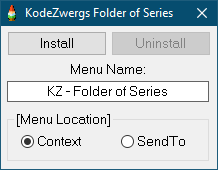
Press [Install]
From now on you having a context menu "KZ - Folder of series" available when you right click on any folder.
When you do not need my app anymore just repeat above steps and select [Uninstall] and delete my .exe plus .ini file.
Requirements:
Windows 64bit Operating System.
Description:
While my app works, there will be nothing shown, it does do its task in background with fastest methods that Windows offers.
This tool is not created to run on folders that are protected by Windows OS (exemplary \Program Files\ )
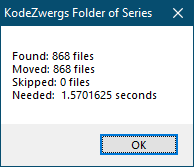
When my app is done it show you some information.
Warranty:
I am not responsable for any errors that might damage your system.
By using my app you agree to that.
Bugs:
None known right now.
Snapshot of how it could look like when it has finished a job:
Enjoy, its free!
 FolderOfSeries.zip