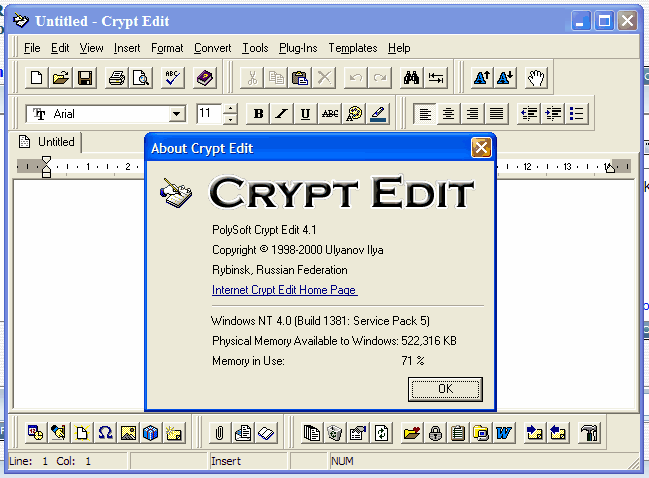
I've been using Polysoft's Crypt Edit 4.1 but the program's not been updated since Y2K.
Haven't found anything approaching this.
Haven't found anything approaching this.

 Topic: DONE: Text editor with good spell checker (Read 26,565 times)


 I am a vim fanboi after all. The new version vim7 has (inline) spell checking support now as well!
Vim 7 is ready! After years of development this feature packed editor
is waiting for you.
Since Vim 6.4 many new features have been added. To mention a few:
- Spell checking support for about 50 languages
- Intelligent completion for C, HTML, Ruby, Python, PHP, etc.
- Tab pages, each containing multiple windows
- Undo branches: never accidentally lose text again
- Vim script supports Lists and Dictionaries (similar to Python)
- Vim script profiling
- Improved Unicode support
- Highlighting of cursor line, cursor column and matching braces
- Translated manual pages support.
- Internal grep; works on all platforms, searches compressed files
- Browsing remote directories, zip and tar archives
- Printing multi-byte text


I can't let this go past without mentioning vimI hereby cast my vote for vim too.

 )
)some of the keyboard shortcuts, although customizeable, are made for english-layout keyboards and don't go very well with my portuguese layout
I wonder if there are "layout translations" as well as there are "language translations". I am thinking of localized keyboard shortcuts; so basically the finger movements are the same, so the keys are different. This would be very convenient for us Germans too... I shall try to find out.Well.. I already changed some of the most important ones, but if you find anything about it, please report back!!



I wonder if there are "layout translations" as well as there are "language translations". I am thinking of localized keyboard shortcuts; so basically the finger movements are the same, so the keys are different. This would be very convenient for us Germans too... I shall try to find out.
TradeKeys, Version 2.0
Copyright (c) 2002 Ziff Davis Media, Inc.
Written by Gregory A. Wolking
First Published in PC Magazine, US Edition, January 14, 2003, v22n01
http://www.pcmag.com/utilities/
________________________________________________________________
PLATFORMS:
Windows 95/98/Me/2000/XP
DESCRIPTION:
Sometimes the keys on your keyboard just aren't in the right place. Many of us who are familiar with the original 84-key IBM PC keyboard layout have it ingrained in our muscle memory that the Ctrl key is right next to the A key. This drives us nuts on most newer 102-key keyboard, on which the positions of the Caps Lock and Ctrl keys are reversed. We find ourselves toggling CapsLock on and off instead of typing a Ctrl+Key combination. Perhaps you'd like to have your keyboard laid out more like a typewriter, with CapsLock at the bottom, Shift above, and Ctrl above that. You might even want to disable that pesky left Windows key, because you keep hitting it by mistake when you want the left Alt key.
TradeKeys 2 makes all that possible; you can remap your keyboard almost any way you want. Under Windows 95, 98, and Me, you can change, swap, or disable any of the standard keys (those that existed on the original 84-key keyboard layout). Under Windows 2000 and XP, you can also remap extended keys such as the Right Ctrl and Right Alt keys, the Windows Logo key, and the navigation cluster. You can save your mappings to a file for later reloading. This lets different users on a system switch quickly between different mappings. TradeKeys 2 is an update of our earlier keyboard mapping utility, ZDKeyMap.

PSPad. It has auto correction and spell checker. Free.
Here's a review: http://www.bestfreeapps.com/pspad.html.
Features:
tinySpell (totally free - no adware/spyware/nagware/etc.)
Checks spelling in any Windows application
Uses little system resources
Checks spelling on-the-fly (alerts if the last typed word was misspelled)
Checks spelling of a word that is copied to the clipboard
Optionally beeps on error (now with hot-key control - new in v1.4)
The beep sound can be easily set to any wav file (new in v1.4)
Opens replacements list with a simple mouse click or a hot-key
Optionally copies the selected replacement word to the clipboard
Optionally inserts the selected replacement word into the document
Allows you to add words to the dictionary
Easy Enable/Disable
tinySpell+ in addition to the above features (new in v1.4)
Remembers the last error (even if it is not the last typed word)
Allows you to add auto-replacements to the dictionary
Allows you to add a list of words to the dictionary
Additional options:
- Check Capitalization
- Mixed CaSe is an error
- Ignore UPPERCASE words
- Ignore words with numbers
- Ignore Internet & email addresses and file names
- Ignore Windows password fields (NOT in web-forms!)
Supports change of dictionary (unofficial): click here for details


That does seem nice alright, but $60 is a bit expensive for an editor.
Similar to Apps suggestion....
You could use Tinyspell.
http://www.tinyspell.m6.net/
I have used it every day for years now to check my spelling in the Accounting package MYOB, but works with all windows programs.


Original address: https://www.donationcoder.com/forum/index.php?topic=5202.0