Powerpro's *Menu Explorer Last Accessed or Utility Launch Menu --->Recent docs too
Re: IDEA: reopen recently opened explorer windows, history, MRU
« Reply #25 on: March 17, 2009, 07:04 PM »


 Topic: IDEA: reopen recently opened explorer windows, history, MRU (Read 41,400 times)


Each time that you open a folder in Explorer, Windows automatically save the settings of this folder into the Registry. This utility displays the list of all folder settings saved by Windows. For each folder, the following information is displayed: The date/time that you opened it, the entry number, display mode (Details, Icons, Tiles, and so on...), the last position of the window, and the last size of the window.


He he, MilesAhead, I confess I have been a FolderCache user for a bit

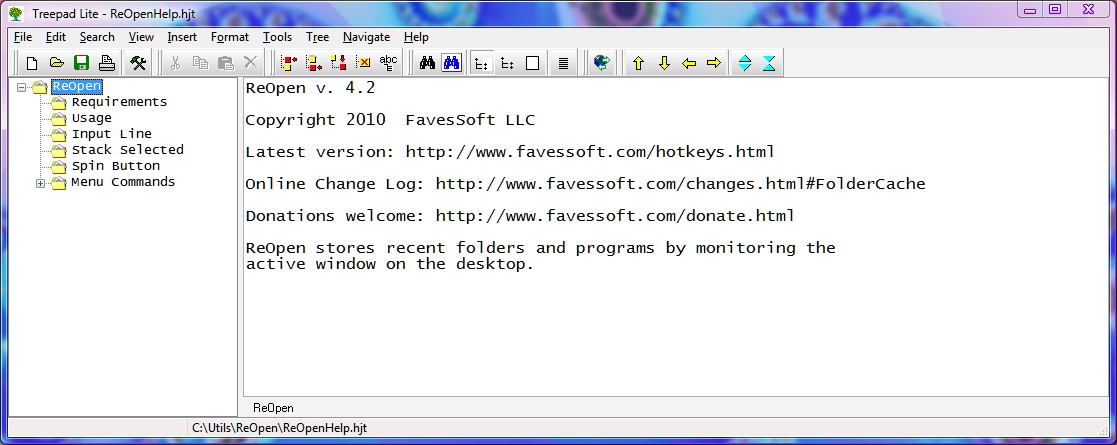
btw you may want to try ReOpen instead. I find sometimes I type a substring in the input filter and I don't get a result in the folder list, but sometimes a recent program that lives in that folder is still in the program list. Then I can highlight it, press Alt Left Click to paste it into the input line. Once there I can backspace out the program part to get the folder.

I also cheat by using Everything Search. If I type in a folder name and come up dry, then I hit ^c to kick off the hotkey search, which I have set to open Everything Search... then the contents of the input filter edit line are sent as a macro.
shellbagsview.exe /sort "~Last Modified Time" /stab result.txtDo you know if it works on 64 bit versions of Windows? It doesn't mention 64 bit on the product page.I didn't manage to determine this via some searching.
Also you need to make sure FolderCache is not running while you do this since it rewrites the FolderCache.txt on closing.The situations under which it occurred to me to use this is when FolderCache has not been running, so ordinarily it doesn't seem like it'd be a problem, but thanks for the warning. It'd be good to check for a running FolderCache. For reference, the cases I have considered so far are:
A few lines of batch should do it depending on what you have to do to format the output of the ShellBagsView.He he. I will probably avoid batch as I still find it hard to use -- though it's nice that I don't typically need to install anything extra. (I find coming back to batch good from time to time -- it helps in my appreciation of other programming languages.)
By having your lines first in the FolderCache.txt file they won't be discarded because the stack has reached its limit. They will be the last entries pushed on.Thanks for this explanation.
edit: looking at the output I don't see what the information is. It shows the root of the folder opened for all I can see. A bunch of C: X: F: with no particular folder info.. unless something escapes me.Interesting -- I typically get full path info, though not always. My current leaning is just to work with full path information, at least to start with. Hmm, a random thought -- if FolderCache could be handed folder info from other programs (e.g. via command line invocation) whether it's running or not, may be that'd open up some interesting possibilities...
edit2: Sifting through registry mish mash, esp. 32 vs 64 bit is not my thing. That's why I do the active window in the first place. If you can some up with something yourself I'd be curious to see it though.If ShellBagsView isn't managing to extract anything useful, my first inclination would be after doing some further testing and searching to see if others had similar experiences, to try to bug Nir Sofer about it -- I think sifting through registry stuff is one of his things

Original address: https://www.donationcoder.com/forum/index.php?topic=5102.0