


Wttr is a fun and fast URL based command line weather report tool.
Background and syntax here https://github.com/chubin/wttr.in
This post describes how to show wttr weather as text directly in the FARR searchbox.
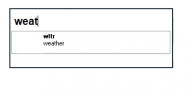
Step 1. create a FARR alias
name: weather
regex: ^(weath|weat|wea)$
result: weather | appcap "C:\folder\FARR_weather_helper.exe"
Step 2. prepare helper AutoHotkey script
- Save code to C:\folder\FARR_weather_helper.ahk
- Modify the wttr URL in the code: which location? what data to show? language? extra text?
- Compile the script to an .exe file (necessary since FARR's appcap doesn't work if we run .ahk scripts uncompiled, it seems)
Alternatives
Here are some alternative ways to use wttr in FARR
However wttr also has options for richer output formats such as multiline or even mapped weather reports as .png images, and that could probably look quite nice in FARR's HTML view.
Background and syntax here https://github.com/chubin/wttr.in
This post describes how to show wttr weather as text directly in the FARR searchbox.
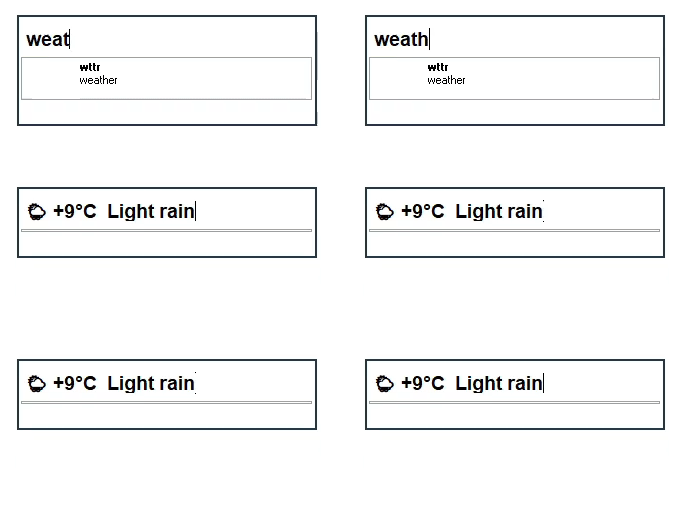
Step 1. create a FARR alias
name: weather
regex: ^(weath|weat|wea)$
result: weather | appcap "C:\folder\FARR_weather_helper.exe"
Step 2. prepare helper AutoHotkey script
- Save code to C:\folder\FARR_weather_helper.ahk
- Modify the wttr URL in the code: which location? what data to show? language? extra text?
- Compile the script to an .exe file (necessary since FARR's appcap doesn't work if we run .ahk scripts uncompiled, it seems)
Code: ( autohotkey)
#NoEnv
#SingleInstance force
SetBatchLines, -1

; FARR_weather_helper.ahk
; 2020-11-19 by Nod5
; helper script to show weather from wttr.in in FARR searchbox
; wttr details and syntax at https://github.com/chubin/wttr.in

; prepare wttr URL (must escape each % character with `)
vUrl := "https://wttr.in/london?format=`%c+`%t+`%C"
; example output: ☀️ +9°C Sunny

; download weather page to variable
vString := urlDownloadToVar(vUrl)

; replace FARR searchbox string with weather string via clipboard paste
; clipboard pastes all at once so won't trigger other aliases
vBackup := ClipboardAll
Clipboard := vString
Send ^a^v
sleep 500
Clipboard := vBackup
vBackup := ""
ExitApp


; function: dowload URL and return it as variable
UrlDownloadToVar(url, raw :=0)
{
  ; prefix https:// if not found
  if( !regExMatch(url,"i)https?://") )
    url := "https://" url
  try
  {
    hObject:=ComObjCreate("WinHttp.WinHttpRequest.5.1")
    hObject.Open("GET",url)
    hObject.Send()
    return raw ? hObject.ResponseBody : hObject.ResponseText
  }catch err{
      MsgBox % err.message
  }
  return 0
}
Alternatives
Here are some alternative ways to use wttr in FARR
- Load the wttr URL as embedded webpage in FARR
- Run a script to get the URL weather text and show as a FARR results line via appcapresults
- Run a script to get the URL weather text and show it in FARR searchbox via FARR's command line parameter -search
However wttr also has options for richer output formats such as multiline or even mapped weather reports as .png images, and that could probably look quite nice in FARR's HTML view.
