DonationCoder.com forum
 
Read-only archive. This is a static copy of the DonationCoder.com forum. Reading and searching work as before; logging in, posting and private messages do not.
Archive of 2026-10-21 · About this archive · Main site

Author Topic: Saving Whole Web site look as you scroll down  (Read 4,186 times)

eager to learn

  • Participant
  • Joined in 2014
  • *
  • Posts: 17
Saving Whole Web site look as you scroll down
« on: September 18, 2020, 09:57 PM »
FF used to let you do that but version 75 won't allow that anymore.

I'm trying to print and/or save 2 sites WYSIWYP (ex. like making an exact copy of how a Web site looks).

PDF loses formatting.
I don't have nor use IE.

I can't download and install any addition to the 2 browsers we must use - Chrome and The Edge.

I have Brave on my laptop but no one seems to know how to make  it WYSIWYP.

Thank you for your thoughts/suggestions.

tomos

  • Charter Member
  • Joined in 2006
  • ***
  • Posts: 11,970
    • Gathering Badge
    • Participated in NANY Challenge Once
Re: Saving Whole Web site look as you scroll down
« Reply #1 on: September 19, 2020, 10:52 PM »
Are you allowed install software for taking screenshots?
Screenshot Captor (from mouser here on dc) can take scrolling captures. Also available as portable download (at link above).

There is a video somewhere showing how to do the scrolling capture (not sure where though...)
Tom

4wd

  • Pedantic Old Bastard
  • Supporting Member
  • Joined in 2006
  • **
  • Posts: 5,652
    • Coding Snacks
Re: Saving Whole Web site look as you scroll down
« Reply #2 on: September 20, 2020, 06:21 AM »
Nimbus Screen Capture - works for me on FF 75.0 and FF 80.0.1
GoFullPage - works on Brave (or any Chrome based browser)
"I will not follow where the path may lead, but I will go where there is no path, and I will leave a trail." - Muriel Strode, 1903

Curt

  • Supporting Member
  • Joined in 2006
  • **
  • Posts: 7,565
Re: Saving Whole Web site look as you scroll down
« Reply #3 on: September 27, 2020, 07:57 PM »
FF used to let you do that but version 75 won't allow that anymore.

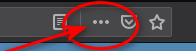
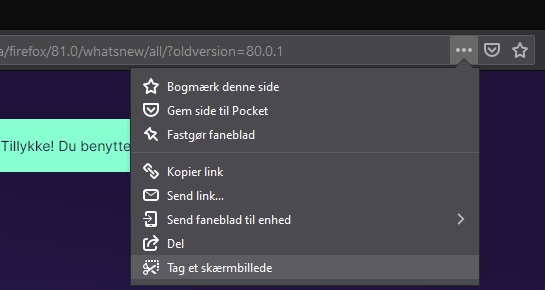
The feature was merely moved to another location:

FF80.2020-09-27.jpg

First, click on the 3 dots in the address/search box and then on the new bottom line (here in Danish "Tag et skærmbillede")

FF81.2020-09-27.jpg


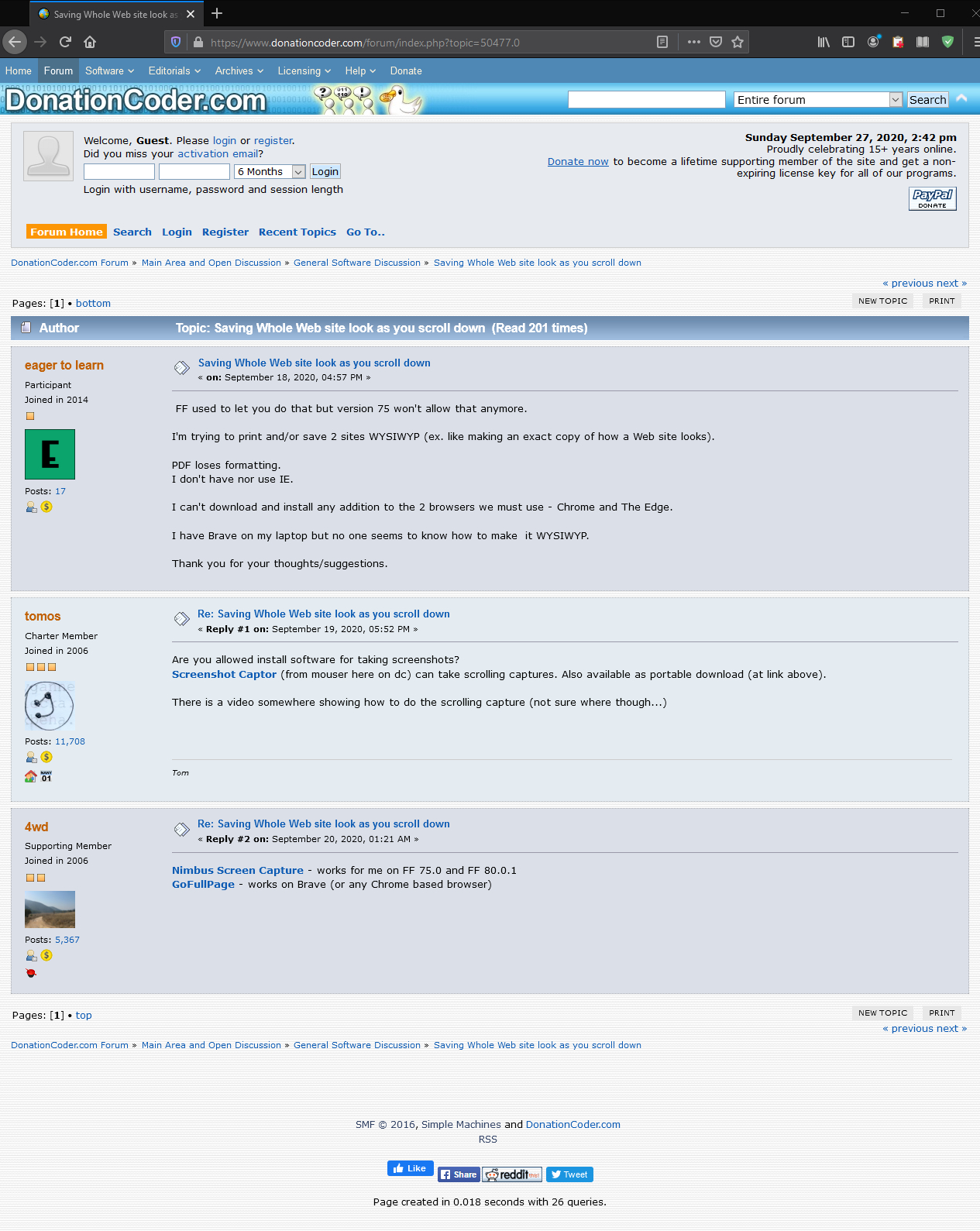
Made in Firefox 81 (Click thumbnail to enlarge to 1265x1589 pixels):

2020-09-27_214241.jpg
« Last Edit: September 30, 2020, 06:57 PM by Curt »

Original address: https://www.donationcoder.com/forum/index.php?topic=50477.0