Nice 4wd!
Thanks!
One idea is to search for artist name and use the first match as artist page URL input into the rest of your program.
The URL format is
https://www.discogs.com/search/?type=artist&title=ac+dc
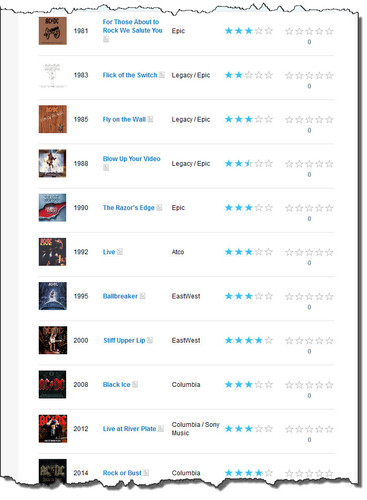
I think that given the incomplete records on Discogs, time would be better spent on either MusicBrainz, (filtering their overly complete lists down to just the studio releases, or otherwise selecting what you want), or trying to parse allmusic's HTML, (that'll be fun but it is just one big table, so maybe it won't be that hard - PowerShell can get at elements within HTML, just never really looked at it).
eg. For MusicBrainz, pipe the output into a ListView with checkboxes, select the ones you want, output to a text file - if you want to use manual selection.
This could be a little NANY 2021 app.
... it might inspire someone 

Looking at AllMusic, their info is a little mixed up also, Live albums in amongst Studio albums whereas MusicBrainz splits Studio and Live.
Since MusicBrainz list the Studio albums first, we can prune everything down to just those easily enough:
<#
  .\DiscoFile-MB3.ps1 <Uri>

  Given the URI from https://musicbrainz.org for an artist it will retrieve the
  discography.

  eg.

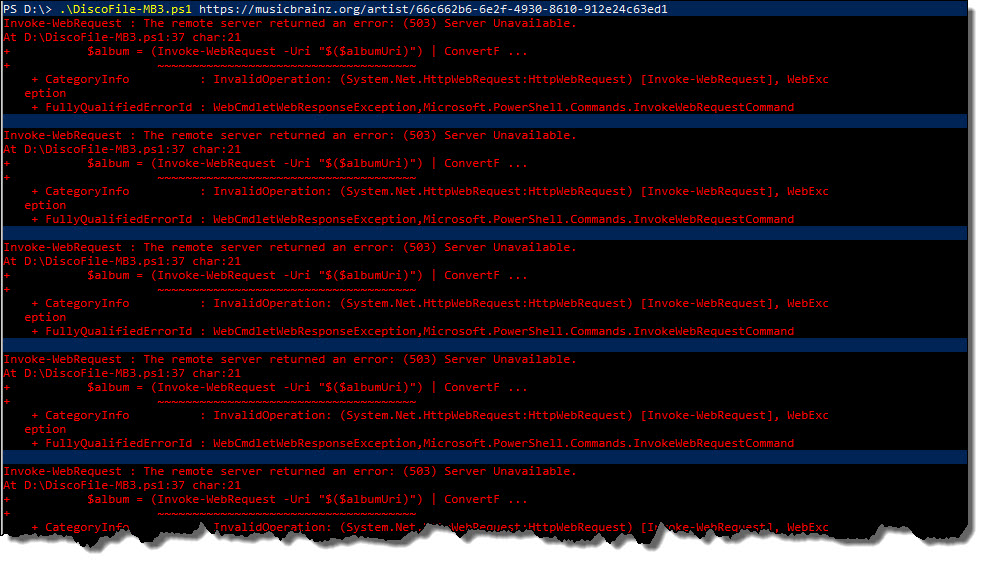
  .\DiscoFile-MB3.ps1 https://musicbrainz.org/artist/66c662b6-6e2f-4930-8610-912e24c63ed1

  Will result in a file called 'AC_DC-MB - Discography.txt' in the same directory as
  DiscoFile.ps1

#>

param (
  [string]$Uri
)

$web = (Invoke-WebRequest -Uri $Uri).RawContent

$temp = $web -replace '[\s\S]+application\/ld\+json..([\s\S]+?)<\/script>[\s\S]*$', '$1'

$json = $temp | ConvertFrom-Json

$outFile = ($json.name + "-MB - Discography.txt").Split([IO.Path]::GetInvalidFileNameChars()) -join '_'
if (Test-Path $outFile) {
  Remove-Item $outFile -Force
}

$i = 0
do {
  if ($json.album[$i].albumProductionType -match 'StudioAlbum') {
    $found = $true
    $albumUri = ($json.album[$i].'@id' + "?inc=releases&fmt=json") -replace '\.org\/', '.org/ws/2/'
    $album = (Invoke-WebRequest -Uri "$($albumUri)") | ConvertFrom-Json
    "$($album.releases[0].date) - $($album.title)" | Out-File -FilePath $outFile -Append
  } else {
    $found = $false
  }
  $i++
} while ($found)
Which makes it a little nicer:
1975-02-17 - High Voltage
1975-12-01 - T.N.T.
1976-05-14 - High Voltage
1976-09-20 - Dirty Deeds Done Dirt Cheap
1977-03-21 - Let There Be Rock
1978-05-05 - Powerage
1979-07-27 - Highway to Hell
1980-07-25 - Back in Black
1981-11-23 - For Those About to Rock (We Salute You)
1983-08-15 - Flick of the Switch
1985-06-28 - Fly on the Wall
1988-01-18 - Blow Up Your Video
1990-09-21 - The Razors Edge
1995-09-22 - Ballbreaker
2000-02-25 - Stiff Upper Lip
2008-10-17 - Black Ice
2014-11-28 - Rock or Bust
2020-11-13 - Power Up
I guess AllMusic could be parsed using the
HTML Agility Pack ... if I could work out how to use it