DonationCoder.com forum
 
Read-only archive. This is a static copy of the DonationCoder.com forum. Reading and searching work as before; logging in, posting and private messages do not.
Archive of 2026-10-21 · About this archive · Main site

Author Topic: Experimenting with a multi-camera setup for zoom, streaming, board game vlogging  (Read 10,873 times)

mouser

  • First Author
  • Administrator
  • Joined in 2005
  • *****
  • Posts: 40,931
    • Gathering Badge
    • Plugin Coding Medal
    • Participated in NANY Challenge Seventeen Times
    • Cody Award
    • Coding Snacks
    • Volunteers/Staff
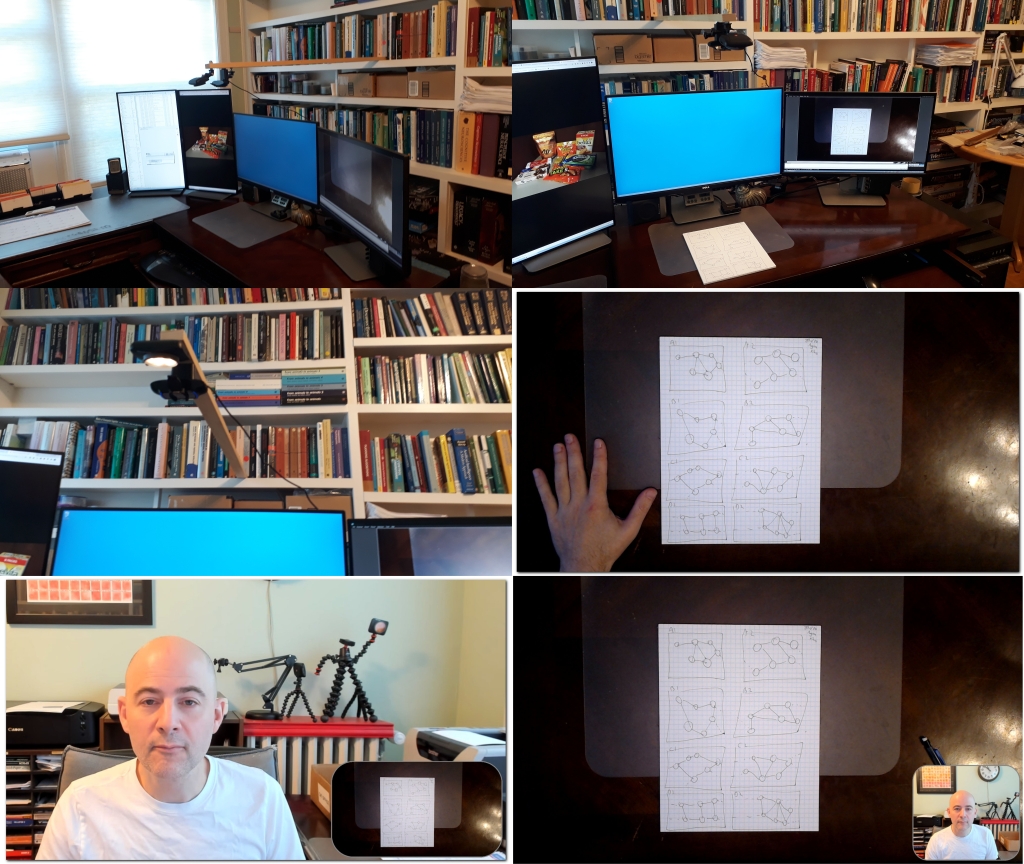
Today I decided to experiment a little with configuring a multi-camera setup with a top-down camera, for vlogging board games, etc.
With this setup I can switch between front and top down cameras, or combine them, and then easily disconnect the "boom" when not in use just swing away the boom out of view into the bookshelf when not in use (version 2).
dcamallsmall.jpg

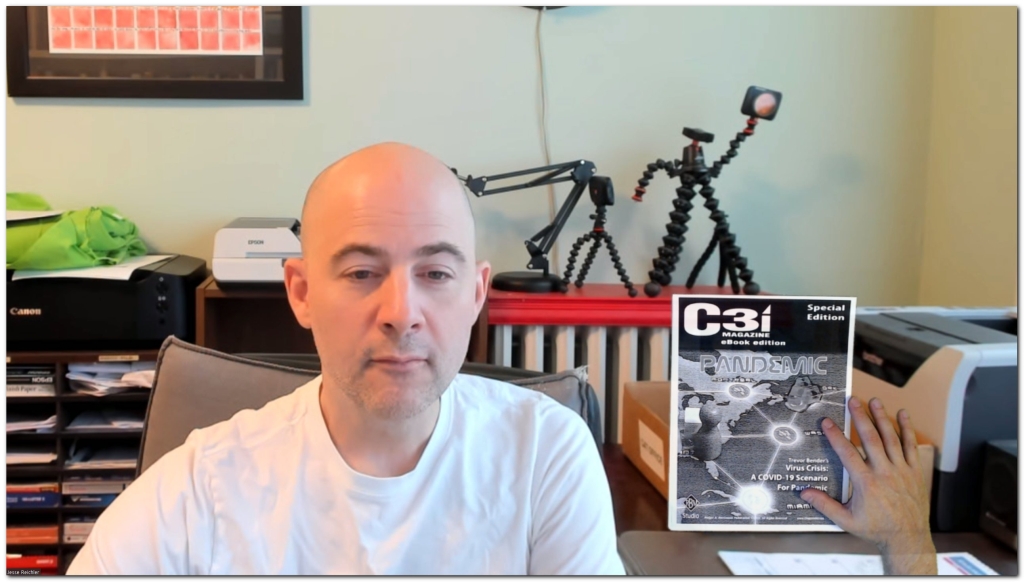
Playing with greenscreened top-down overly:

dcam7small.jpg
« Last Edit: July 27, 2020, 01:47 AM by mouser »

Shades

  • Member
  • Joined in 2006
  • **
  • Posts: 2,954
Would such a system not help in allowing actual board games or tabletop games to be played remotely, if the remote player would be in control of which camera he/she chooses to use at any given moment?

After all, you did make an automated dice roller a while back....
The easy path is usually downhill...

mouser

  • First Author
  • Administrator
  • Joined in 2005
  • *****
  • Posts: 40,931
    • Gathering Badge
    • Plugin Coding Medal
    • Participated in NANY Challenge Seventeen Times
    • Cody Award
    • Coding Snacks
    • Volunteers/Staff

mouser

  • First Author
  • Administrator
  • Joined in 2005
  • *****
  • Posts: 40,931
    • Gathering Badge
    • Plugin Coding Medal
    • Participated in NANY Challenge Seventeen Times
    • Cody Award
    • Coding Snacks
    • Volunteers/Staff
The software I'm using currently is the commercial tool XSplit Broadcaster but I will also be trying out the open source alternative OBS (Open Broadcaster Software).
They both let you create "scenes" with different cameras and overlays and combine them into one virtual camera that another tool (such as Zoom) sees.

wraith808

  • Supporting Member
  • Joined in 2006
  • **
  • Posts: 11,205
    • Participated in NANY Challenge Fourteen Times
    • Coding Snacks
    • Writer
    • Hardware Hacker
In that last image, I can't even tell that they are not in the same frame.  It looks pretty amazing!  I've seen that one some videos on youtube, and thought it witchery! :)

I like your shelves! Just had to add that.  I'm obsessed with built-ins.

mouser

  • First Author
  • Administrator
  • Joined in 2005
  • *****
  • Posts: 40,931
    • Gathering Badge
    • Plugin Coding Medal
    • Participated in NANY Challenge Seventeen Times
    • Cody Award
    • Coding Snacks
    • Volunteers/Staff
Yeah it is kind of witchery.
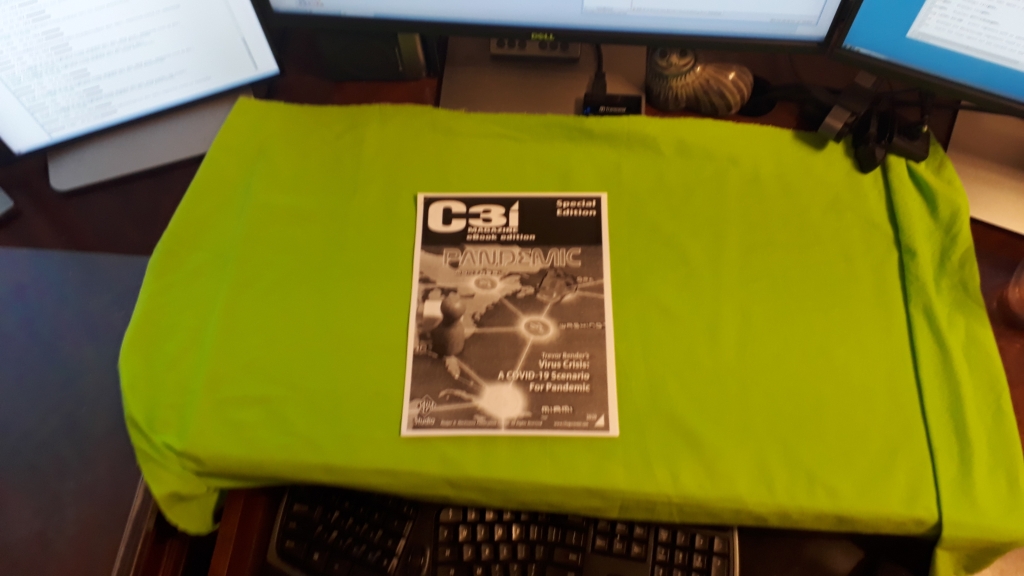
For the green screen working area I use a green fabric on my desk:
[attach]

wraith808

  • Supporting Member
  • Joined in 2006
  • **
  • Posts: 11,205
    • Participated in NANY Challenge Fourteen Times
    • Coding Snacks
    • Writer
    • Hardware Hacker
It could work really well with the idea of playing board games together.  Both of you could have the same board game, and you could visually see where the other person was moving, and mirror it on your own board.

superboyac

  • Is your software in my list?
  • Charter Member
  • Joined in 2005
  • ***
  • Posts: 6,347
The software I'm using currently is the commercial tool XSplit Broadcaster but I will also be trying out the open source alternative OBS (Open Broadcaster Software).
They both let you create "scenes" with different cameras and overlays and combine them into one virtual camera that another tool (such as Zoom) sees.
I use OBS, I like OBS better.  I also use an elgato streamdeck for physical buttons that can do whatever you want, makes life a lot easier.
OBS probably has a more active community, and more features if you dig into it.

I want to do green screen stuff also.  I'll get around to it.  I have been working on my setup in these times as well.

How do you have 4 monitors connected?  what kind of gpu?  I tried to do 4 but i only had 3 slots, and after that the adapters dont work well. 

mouser

  • First Author
  • Administrator
  • Joined in 2005
  • *****
  • Posts: 40,931
    • Gathering Badge
    • Plugin Coding Medal
    • Participated in NANY Challenge Seventeen Times
    • Cody Award
    • Coding Snacks
    • Volunteers/Staff
I have 2 nvidia display adapters, a GTX 1070 and a GTX 660.

The 660 is actually driving three of my displays, and the 1070 one.

superboyac

  • Is your software in my list?
  • Charter Member
  • Joined in 2005
  • ***
  • Posts: 6,347
I have 2 nvidia display adapters, a GTX 1070 and a GTX 660.

The 660 is actually driving three of my displays, and the 1070 one.
ah that makes sense.
two nights ago, i was trying to get the 4th to work, and i was like I think i need a second card.  no amount of converters/adapters work after a while.

mouser

  • First Author
  • Administrator
  • Joined in 2005
  • *****
  • Posts: 40,931
    • Gathering Badge
    • Plugin Coding Medal
    • Participated in NANY Challenge Seventeen Times
    • Cody Award
    • Coding Snacks
    • Volunteers/Staff
The 660 SHOULD be able to drive all 4 I believe, but I've never tried it.
The real annoyance with drying to drive all 4 from 1 display is that each card has a mixture of ports (dvi, hdmi, displayport), and I've had issues with monitors waking up weirdly when connected to some ports.. The current arrangement seems to work.

mouser

  • First Author
  • Administrator
  • Joined in 2005
  • *****
  • Posts: 40,931
    • Gathering Badge
    • Plugin Coding Medal
    • Participated in NANY Challenge Seventeen Times
    • Cody Award
    • Coding Snacks
    • Volunteers/Staff
Quote
I also use an elgato streamdeck for physical buttons that can do whatever you want, makes life a lot easier.
Looks very fun and useful if you are streaming to switch views.

I wonder if there is a tool for a mobile phone or tablet that one could use instead..

mouser

  • First Author
  • Administrator
  • Joined in 2005
  • *****
  • Posts: 40,931
    • Gathering Badge
    • Plugin Coding Medal
    • Participated in NANY Challenge Seventeen Times
    • Cody Award
    • Coding Snacks
    • Volunteers/Staff
I modified my setup to connect the wooden "boom" to the underside of the bookshelf such that I can just swing it away invisibly into the bookshelf when not in use.

superboyac

  • Is your software in my list?
  • Charter Member
  • Joined in 2005
  • ***
  • Posts: 6,347
The 660 SHOULD be able to drive all 4 I believe, but I've never tried it.
The real annoyance with drying to drive all 4 from 1 display is that each card has a mixture of ports (dvi, hdmi, displayport), and I've had issues with monitors waking up weirdly when connected to some ports.. The current arrangement seems to work.
i just couldn't get 4 to work.  I also felt it was capable.  But it would require one to get disable to use the other, etc so even if there were 4 plugged in only 3 could be used.  But really, yes, not enough plugs essentially....one way or the other.

your setup kicks ass...i'm getting lots of ideas.

Original address: https://www.donationcoder.com/forum/index.php?topic=50189.0