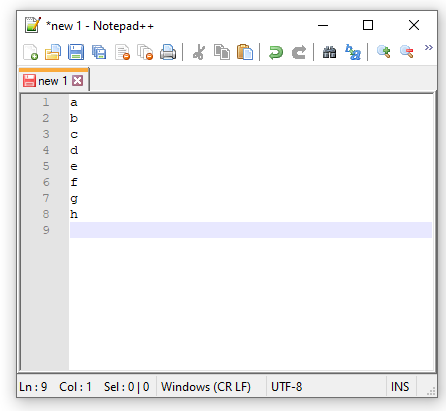
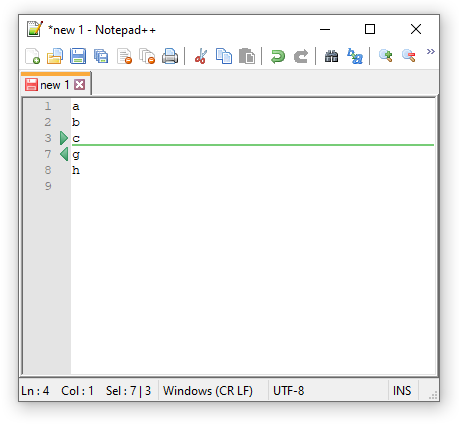
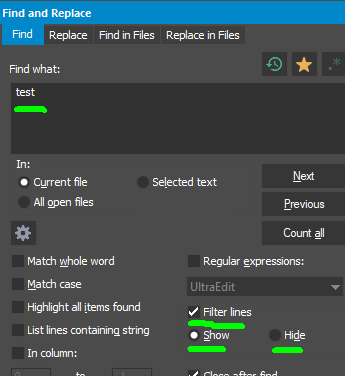
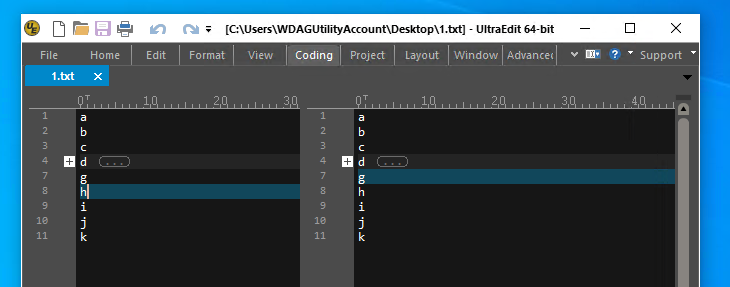
Does anyone know of a code editor or plaintext editor that has these features:
1 First view displays the full text (every editor has this!)
2 Second view of the same document side by side (many editors have this!)
3 The second view displays only filtered lines from the full text.
4 An inputfield for typing a string/regex that updates the filtered lines immediately.
5 Synced edits: edits in the full text view are synced to the filtered view, and vice versa.
bonus feature but not as important
6 Synced positions: caret position and scrolling is synced between both views.
This feature would be of use when renaming variables or repeatedly doing similar changes at various places in a document. Find/replace already exists of course, but filtering could be a useful complement and give a better overview. Another use case is to show all lines that has the string "todo" etc in them, which could give an overview of code locations you've tagged for working on later.
Some other viewing/navigating tools that, while useful, don't do the above.
Minimap, https://code.visualstudio.com/docs/getstarted/userinterface#_minimap
Instead of filtering this zooms out to show a map of the full text. The map highlights lines with matches when using find/replace, which is nice. But the minimap is too small to read the text on those lines and we can't edit inside the minimap.
Multiple views (and scroll and caret positions) for the same full (unfiltered) text. E.g. the "split editor" command in VS Code
Filtering tools that create and open a separate, non-synced file with filtered lines. E.g. Text Power Tools for VS Code, https://marketplace.visualstudio.com/items?itemName=qcz.text-power-tools
Markdown preview, https://code.visualstudio.com/docs/languages/markdown#_dynamic-previews-and-preview-locking
This syncs positions. Edits in the plaintext view immediately sync to the preview. But there is no filtering and no editing in the preview.
1 First view displays the full text (every editor has this!)
2 Second view of the same document side by side (many editors have this!)
3 The second view displays only filtered lines from the full text.
4 An inputfield for typing a string/regex that updates the filtered lines immediately.
5 Synced edits: edits in the full text view are synced to the filtered view, and vice versa.
bonus feature but not as important
6 Synced positions: caret position and scrolling is synced between both views.
This feature would be of use when renaming variables or repeatedly doing similar changes at various places in a document. Find/replace already exists of course, but filtering could be a useful complement and give a better overview. Another use case is to show all lines that has the string "todo" etc in them, which could give an overview of code locations you've tagged for working on later.
Some other viewing/navigating tools that, while useful, don't do the above.
Minimap, https://code.visualstudio.com/docs/getstarted/userinterface#_minimap
Instead of filtering this zooms out to show a map of the full text. The map highlights lines with matches when using find/replace, which is nice. But the minimap is too small to read the text on those lines and we can't edit inside the minimap.
Multiple views (and scroll and caret positions) for the same full (unfiltered) text. E.g. the "split editor" command in VS Code
Filtering tools that create and open a separate, non-synced file with filtered lines. E.g. Text Power Tools for VS Code, https://marketplace.visualstudio.com/items?itemName=qcz.text-power-tools
Markdown preview, https://code.visualstudio.com/docs/languages/markdown#_dynamic-previews-and-preview-locking
This syncs positions. Edits in the plaintext view immediately sync to the preview. But there is no filtering and no editing in the preview.