DonationCoder.com forum
 
Read-only archive. This is a static copy of the DonationCoder.com forum. Reading and searching work as before; logging in, posting and private messages do not.
Archive of 2026-10-21 · About this archive · Main site

Author Topic: displaying long file names  (Read 8,895 times)

Judykator

  • Supporting Member
  • Joined in 2011
  • **
  • Posts: 36
displaying long file names
« on: August 07, 2019, 10:28 AM »
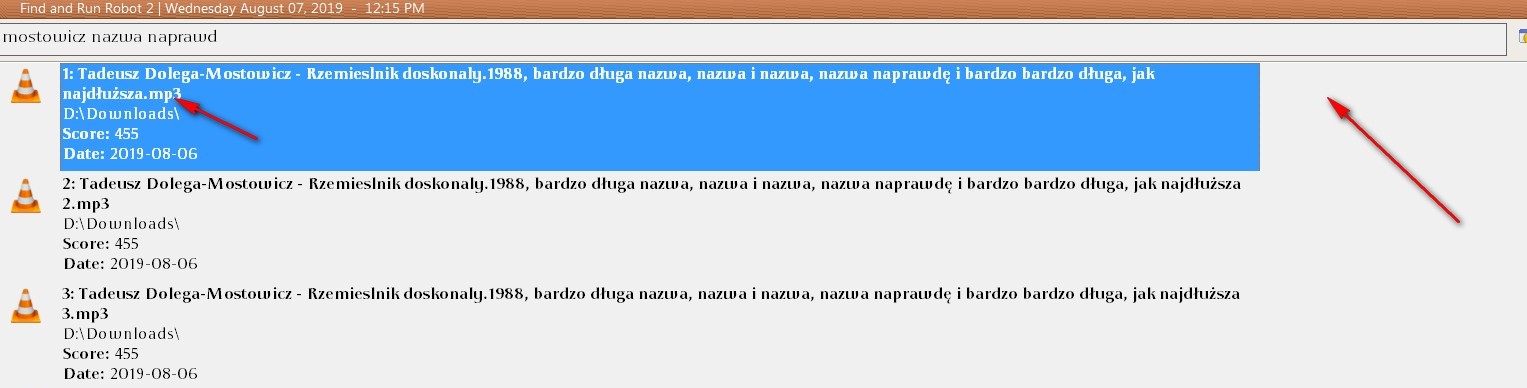
In the attachment you can see how the program displays very long file names in search results
farr name.jpg

How to set the program so that the very long file name will be displayed without collapsing in the place indicated by the right arrow?

I use v2.233.02 and 1920x1080 resolution
Nod5

  • Supporting Member
  • Joined in 2006
  • **
  • Posts: 1,175
    • Coding Snacks
    • Participated in NANY Challenge Three Times
    • Plugin Coding Medal
Re: displaying long file names
« Reply #1 on: August 07, 2019, 10:08 PM »
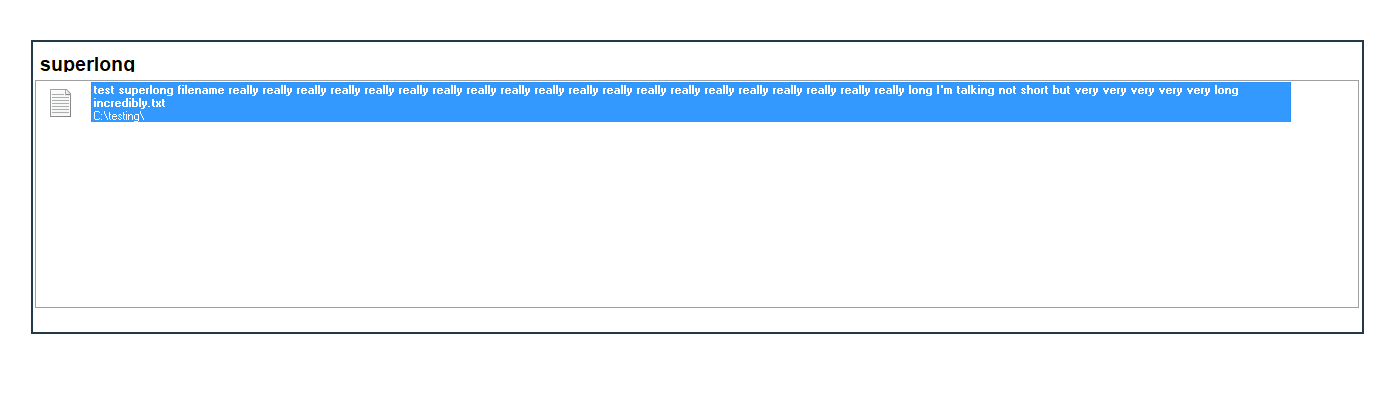
I can confirm that the word wrap happens, though I hadn't noticed it until you posted about it. Don't know if there is a way to disable it.
longfilename.png

IainB

  • @Slartibartfarst
  • Supporting Member
  • Joined in 2008
  • **
  • Posts: 7,544
Re: How to display LFNs (LongFileNames) in FARR.
« Reply #2 on: August 08, 2019, 07:32 AM »
@Judykator: This might help.
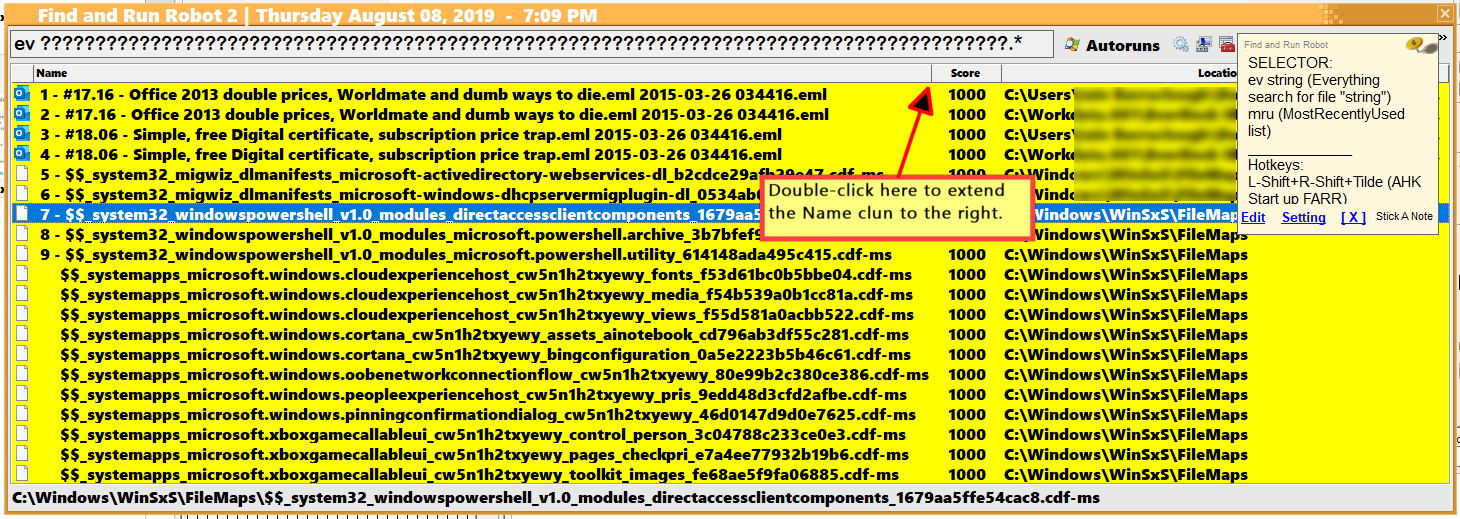
Set Name and other columns (e.g., the Score column per example below).
Display files with long names - in the example below, I use Everything with a Regex query to get some LFNs (LongFileNames).
The LFNs may initially appear as truncated to the right with 3 dots...
Doubleclick on the column divider to the right of the LFNs, as shown, and the Name column will then expand to display the full LFNs on a single line.

08_1460x519_4D18372B.png

Judykator

  • Supporting Member
  • Joined in 2011
  • **
  • Posts: 36
Re: displaying long file names
« Reply #3 on: August 08, 2019, 09:02 AM »
@Judykator: This might help.
Set Name and other columns (e.g., the Score column per example below).

how to make column headers visible ? I can't see them. Option "Hide Coumn Headers" I have unchecked ...

edit:
I would have to use small icons? Then only the column heading is visible.

I use large icons ...
« Last Edit: August 08, 2019, 09:08 AM by Judykator »

wraith808

  • Supporting Member
  • Joined in 2006
  • **
  • Posts: 11,205
    • Participated in NANY Challenge Fourteen Times
    • Coding Snacks
    • Writer
    • Hardware Hacker
Re: displaying long file names
« Reply #4 on: August 08, 2019, 05:15 PM »
I think that the OP just wants to expand the display space- it seems that the column display is not constrained to the size of the window.  That's the underlying problem it appears from first glance.

mouser

  • First Author
  • Administrator
  • Joined in 2005
  • *****
  • Posts: 40,931
    • Gathering Badge
    • Plugin Coding Medal
    • Participated in NANY Challenge Seventeen Times
    • Cody Award
    • Coding Snacks
    • Volunteers/Staff
Re: displaying long file names
« Reply #5 on: August 09, 2019, 01:55 AM »
Let me look into this -- it does seem like in the first screeenshot, that FARR is not using all the space it could.

Judykator

  • Supporting Member
  • Joined in 2011
  • **
  • Posts: 36
Re: displaying long file names
« Reply #6 on: August 09, 2019, 06:03 AM »
FARR is not using all the space it could.

That's what I mean

Original address: https://www.donationcoder.com/forum/index.php?topic=48361.0